




Names like these, in green, are pages inside your ArmPOS shop. Sign in to your shop to open them.
By the end you will have recorded when your staff arrived and left, and you will know how ArmPOS works out lateness and hours from their shift.
Attendance comes with HR, which some plans include. Your staff need an employee record and a shift first: see Employees.
Record a day
Attendance is entered by a manager: staff don't clock themselves in.
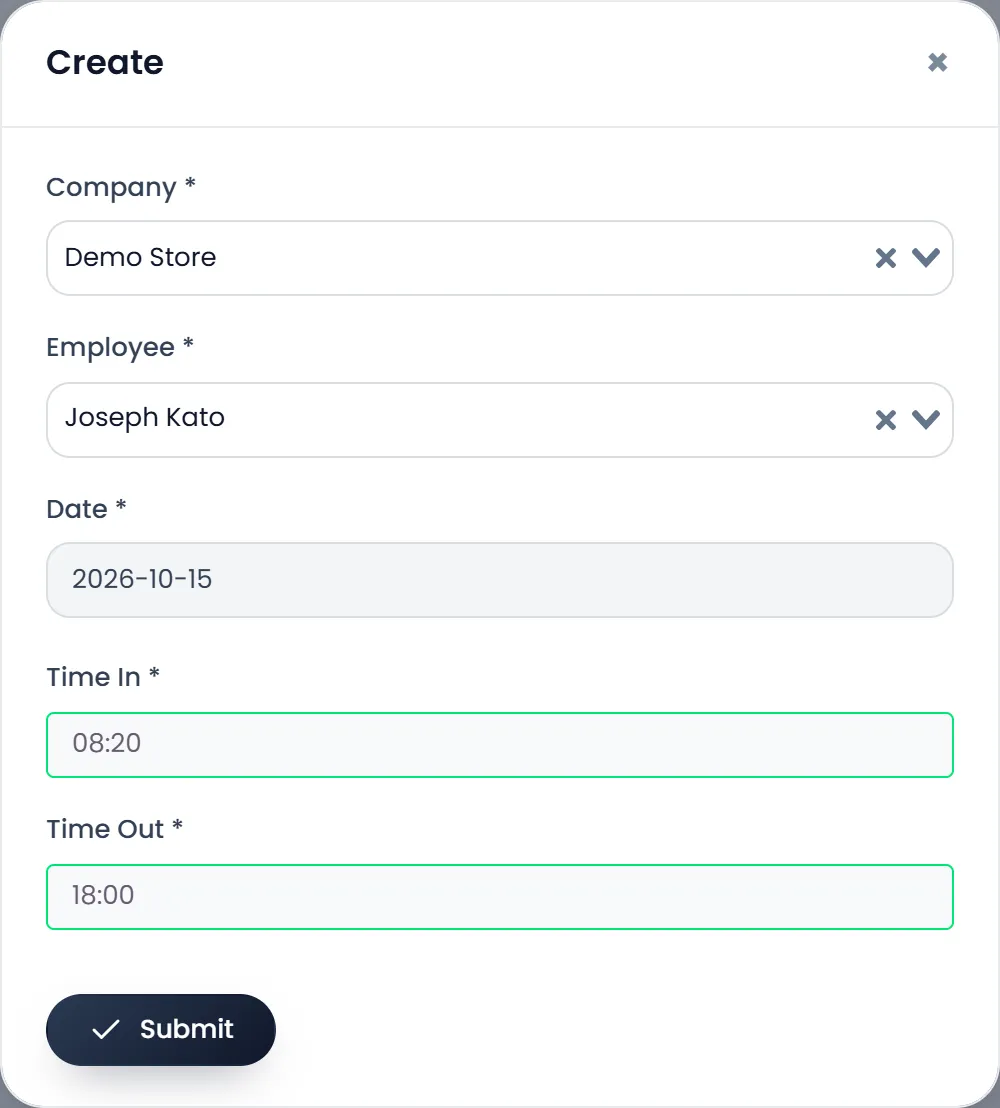
- Open HRM › Attendance and click Create.
- Pick the Company and the Employee.
- Pick the Date from the calendar.
- Set Time In and Time Out. Click the box, then the hour on the clock, then the minutes, then done. The inner ring holds 12 to 23.
- Click Submit.
How it is counted
ArmPOS compares each day with the employee's shift for that weekday:
- Arriving after the shift starts counts as late time. Arriving early is shown as the shift's start.
- Leaving before the shift ends counts as leaving early; leaving after it, as overtime.
- Work Duration is the time between arrival and departure.
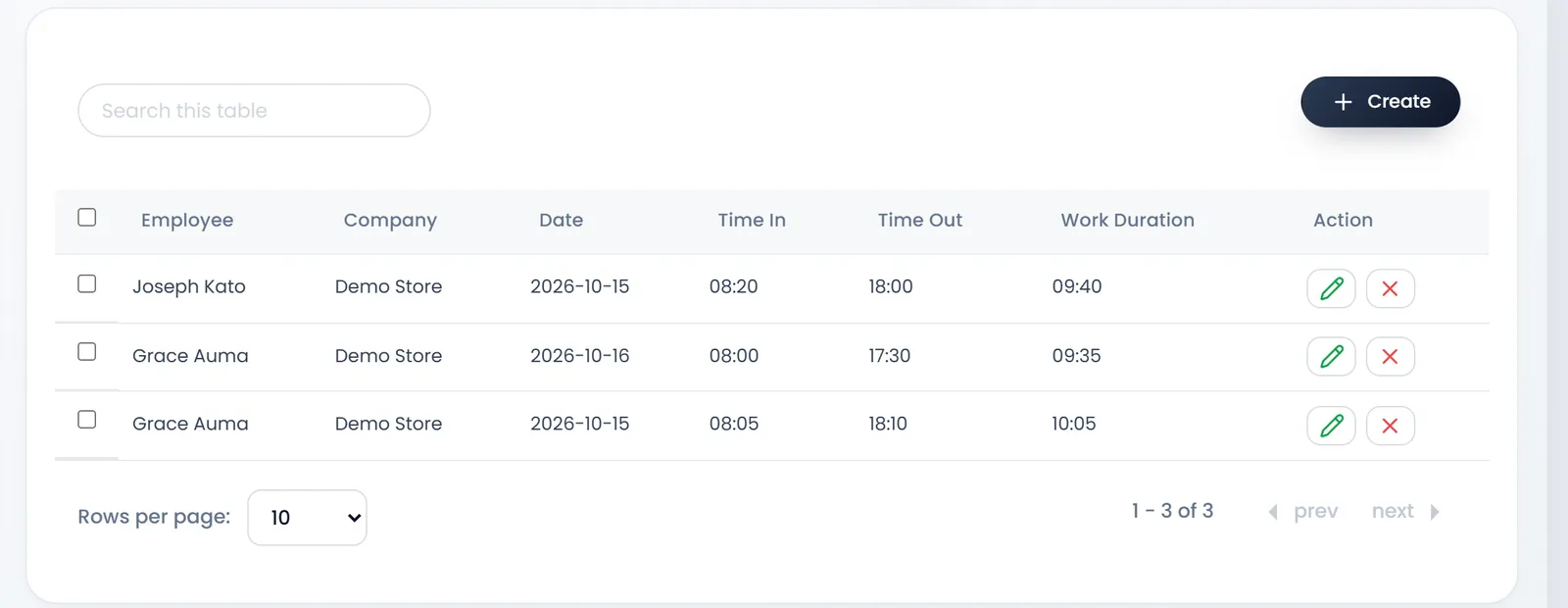
Reports › Attendance summary adds up the hours by day or month, for a company or one employee.
What's next
Still stuck?
Write to us and a person answers. If you already have a shop, Ask support inside it sends us the page you're on.
Contact usAsk your AI assistant
ChatGPT, Claude and Gemini can read every guide and walk you through it.
Set it up