




Names like these, in green, are pages inside your ArmPOS shop. Sign in to your shop to open them.
By the end your shop will have its own handbook: how you open, cash up or handle a refund, written down once so every new member of the team can find it.
The handbook comes with some plans only. If Knowledge Base isn't under Team & projects in your menu, your plan doesn't include it. Everyone in the shop can read it; writing needs a role that allows it.
Make a group
Every article sits in a group, so make the groups first.
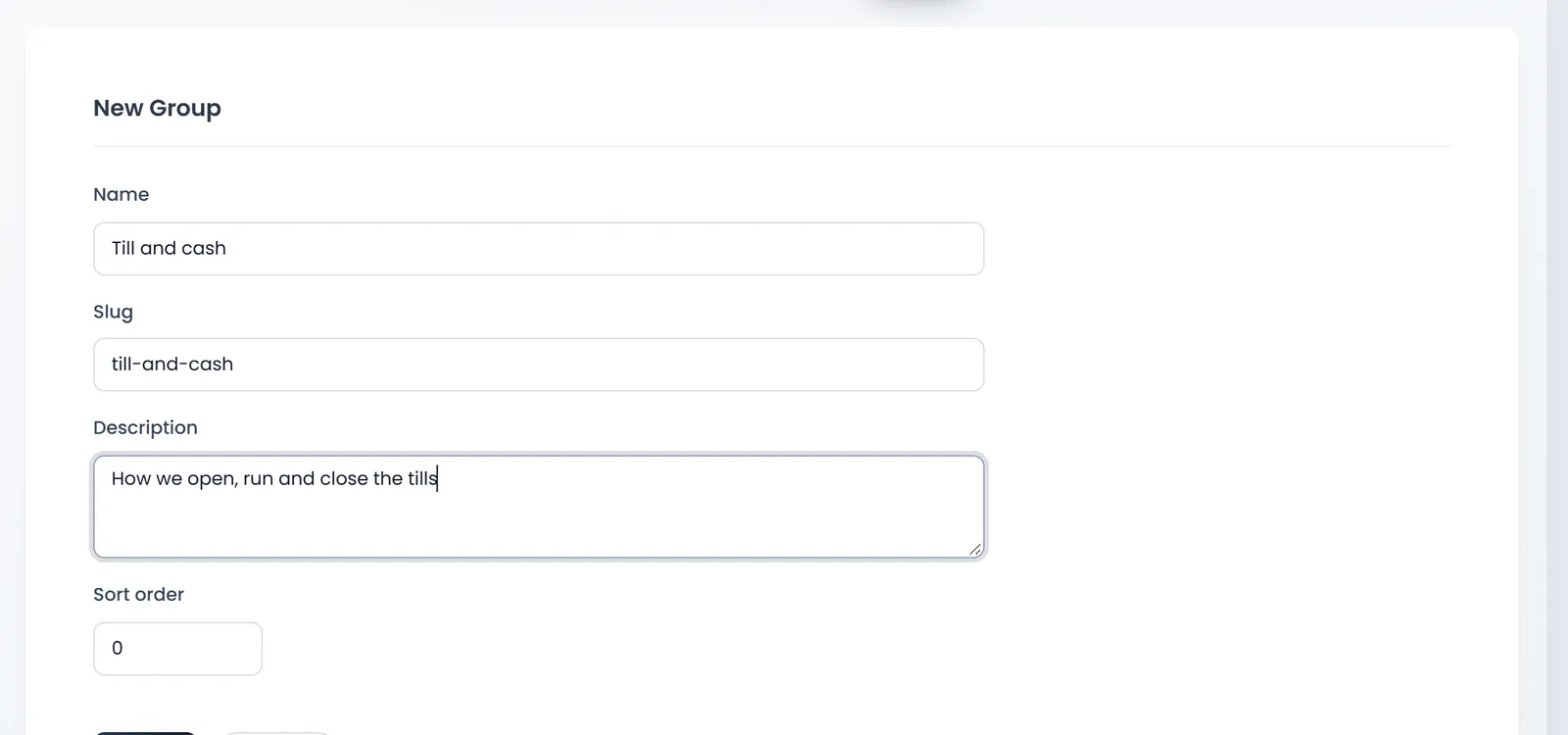
- Open Team & projects › Knowledge Base, then Groups, and click New.
- Type the Name, such as Till and cash. The Slug, its address, can stay as it fills in.
- Add a Description and a Sort order if you like, and click Save.
Write an article
- Click Write an article on the handbook's page.
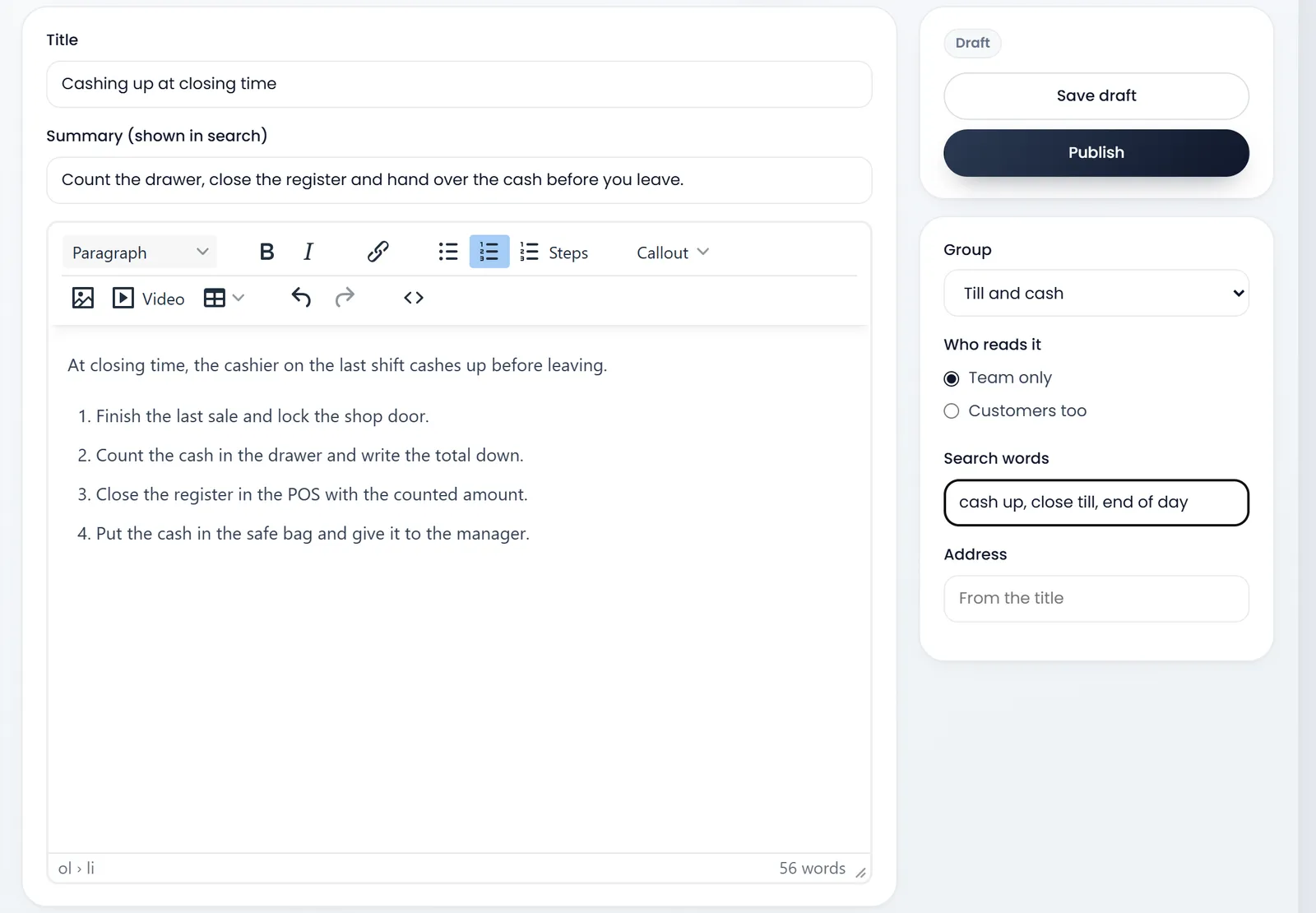
- Write the Title and the Summary (shown in search).
- Write the article. Paragraph sets headings; Steps makes numbered steps; Callout adds a tip or a warning box; pictures and Video go in with their buttons.
- Pick the Group, and Who reads it: Team only, or Customers too to show it in your customers' portal as well.
- Add Search words: the other words people use, such as "cash up, close till".
- Click Save draft to keep working, or Publish to show it.
Read and search it
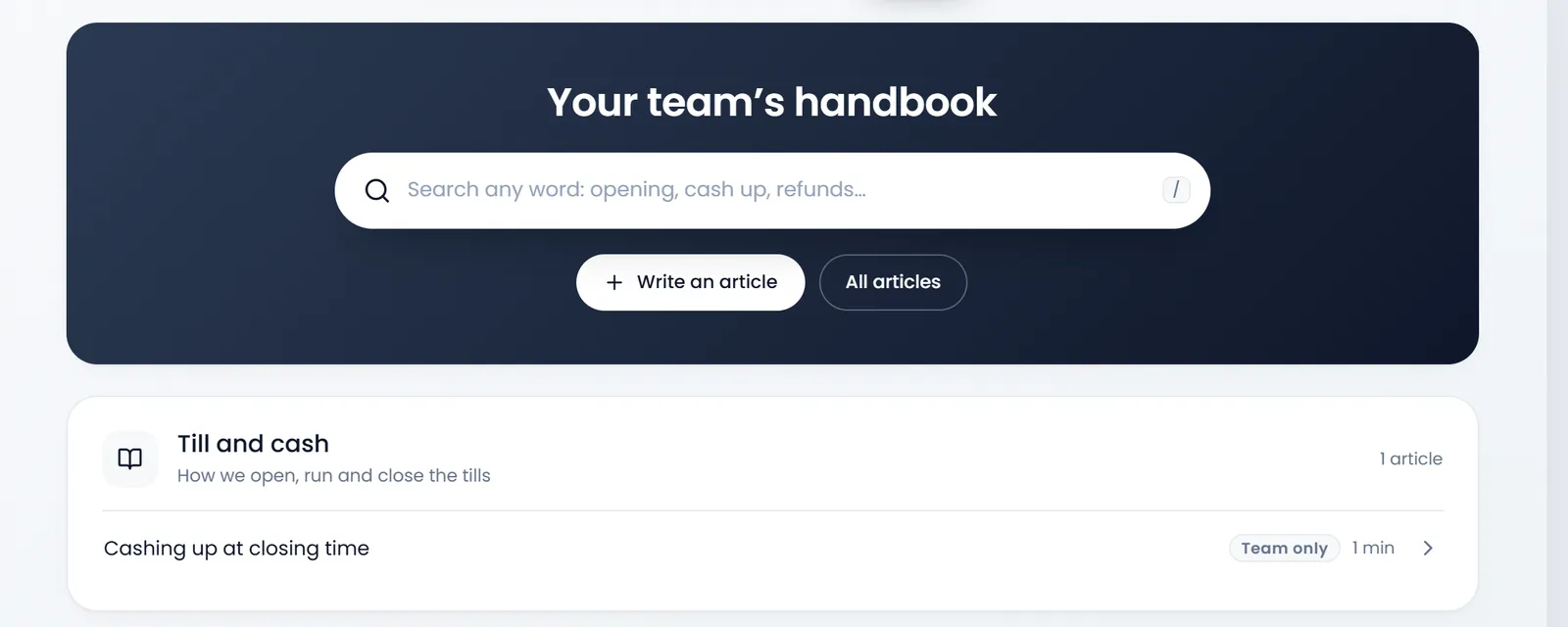
The handbook's page searches every article as you type, and lists them by group with who reads them and how long they take to read.
Open an article to read it. With the right role you can edit it again: Publish changes saves a new version, Versions lists the earlier ones with Restore, and Unpublish takes it back to a draft.
What's next
ArmPOS's own guides, like this one, are in the Help center.
Still stuck?
Write to us and a person answers. If you already have a shop, Ask support inside it sends us the page you're on.
Contact usAsk your AI assistant
ChatGPT, Claude and Gemini can read every guide and walk you through it.
Set it up