




Names like these, in green, are pages inside your ArmPOS shop. Sign in to your shop to open them.
By the end you will have asked your figures one of the ready questions, such as how today went or which customers are late paying, and read the answer.
AI Reports comes with some plans only. If it isn't under Reports in your menu, your plan or your role doesn't include it.
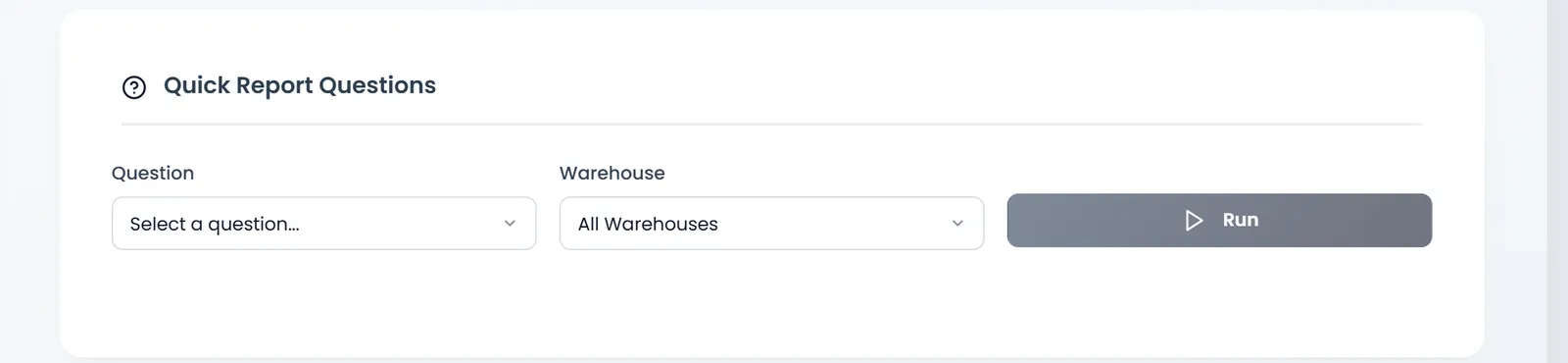
Ask a question
- Open Reports › AI Reports.
- Pick the Question. The list is fixed: you choose, you don't type. There are summaries (Today's Sales Summary, This Week Sales Summary, Last Month Sales Summary…), top products by profit, revenue or quantity, customers with late payments, overdue invoices, and comparisons such as This Week vs Last Week (Insights) and Why did profit drop yesterday?
- Pick the Warehouse, or leave All Warehouses.
- Click Run.
Read the answer
The answer opens below with the question it answers. A summary shows its Key Performance Indicators, such as Transactions, Revenue, Tax, Discount and Profit, then charts. A list, such as late-paying customers, shows a table. The comparison questions add a few lines that say what changed and by how much.
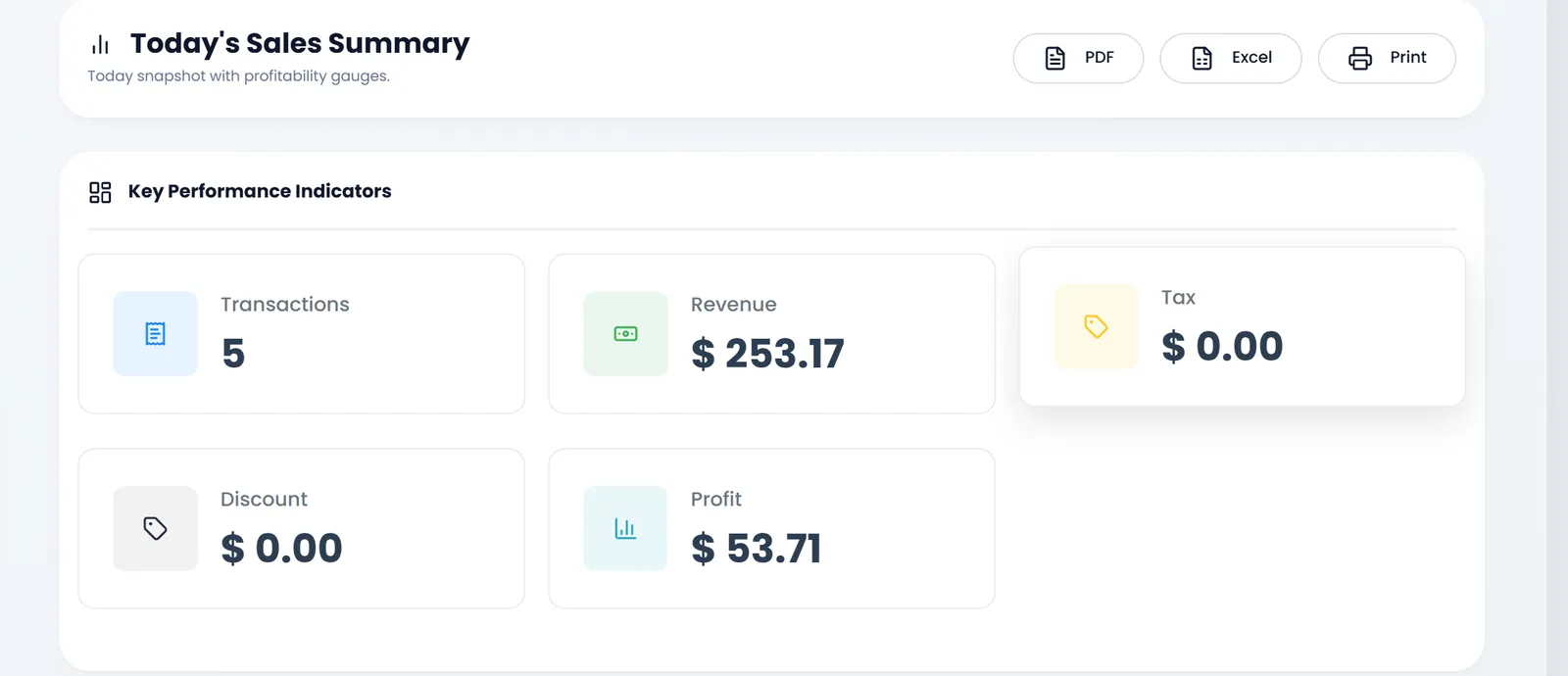
PDF, Excel and Print keep the answer. Each chart has its own menu to save it as a picture or a CSV file.
The answers come from your shop's own figures, worked out by ArmPOS; nothing is sent to an outside service.
What's next
For the full figures behind an answer, open the matching report: see Sales reports.
Still stuck?
Write to us and a person answers. If you already have a shop, Ask support inside it sends us the page you're on.
Contact usAsk your AI assistant
ChatGPT, Claude and Gemini can read every guide and walk you through it.
Set it up