




Names like these, in green, are pages inside your ArmPOS shop. Sign in to your shop to open them.
By the end you will know how to find any serial number or IMEI you bought and sold, follow one unit's history, and see which warranties are about to run out.
These reports fill up once you sell products tracked by serial number, such as phones, laptops or appliances.
Setting up serial numbers and warranties on your products is in Serial numbers and warranties.
Where each unit is
All of these are under Reports in the sidebar:
- Available Serial Numbers lists the units in stock: the Serial Number, the product's Name and Code, the Warehouse, the Supplier and the day it came in. Search a serial number to find it.
- Sold Serial Numbers lists the units sold, with the Customer and the Sale Date. Use it when a customer comes back with a unit: it tells you who bought it and when.
- Product Serial Inventory counts each product's units: Available, Sold, Returned to Supplier, Damaged, Reserved and the Total.
- Serial Movement Log is the history of every unit: each purchase, sale and return, with its Date, Action, Status and Reference. Narrow it by Action and dates.
Each of them has EXCEL to keep a copy and a Warehouse choice where it applies.
Warranties
Warranty / Guarantee Report lists the products you sold with a warranty or a guarantee: the Invoice, the Date, the Product, the qty, the Customer, the Warehouse, the Warranty date and Guarantee date, and the Days remaining.
- Pick the Date range of the sales to look at.
- Narrow it if you need to. By Customer, Warehouse, Product, or Status: Active, Expiring Soon or expired.
- Click Filter. Reset clears the choices.
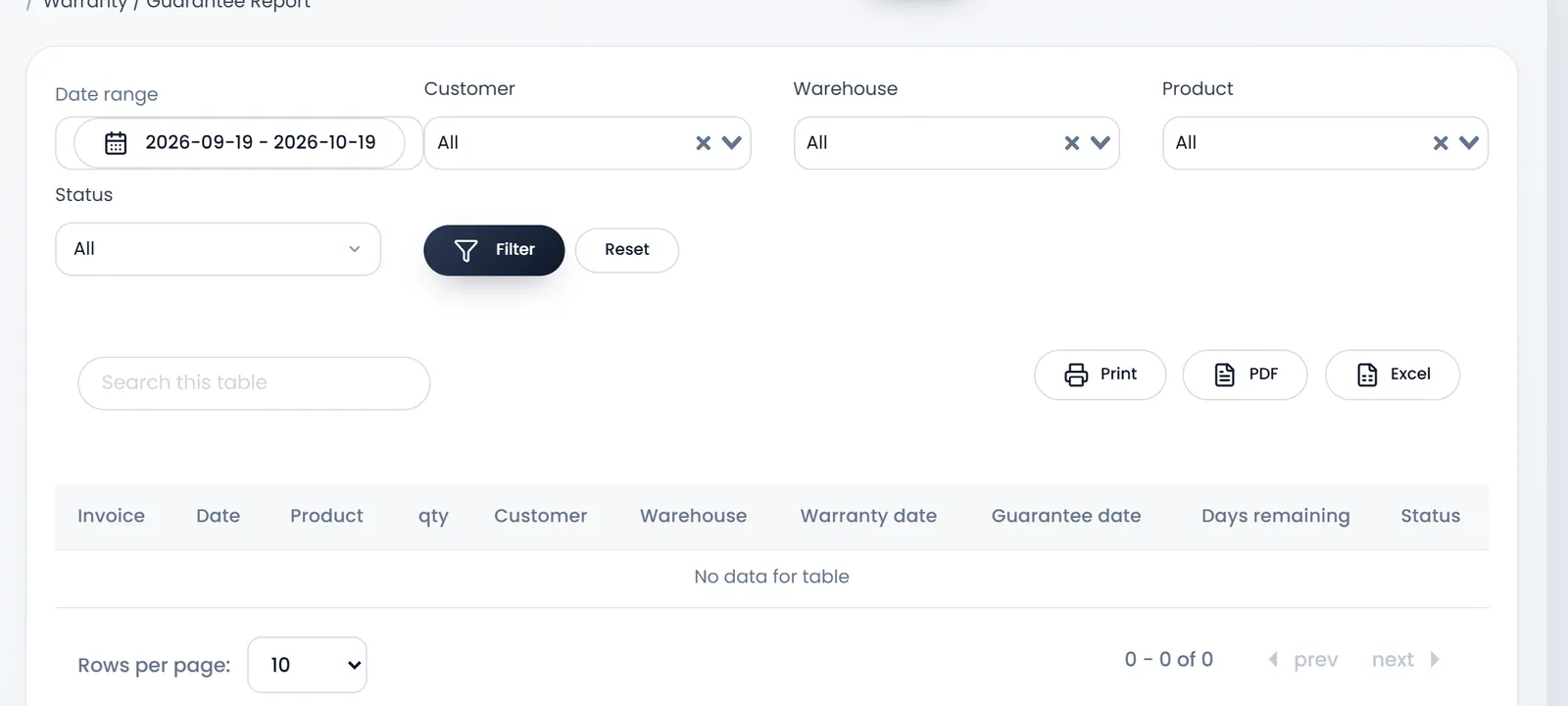
Use Expiring Soon to call customers before their warranty runs out, and check Days remaining when someone brings back a faulty unit.
What's next
Receive serial-numbered units with Record a purchase from a supplier.
Still stuck?
Write to us and a person answers. If you already have a shop, Ask support inside it sends us the page you're on.
Contact usAsk your AI assistant
ChatGPT, Claude and Gemini can read every guide and walk you through it.
Set it up