




Names like these, in green, are pages inside your ArmPOS shop. Sign in to your shop to open them.
By the end you will know which report answers which question about your sales: what sold, who sold it, at what discount, and how the period compares.
All of them are under Reports in the sidebar. Most have a date range at the top, a Warehouse choice, a search box, and Print, PDF and EXCEL to keep a copy.
Which report for which question
| Question | Report |
|---|---|
| Which sales did we make, and what is still due? | Sales Report |
| Which products went out on each sale? | Product sales report |
| What sells best? | Top Selling Products |
| Which categories or brands bring the money? | Sales by Category, Sales by Brand |
| Who sold what, and how were they paid? | Seller Report |
| How much did we give away in discounts? | Discount Summary Report |
| Which sales were held and never finished? | Draft Invoices Report |
| How much comes back as returns? | Return Ratio Report |
| How did stock and money move over a period? | Analytics Report |
| The big picture, on one screen | 3D Sales Dashboard |
Sales Report and Product sales report
Sales Report lists every sale with its Total, Paid, Due and Payment Status. Filter narrows it by customer, warehouse, status or payment status. See Reports to check every day for reading it day by day.
Product sales report lists each product line of each sale: the Date, Reference, Customer, Warehouse, product Name, Qty sold and Total. Search a product's name to see everyone who bought it.
What sells
Top Selling Products ranks products by how many sales they appear in (Total Sales), with the money they brought (Total Amount). Pick a date range to compare periods.
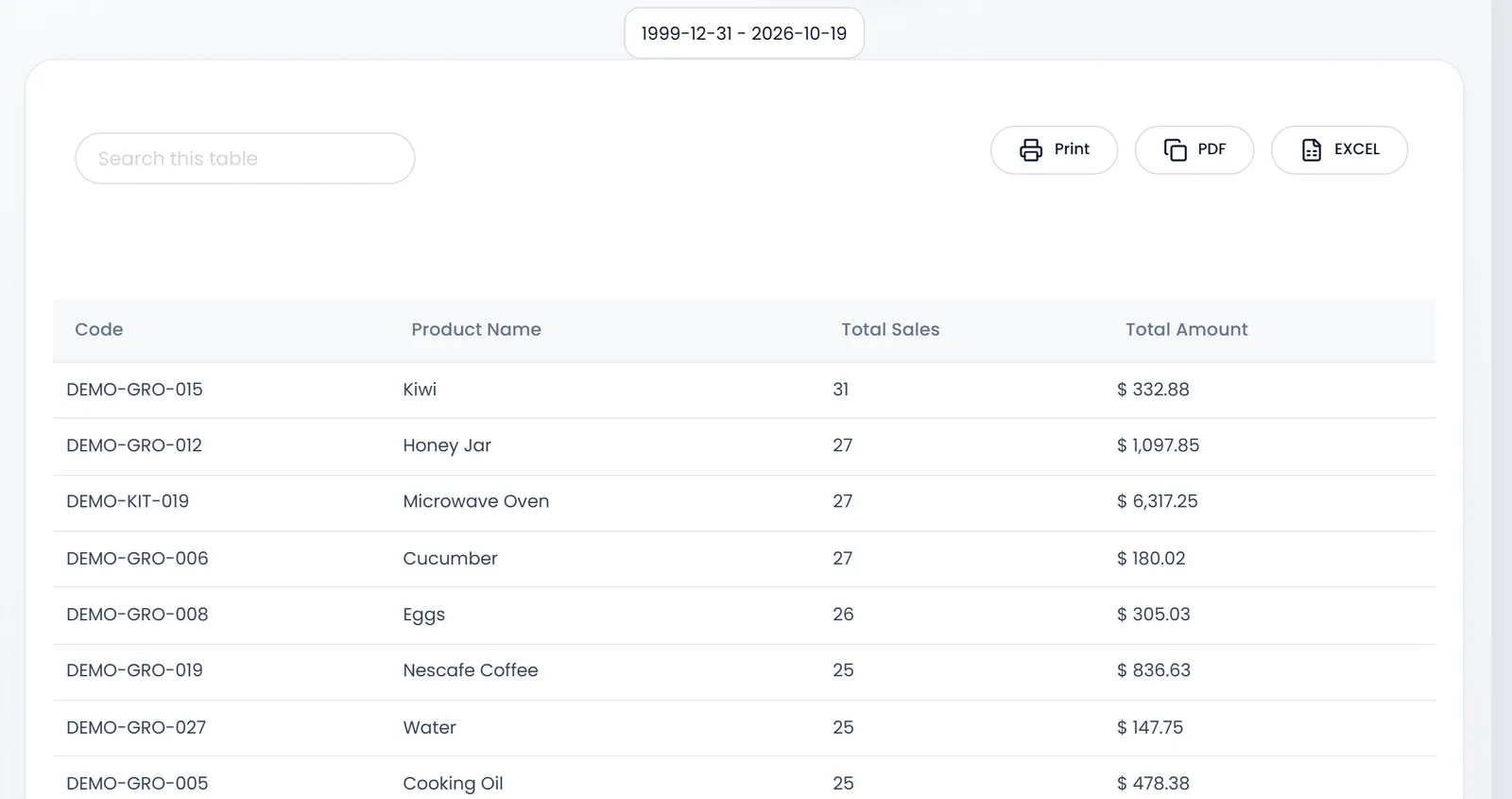
Sales by Category and Sales by Brand add the sales up per category or brand, with a total.
Who sold it
Seller Report totals each user's sales, names the Top seller, and splits each person's sales by payment method: cash, card, bank transfer and the rest. Use it to settle with each cashier.
Discounts, held sales and returns
- Discount Summary Report lists each sale's Line discount, Header discount (on the whole sale) and Discount from Points, with a chart over time.
- Draft Invoices Report lists the sales put on Hold at the POS and not finished, with their Age (days). Old drafts are sales you may have lost.
- Return Ratio Report sets sales against sales returns, and purchases against purchase returns, as a percentage.
The period at a glance
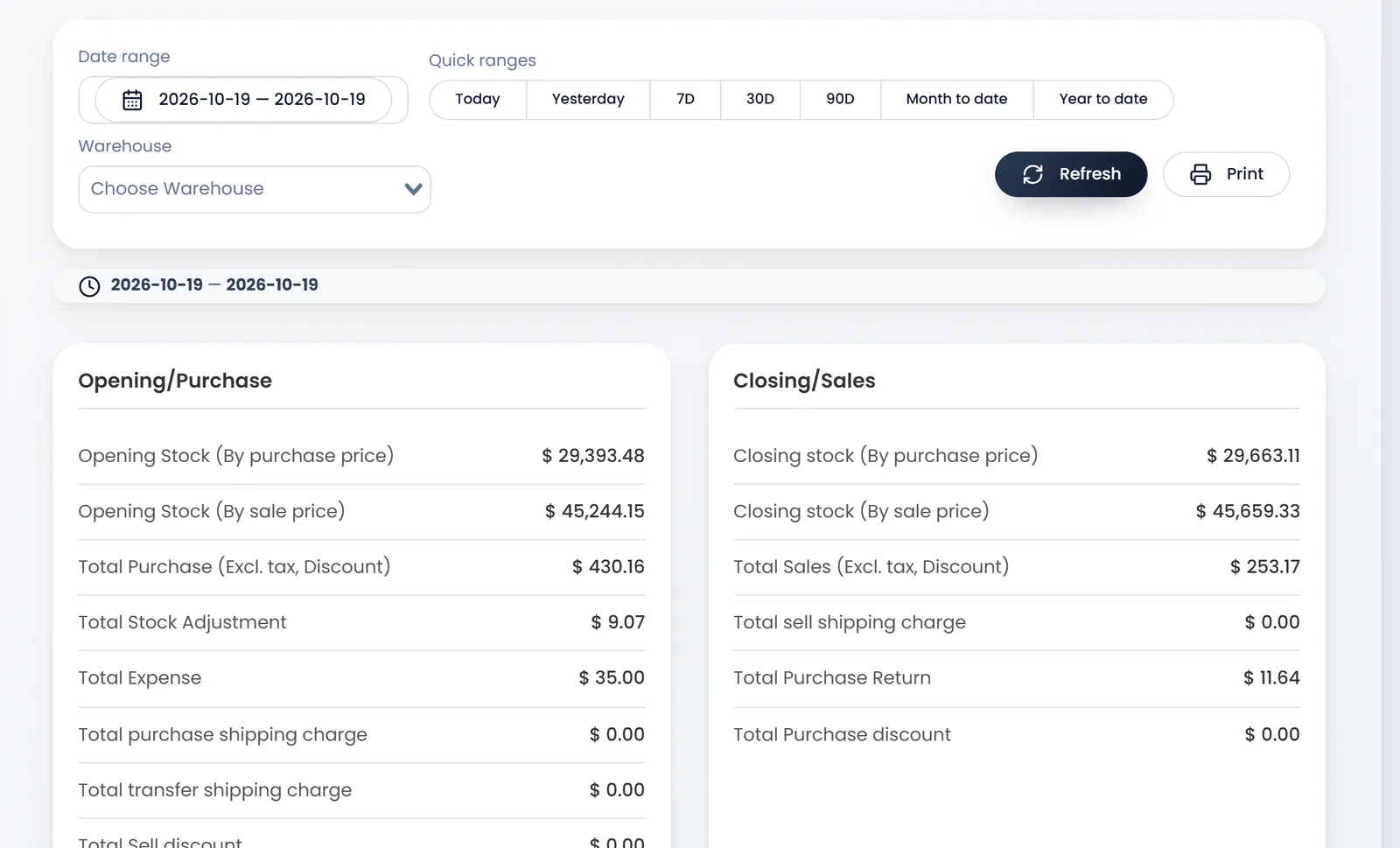
Analytics Report puts a period side by side: on the left the Opening Stock (by purchase and sale price), purchases, adjustments, expenses and discounts; on the right the Closing stock, sales, shipping and returns.
3D Sales Dashboard shows Revenue, Orders, Avg Order and Customers for a date range and warehouse, with 3D charts: sales by month and warehouse, top products, payment methods, the busiest hours of the week, and top customers. It suits a big screen in the back office.
What's next
For stock, see Stock reports. To ask a ready question instead, see AI reports.
Still stuck?
Write to us and a person answers. If you already have a shop, Ask support inside it sends us the page you're on.
Contact usAsk your AI assistant
ChatGPT, Claude and Gemini can read every guide and walk you through it.
Set it up