




Names like these, in green, are pages inside your ArmPOS shop. Sign in to your shop to open them.
By the end you will have opened a support ticket, and you will know how to follow the answers.
Open Support in the sidebar. It is there for the people whose role includes it, the owner always.
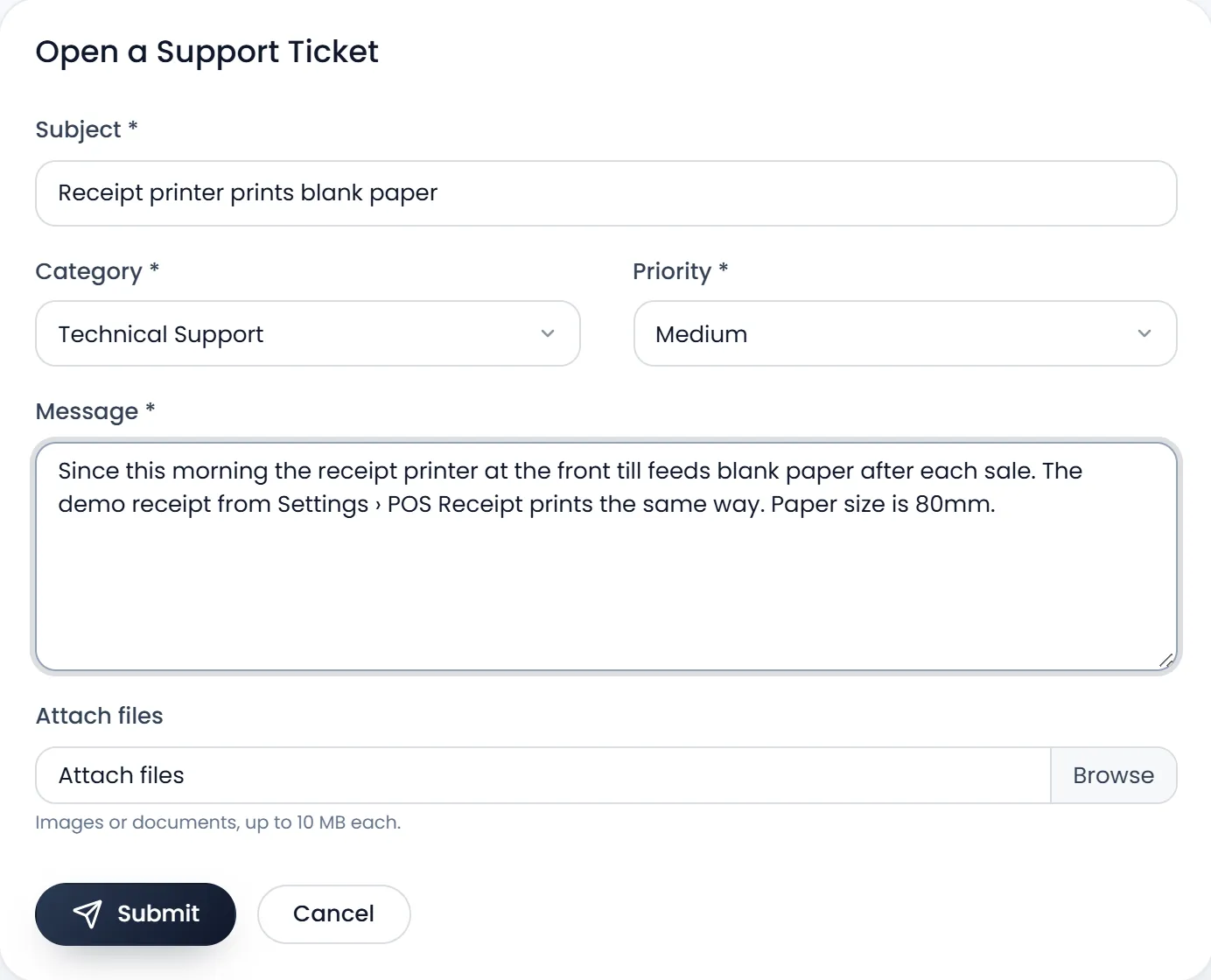
Open a ticket
- Click New Ticket.
- Write the Subject. One line that says what is wrong, for example "Receipt printer prints blank paper".
- Pick the Category. Bug Report, Technical Support, Billing Issue, Feature Request or Account Issue.
- Pick the Priority. It starts on Medium. Keep Urgent for a shop that can't sell.
- Write the Message. Say what you did, what happened and what you expected. Name the page, and the reference of the sale or payment if there is one.
- Attach pictures or documents if they help. Attach files takes JPG, PNG and PDF files, up to 10 MB each. A screenshot of the problem saves a round of questions.
- Click Submit. The ticket opens. You get an email that it was received.
Follow your tickets
My Tickets counts your Open, Pending, Resolved and Closed tickets and lists them with their Ticket #, Subject, Category, Priority, Status and Last activity. A ticket with an answer you haven't read shows New reply.
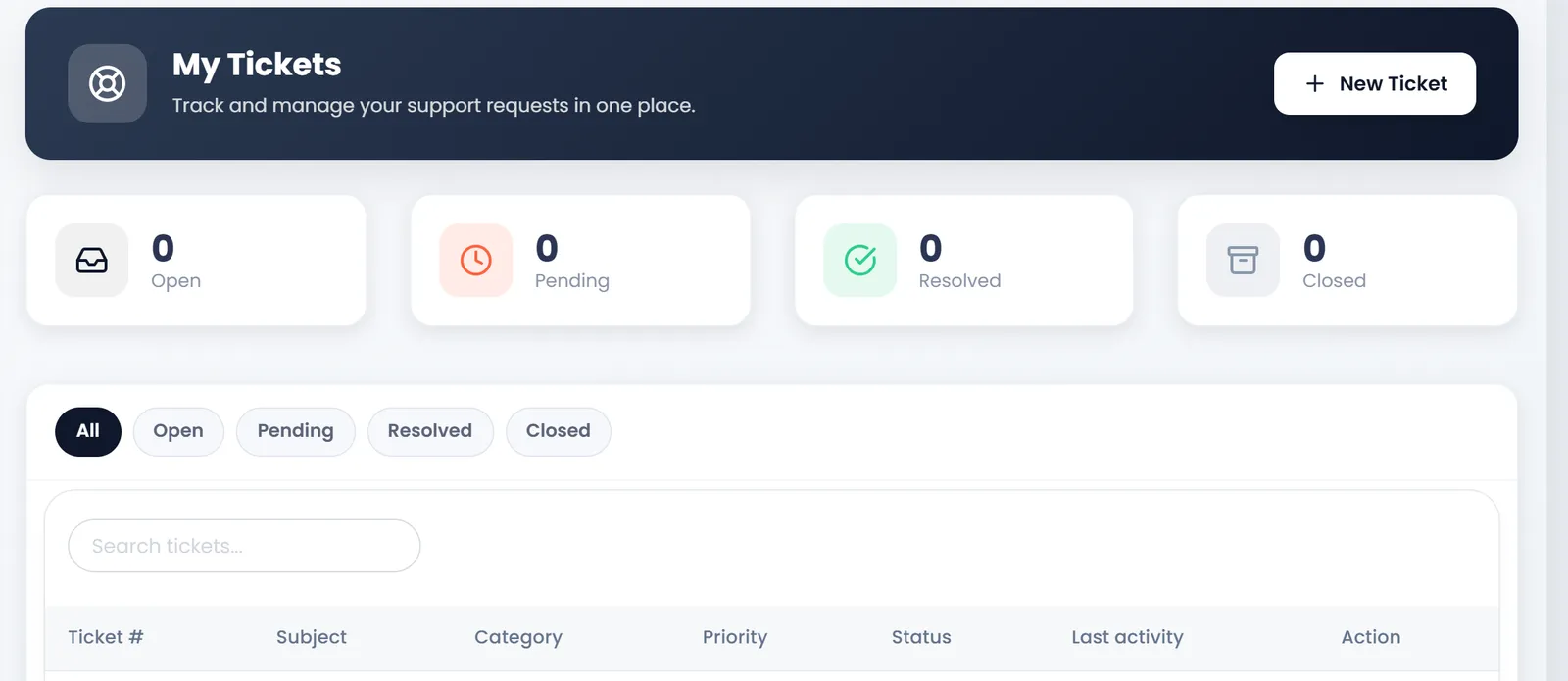
- Open is a new ticket.
- Resolved and Closed are set by our support team.
- Pending means a resolved ticket was answered again.
Open a ticket to read the conversation. Write in Write a reply..., attach files if needed, and click Send Reply. The page refreshes by itself while it is open. Each answer from support also reaches you by email, at the address of the person who opened the ticket.
A Resolved ticket still takes a reply, which reopens it. A Closed one doesn't: open a new ticket and mention the old number.
What's next
Questions about a payment or an invoice: see Your plan and billing first.
Still stuck?
Write to us and a person answers. If you already have a shop, Ask support inside it sends us the page you're on.
Contact usAsk your AI assistant
ChatGPT, Claude and Gemini can read every guide and walk you through it.
Set it up