




Names like these, in green, are pages inside your ArmPOS shop. Sign in to your shop to open them.
By the end you will know what a backup of your shop holds and where it is kept, and how to read the System Health page when you talk to support.
Backups
Open Settings › Backup. The page is called Backup Database.
Generate Backup makes a copy of your shop's data: products, sales, customers, stock, settings and the rest. It is one file, named with the day it was made, and it doesn't include pictures you uploaded. Each new backup replaces the one before.
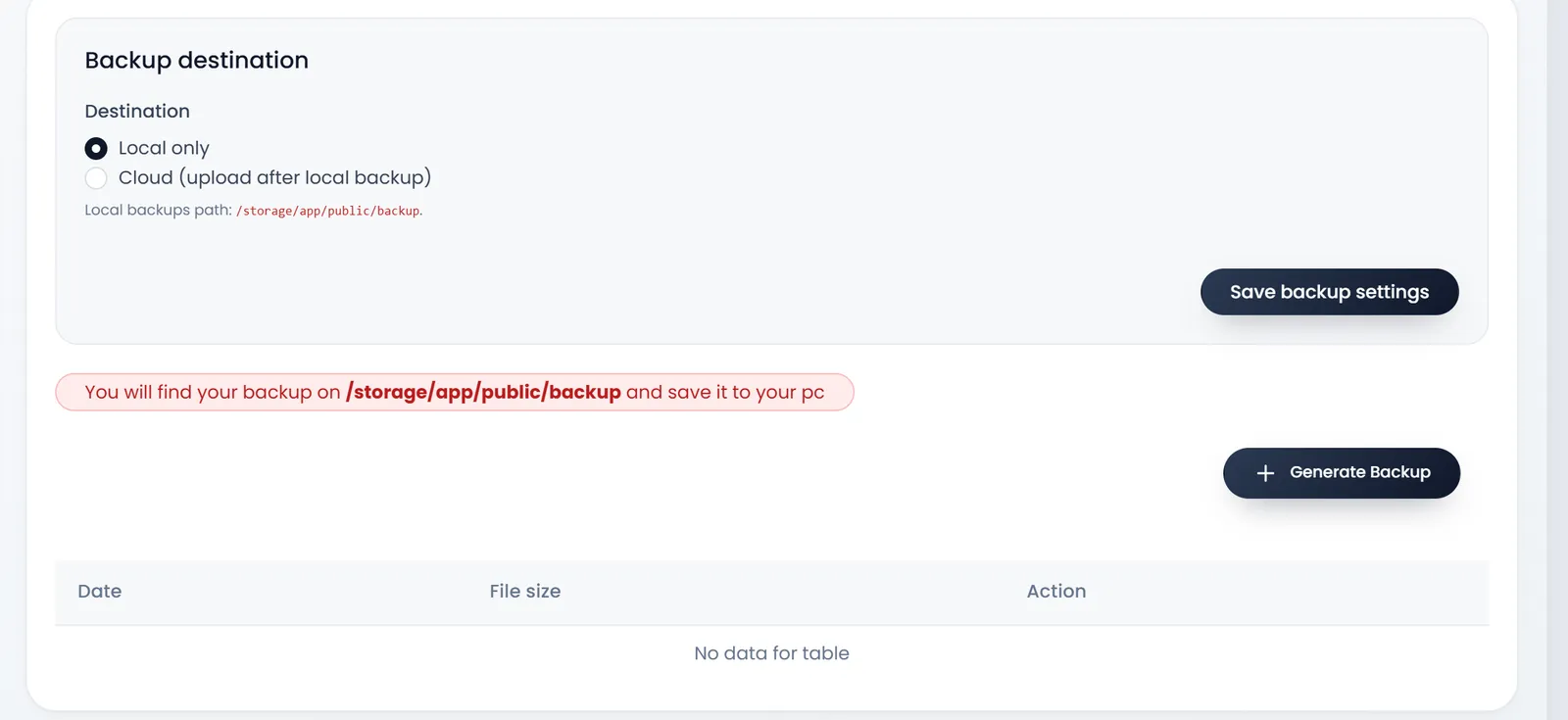
- The copy is kept on ArmPOS's server, with your shop. The page can't download it yet, although its note says to save it to your computer: ask our support team if you need the file.
- The list shows the backup's Date and File size. The cross deletes it.
- There is no restore button. If you need data back, ask our support team.
Save backup settings keeps the destination you chose. Cloud (upload after local backup) would send each backup to Google Drive, Dropbox or an S3 storage account as well.
To keep your own copy of the figures today, export them: most lists and reports have EXCEL and PDF buttons.
System Health
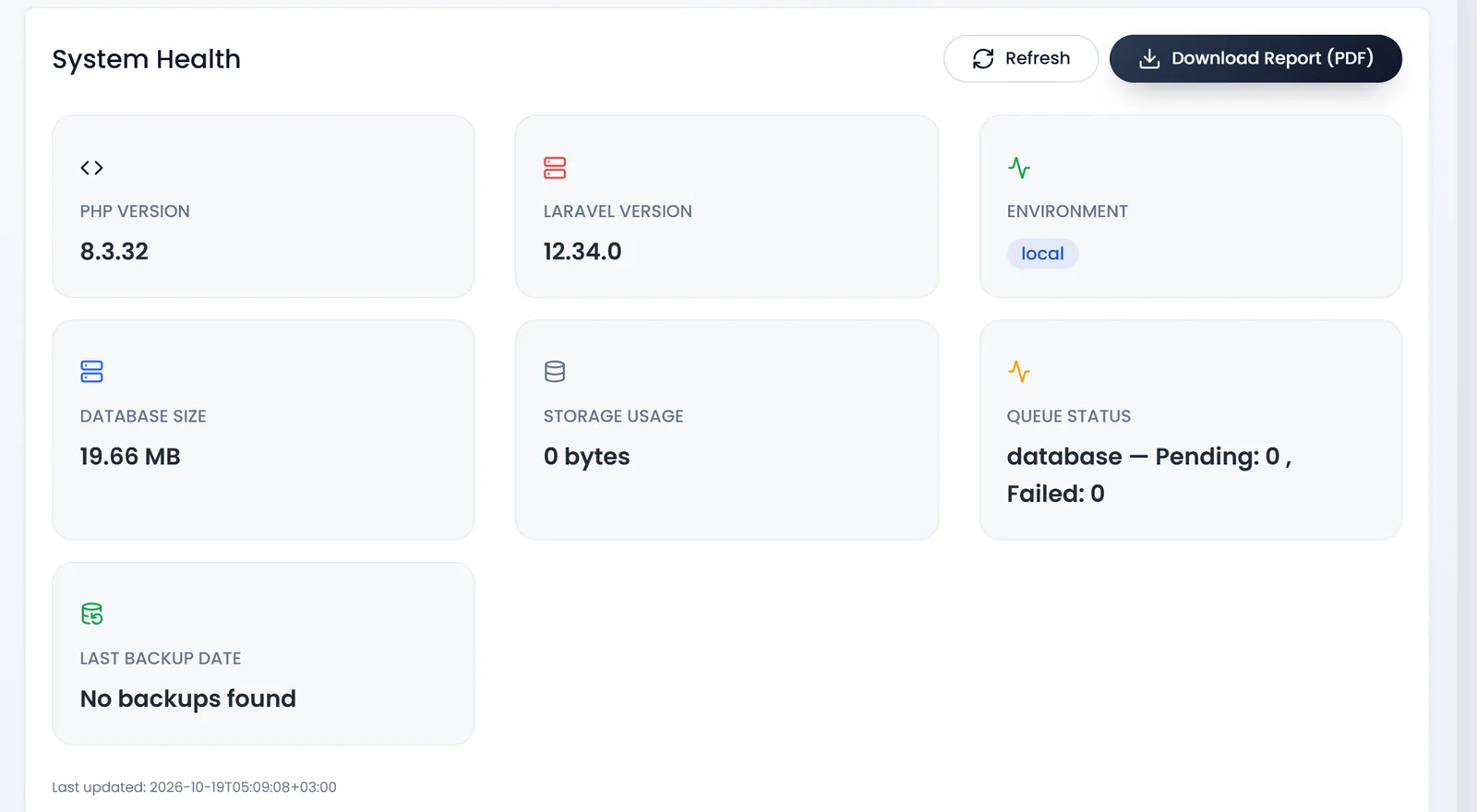
Open Settings › System Health. Its tiles describe the system your shop runs on:
- PHP VERSION, LARAVEL VERSION and ENVIRONMENT: the software underneath.
- DATABASE SIZE: how much space your shop's data takes.
- STORAGE USAGE: the size of the files kept with your shop.
- QUEUE STATUS: work waiting to be done in the background, and work that failed.
- LAST BACKUP DATE: when the last backup was made, or No backups found.
Refresh reads them again. Download Report (PDF) saves the same figures as a PDF.
What's next
Send the health report with your question in Ask our support team.
Still stuck?
Write to us and a person answers. If you already have a shop, Ask support inside it sends us the page you're on.
Contact usAsk your AI assistant
ChatGPT, Claude and Gemini can read every guide and walk you through it.
Set it up