




Names like these, in green, are pages inside your ArmPOS shop. Sign in to your shop to open them.
Stock in ArmPOS drifts from what is on your shelves: breakage, theft, a miscount. By the end of this guide you will have counted a warehouse and corrected ArmPOS to match.
Count your stock
Count Stock makes a counting sheet of what ArmPOS thinks you hold. It doesn't change any stock.
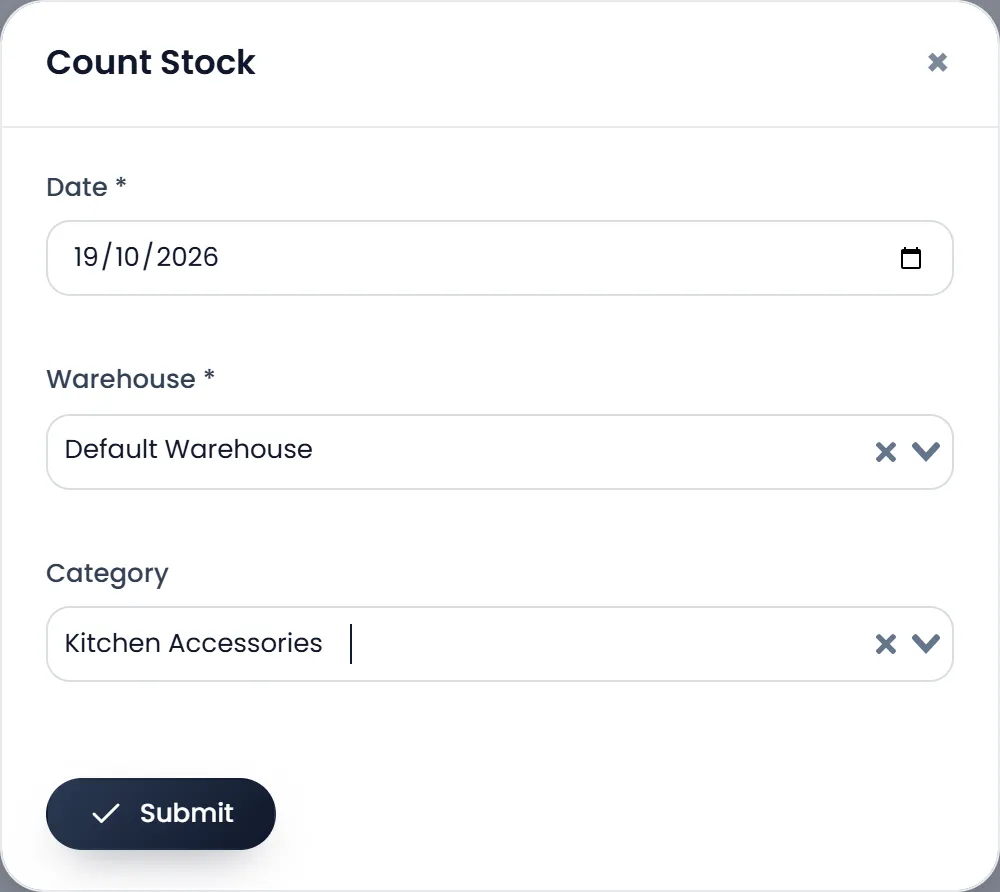
- Open Products › Count Stock and click Count. A short form opens.
- Choose the Date and the Warehouse. Both are required. Choose a Category too if you count one shelf at a time.
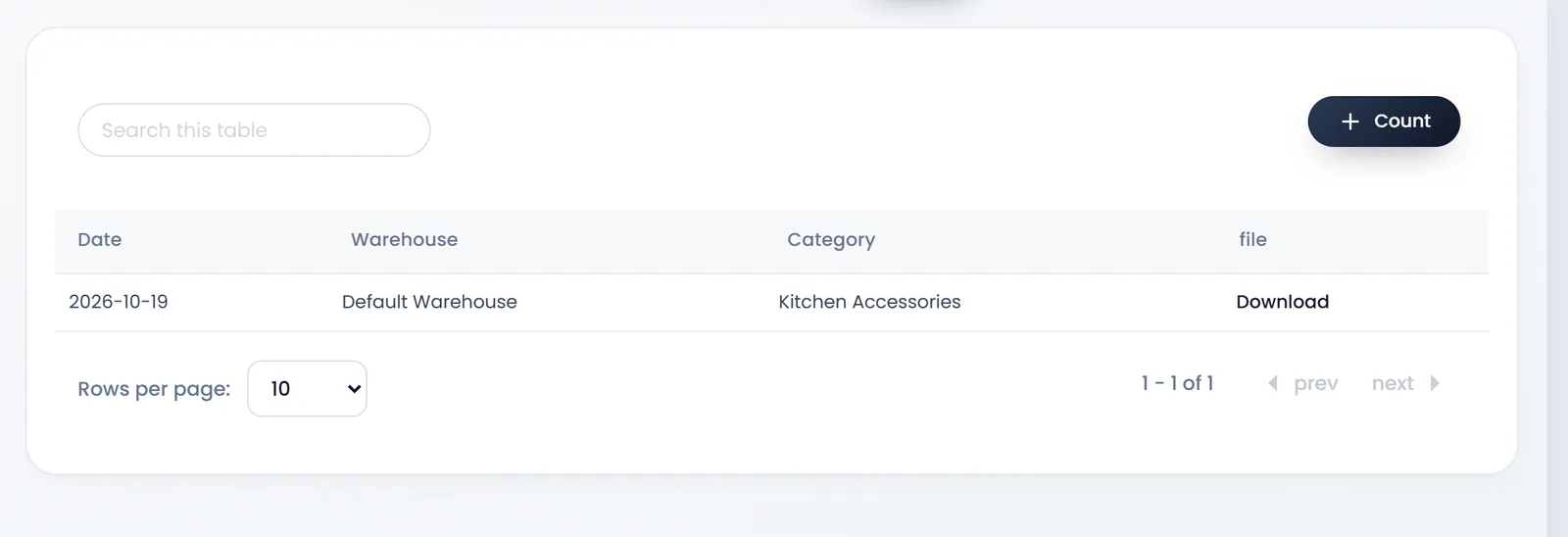
- Click Submit. A new row appears in the list.
- Download the sheet. Its file column has Download. The Excel sheet lists each Product Name with the Quantity ArmPOS holds in that warehouse.
- Count what you have. Write your count beside each line, and note the difference.
Correct the stock
An adjustment adds or removes stock in one warehouse, for any reason.
- Open Adjustment › Create Adjustment. The form opens.
- Choose the Warehouse and the Date. Both are required. Choose the warehouse first: the product search looks in it.
- Add the products. Search by name or code, or click the scan button. Each row shows the product's Stock in that warehouse now.
- Enter the difference in Qty. Then choose the Type: Addition adds it, Subtraction removes it. Each row starts on Addition. Subtraction can't take more than the stock.
- Add a Note. For example, "October count, kitchen shelf".
- Click Submit. The stock changes at once, and you land on All Adjustments.
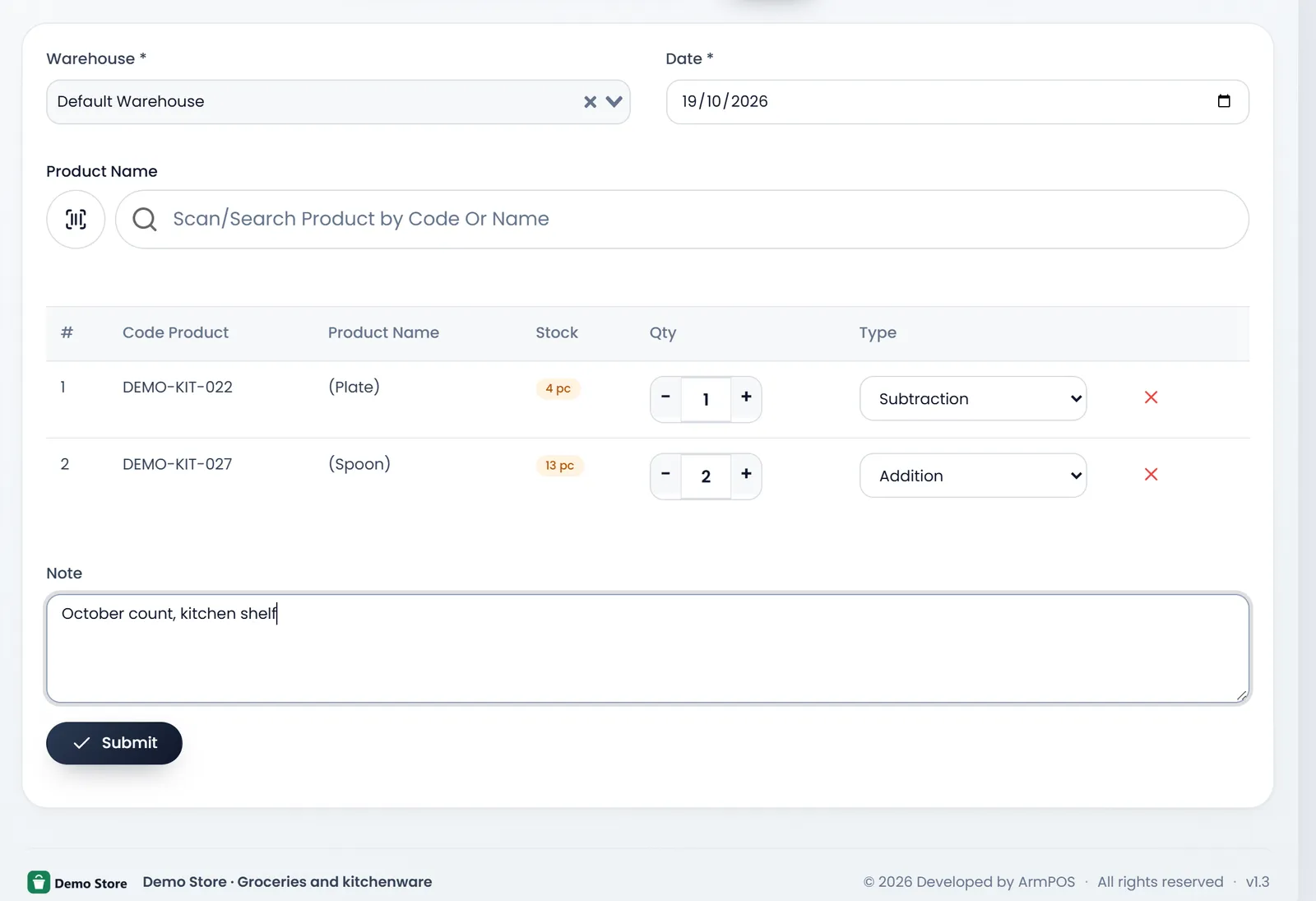
Qty is how much to add or remove, not your count. If ArmPOS holds 4 and you counted 3, choose Subtraction and enter 1.
See past adjustments
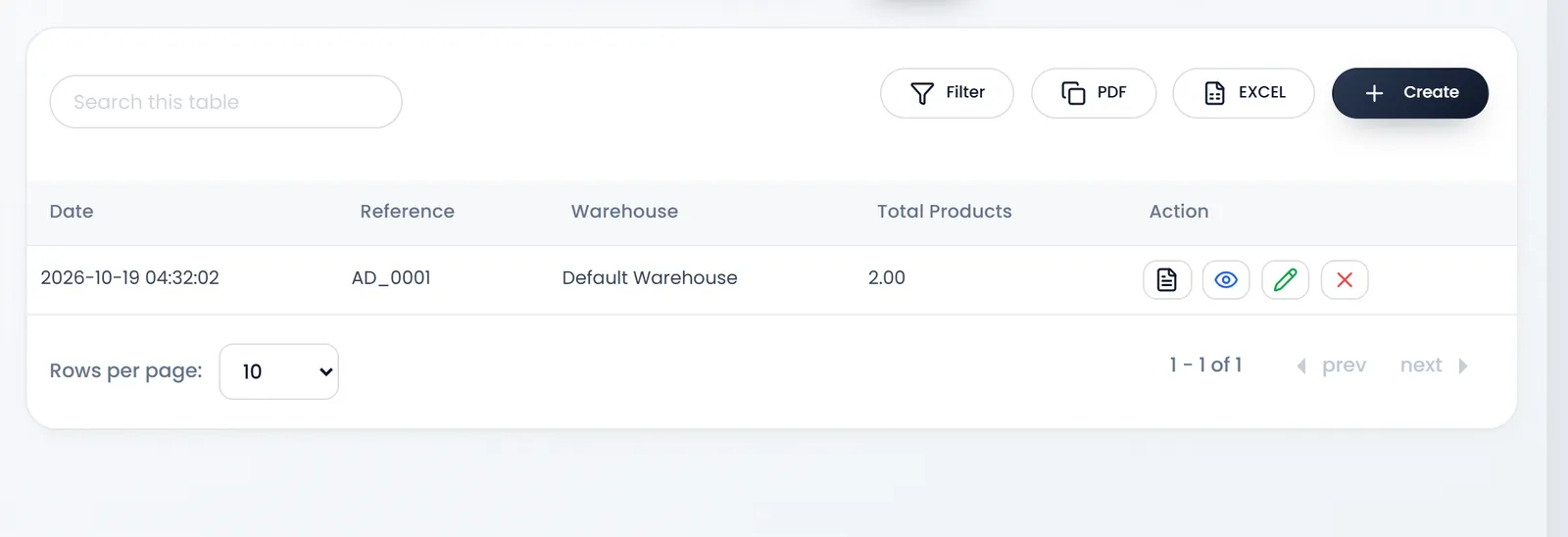
Adjustment › All Adjustments lists every adjustment, with its date, reference (AD_0001 and on), warehouse and the number of products it changed.
For stock that broke or spoiled, Damages › Create Damage takes it off and keeps a record of what was lost: see Record damaged or spoiled stock. Use it or an adjustment for the same goods, not both.
What's next
Have more than one warehouse? Move stock between warehouses.
Still stuck?
Write to us and a person answers. If you already have a shop, Ask support inside it sends us the page you're on.
Contact usAsk your AI assistant
ChatGPT, Claude and Gemini can read every guide and walk you through it.
Set it up