




Names like these, in green, are pages inside your ArmPOS shop. Sign in to your shop to open them.
Eggs crack, milk goes sour, a crate gets dropped. Recording it as a damage takes it out of your stock and keeps a list of what was lost and why, separate from your count corrections. By the end you will have recorded one.
Record a damage
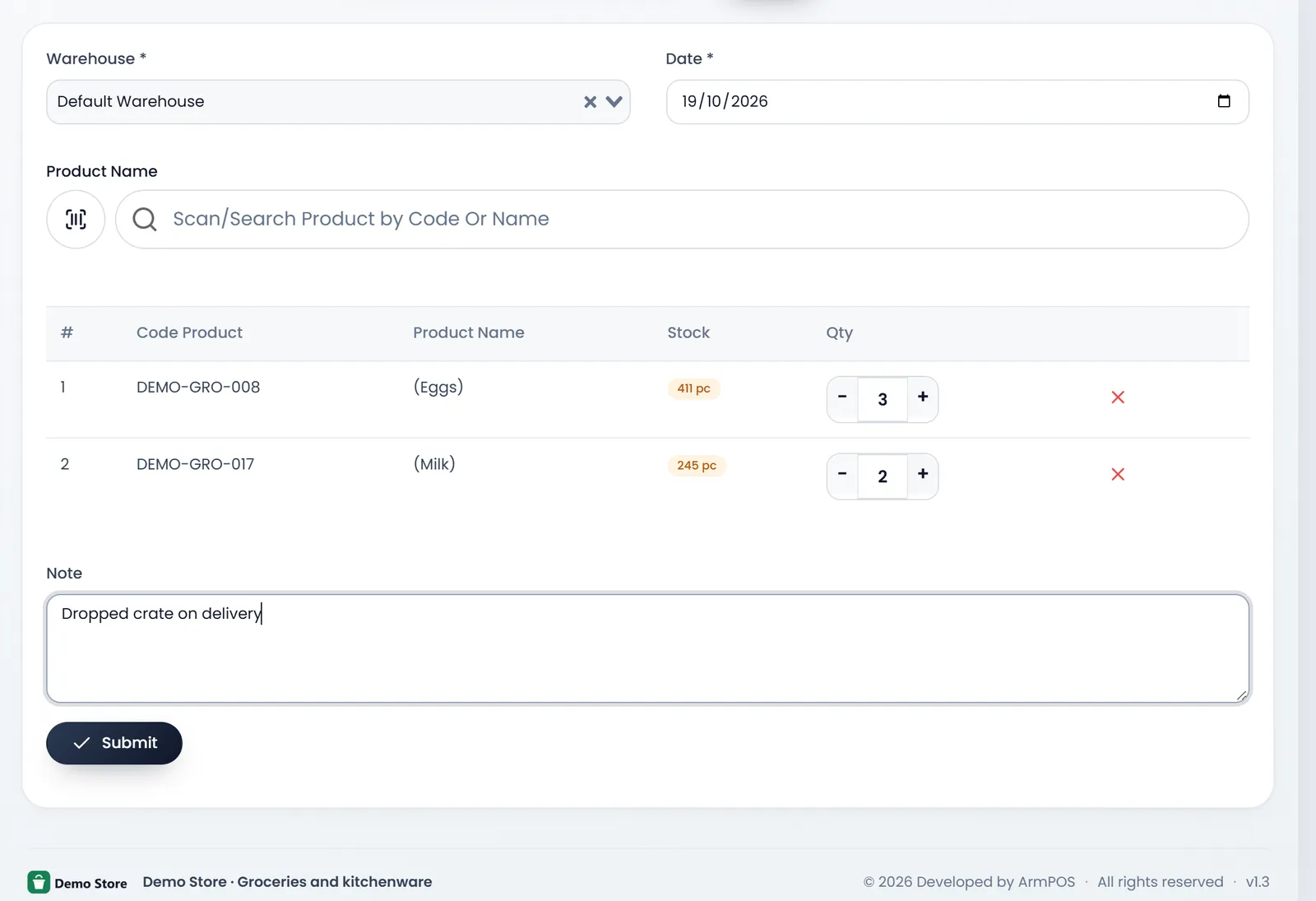
- Open Damages › Create Damage.
- Choose the Warehouse and the Date. Both are required. Choose the warehouse first: the product search looks in it.
- Add the products. Type a name or code in Scan/Search Product by Code Or Name, or click the scan button, and pick it. Each row shows the product's Stock there now.
- Enter how many were damaged in each row's Qty, with − and + or by typing.
- Say what happened in Note, for example "Dropped crate on delivery".
- Click Submit. The stock comes off at once, and you land on the damages list.
See past damages
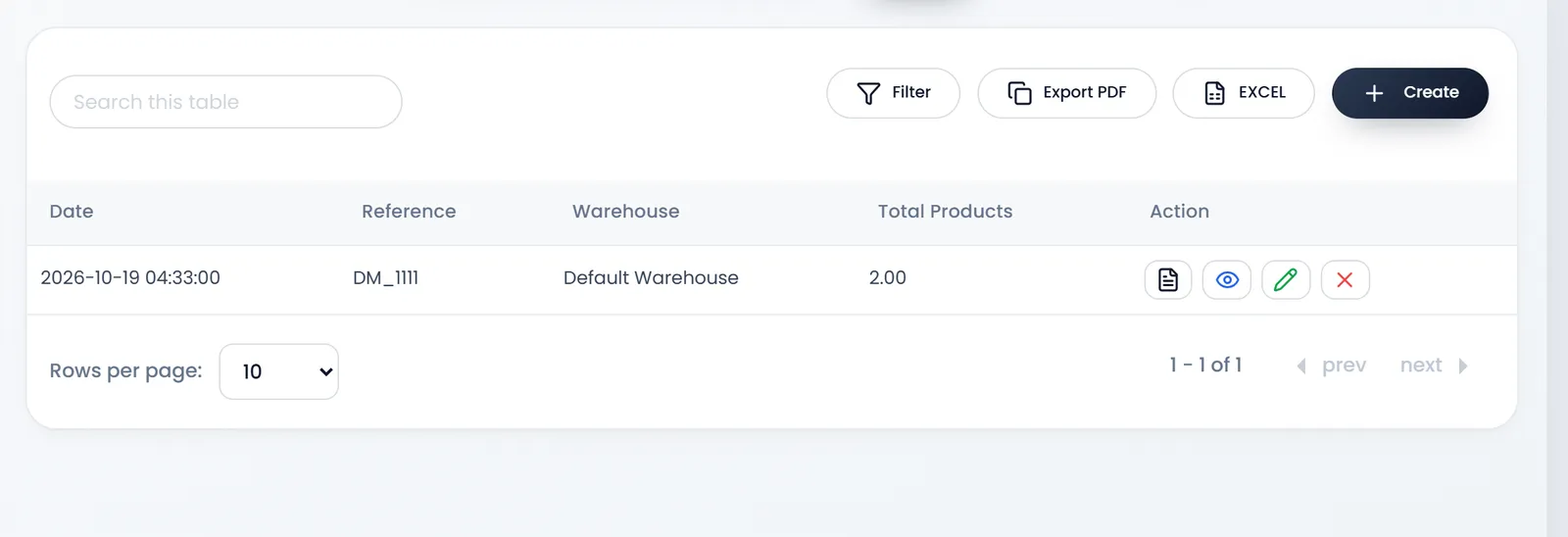
Damages › Damages lists each one with its Date, Reference (DM_ and a number), Warehouse and the number of products in it. Filter, Export PDF and EXCEL are above the list, and each row's Action opens, edits or removes it.
A damage takes stock out and keeps the record. It books nothing in Accounting: if you want the loss in your accounts, record it there as well.
Use a damage for goods you lost, and an adjustment for counting errors (Count and adjust stock), never both for the same goods.
What's next
Still stuck?
Write to us and a person answers. If you already have a shop, Ask support inside it sends us the page you're on.
Contact usAsk your AI assistant
ChatGPT, Claude and Gemini can read every guide and walk you through it.
Set it up