




Names like these, in green, are pages inside your ArmPOS shop. Sign in to your shop to open them.
By the end you will know the four statements under Accounting: what each one adds up, and what to check before you hand them to your accountant.
These statements are built from the ledger's posted journal entries only. See The chart of accounts and journal entries for what reaches the ledger and what doesn't. For your shop's everyday profit, Reports › Profit and Loss works from your sales, purchases and expenses directly.
All four are under Accounting in the sidebar. Each has a date range: pick From and To, then Apply or Refresh.
Trial Balance
Trial Balance lists each ledger account with the total of its Debit and Credit lines in the period. The two totals at the bottom must be equal. Type shows one kind of account only.
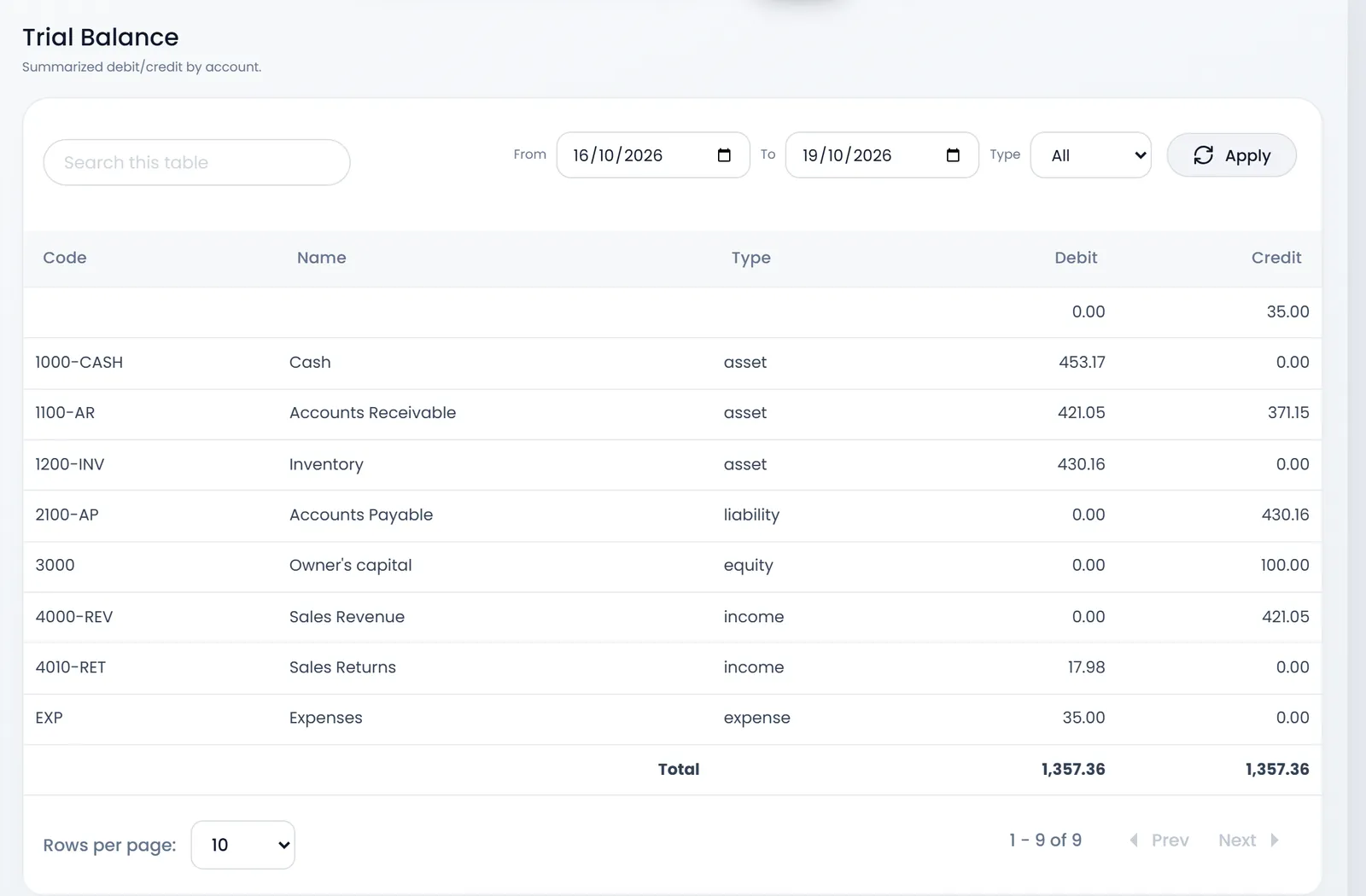
An expense recorded without an account has nowhere to take the money from, so its other half shows in a row without a code. Choose an account on expenses to avoid it. The Total row adds up the page you see: show All rows if you have more than 10 accounts.
Profit & Loss
Profit & Loss sets your Income accounts against your Expense accounts for the period and gives the Net Profit.
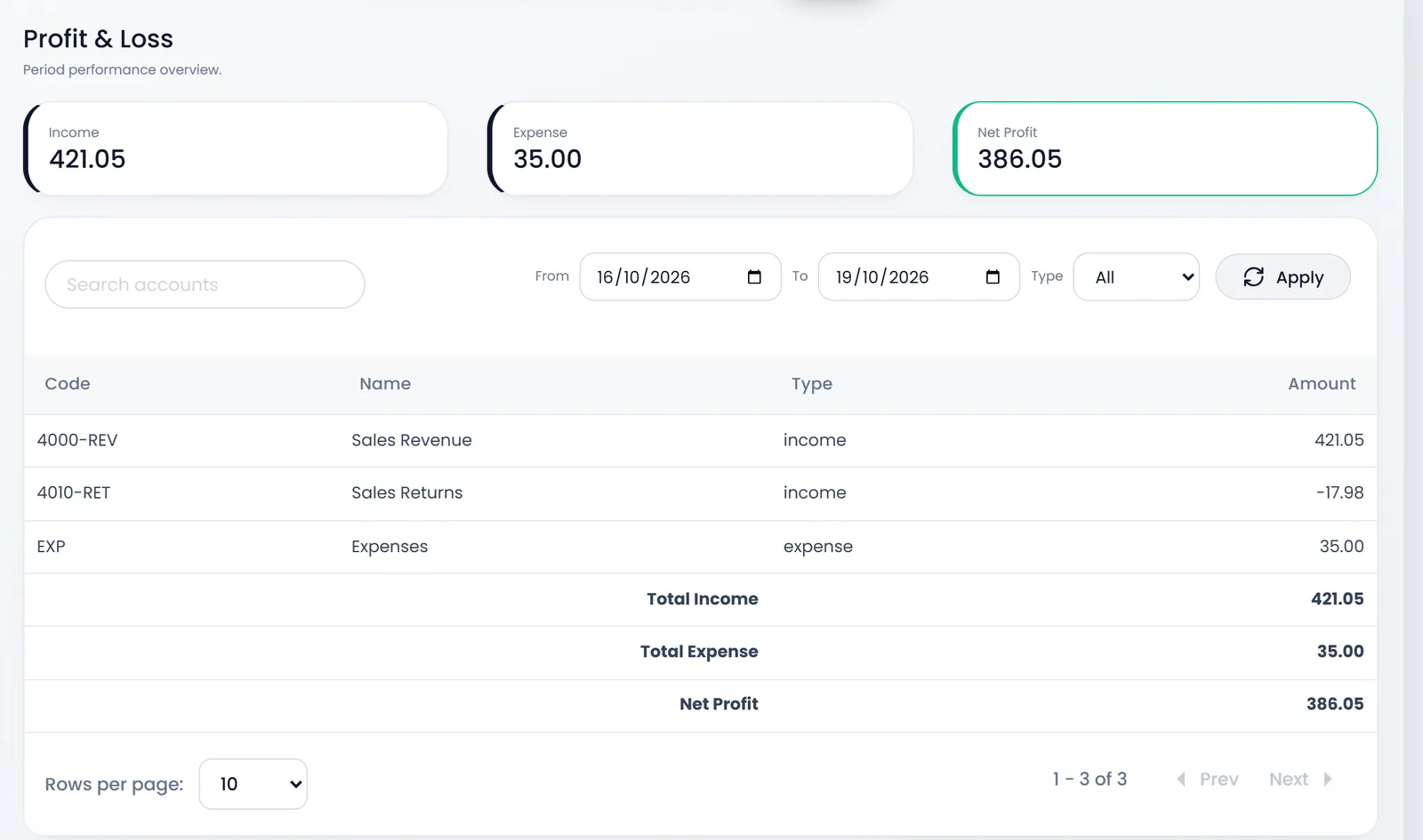
Two things to know before you rely on it:
- Sales Returns shows as a minus line but isn't taken off Total Income and Net Profit yet. Subtract it yourself.
- The cost of the goods you sold isn't in the ledger, so this net profit is before that cost. Reports › Profit and Loss takes it off.
Balance Sheet
Balance Sheet adds up your Assets, Liabilities and Equity on a day: pick it in As of and click Refresh. Check shows Assets minus Liabilities and Equity.
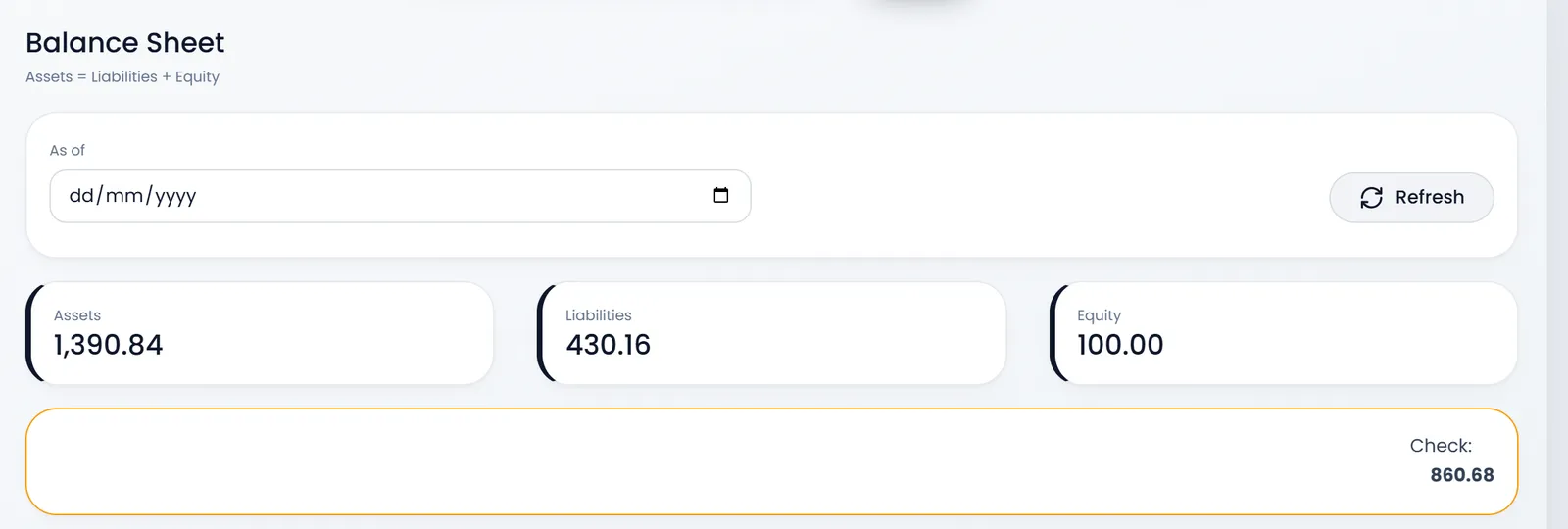
This page doesn't add the profit made so far to equity, so Check shows roughly that profit rather than 0.
Tax Summary Report
Tax Summary Report works from your sales and purchases themselves, not the ledger:
- Sales Tax (Output Tax): Total Sales, minus Sale Returns, gives Net Sales and the Output Tax you charged.
- Purchase Tax (Input Tax): the same for what you bought, with the Input Tax you paid.
- Net Tax: output tax minus input tax, either Tax payable to authorities or Tax refund expected.
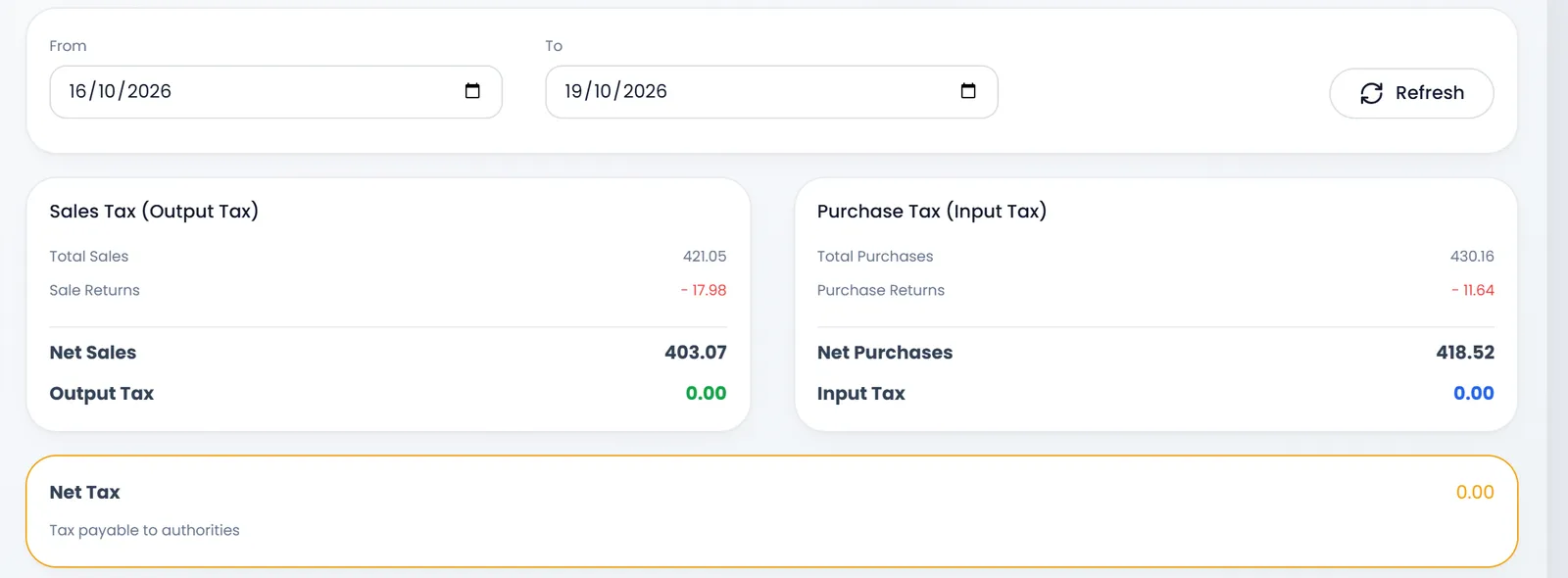
It opens on the current month. It counts the order tax on each sale and purchase, and leaves out pending ones.
What's next
Correct the ledger with your own entries: The chart of accounts and journal entries.
Still stuck?
Write to us and a person answers. If you already have a shop, Ask support inside it sends us the page you're on.
Contact usAsk your AI assistant
ChatGPT, Claude and Gemini can read every guide and walk you through it.
Set it up