




Names like these, in green, are pages inside your ArmPOS shop. Sign in to your shop to open them.
By the end you will have recorded a piece of your shop's equipment, such as a scale or a fridge, and you will know how ArmPOS reminds you when it is due for a check.
Assets comes with some plans only. If it isn't under Reports & finance in your menu, your plan or your role doesn't include it.
Assets here are things the shop owns and uses, not stock you sell: scales, fridges, shelving, a delivery van. Each one has a Next Validation date, the day it should next be checked, serviced or calibrated.
Create the categories
- Open Assets › Asset Category and click Create.
- Type the Name, such as Shop equipment, and a Description if you like.
- Click Submit.
Add an asset
- Open Assets › Add Asset.
- Fill the Tag and the Name. Both are required. The tag is your own label, such as AST-001, and can be used once.
- Pick the Category and the Warehouse where the asset is. Both are required.
- Add what you know: the Serial, the Purchase Date and the Purchase Cost.
- Set the Status: In Use, Maintenance or Retired.
- Set the Last Verification and the Next Validation dates.
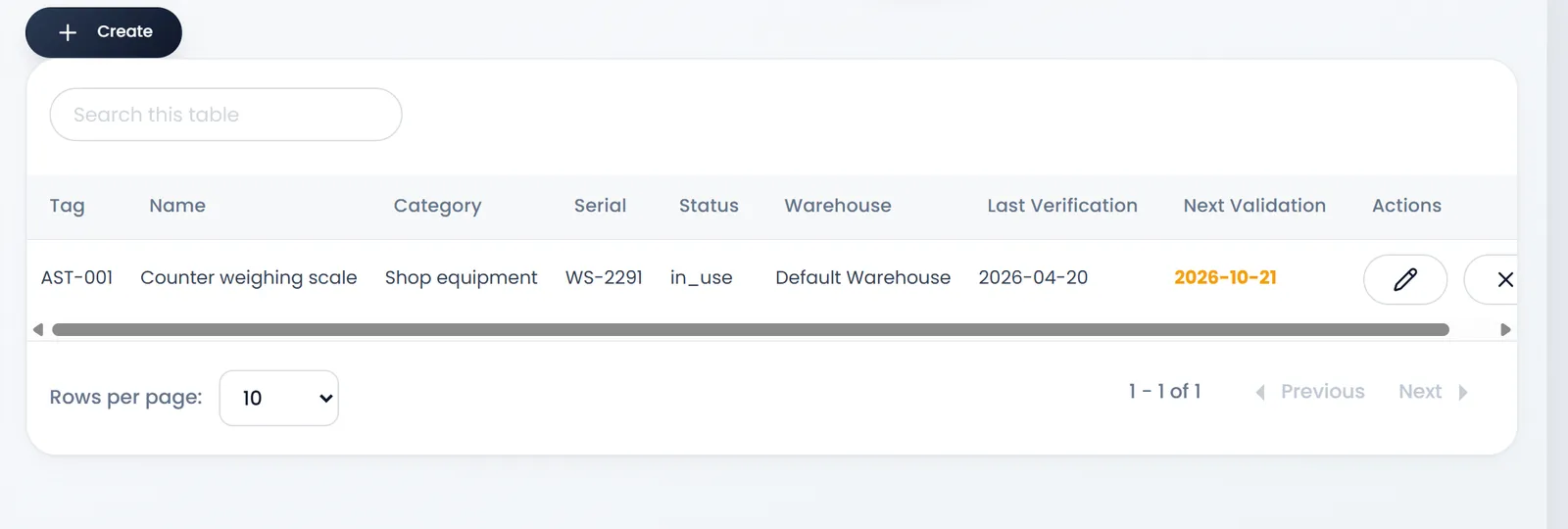
- Click Save. You land on Assets List.
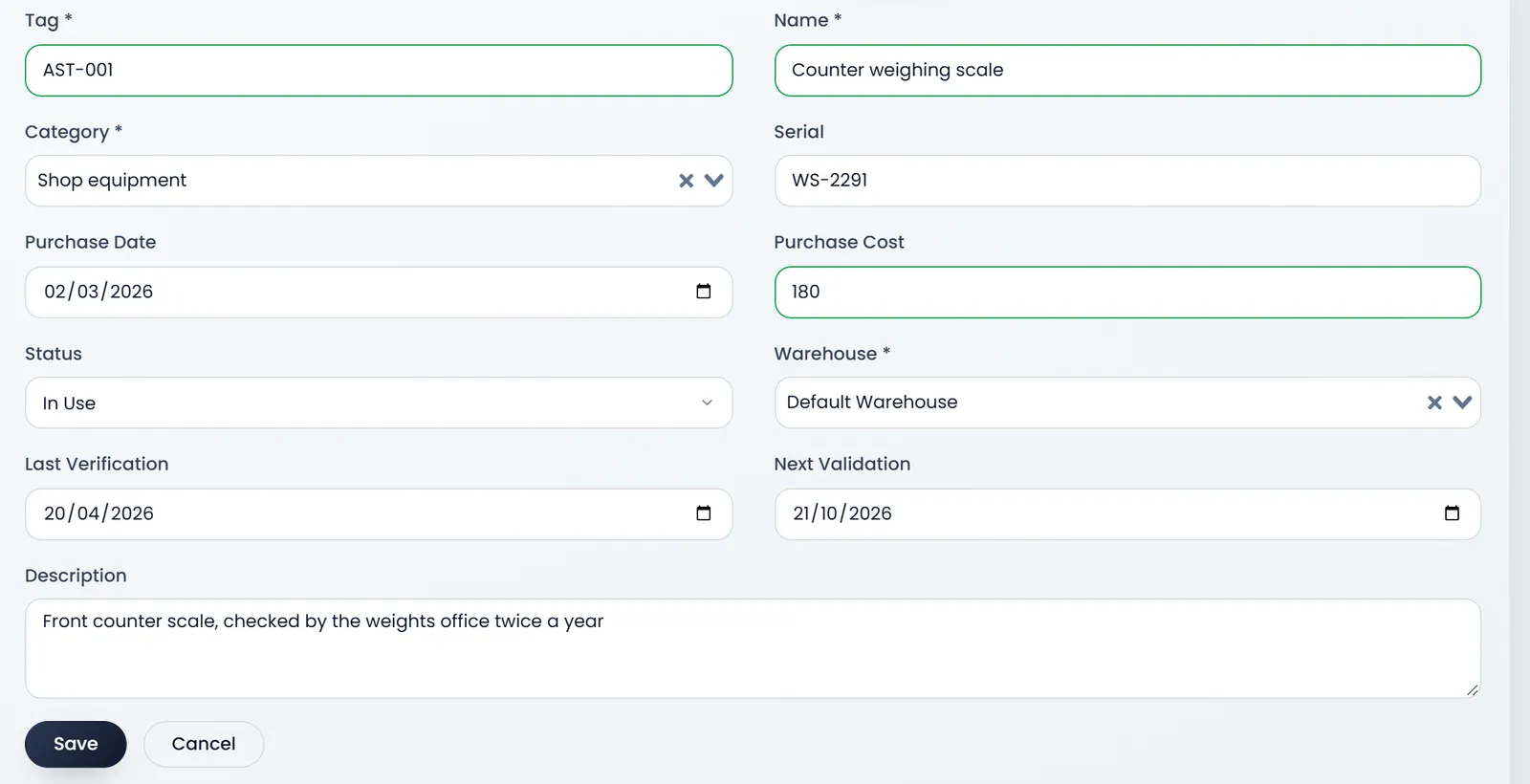
If Save seems to do nothing, check the Tag: a tag already used, even by a deleted asset, is refused without a message.
When an asset is due
Assets › Due assets lists the assets whose Next Validation is within the next 5 working days, or already past. The counters show the Total due, how many are Overdue and how many are Due soon.


Every day, the people whose role includes Assets get an email and a notification for each asset that is due, until it is no longer due. You can change the email's words in Settings › Email Templates › Asset validation due.
When the check is done, open the asset with Edit, set Last Verification to today and Next Validation to the next check. It leaves the list.
The page's Cron / Schedule configuration card is for whoever runs the server: you don't need it, and you don't need Run check now either. The check runs by itself every day.
What's next
Record what the shop spends to keep its equipment running in Record an expense.
Still stuck?
Write to us and a person answers. If you already have a shop, Ask support inside it sends us the page you're on.
Contact usAsk your AI assistant
ChatGPT, Claude and Gemini can read every guide and walk you through it.
Set it up