




Names like these, in green, are pages inside your ArmPOS shop. Sign in to your shop to open them.
Moving to ArmPOS with a list of customers or suppliers? Bring them in from a spreadsheet instead of typing each one. By the end you will have imported both.
Customers
- Open People › Import Customers, or Import Customers on the customers list.
- Click Download example. It is an Excel file with the right columns. Fill it, one row per customer.
- Drop your file on the box, or click it to choose the file. XLSX and XLS files of up to 20 MB are taken. Remove takes it away again.
- Click Import now. You land on the customers list, with the new customers in it.
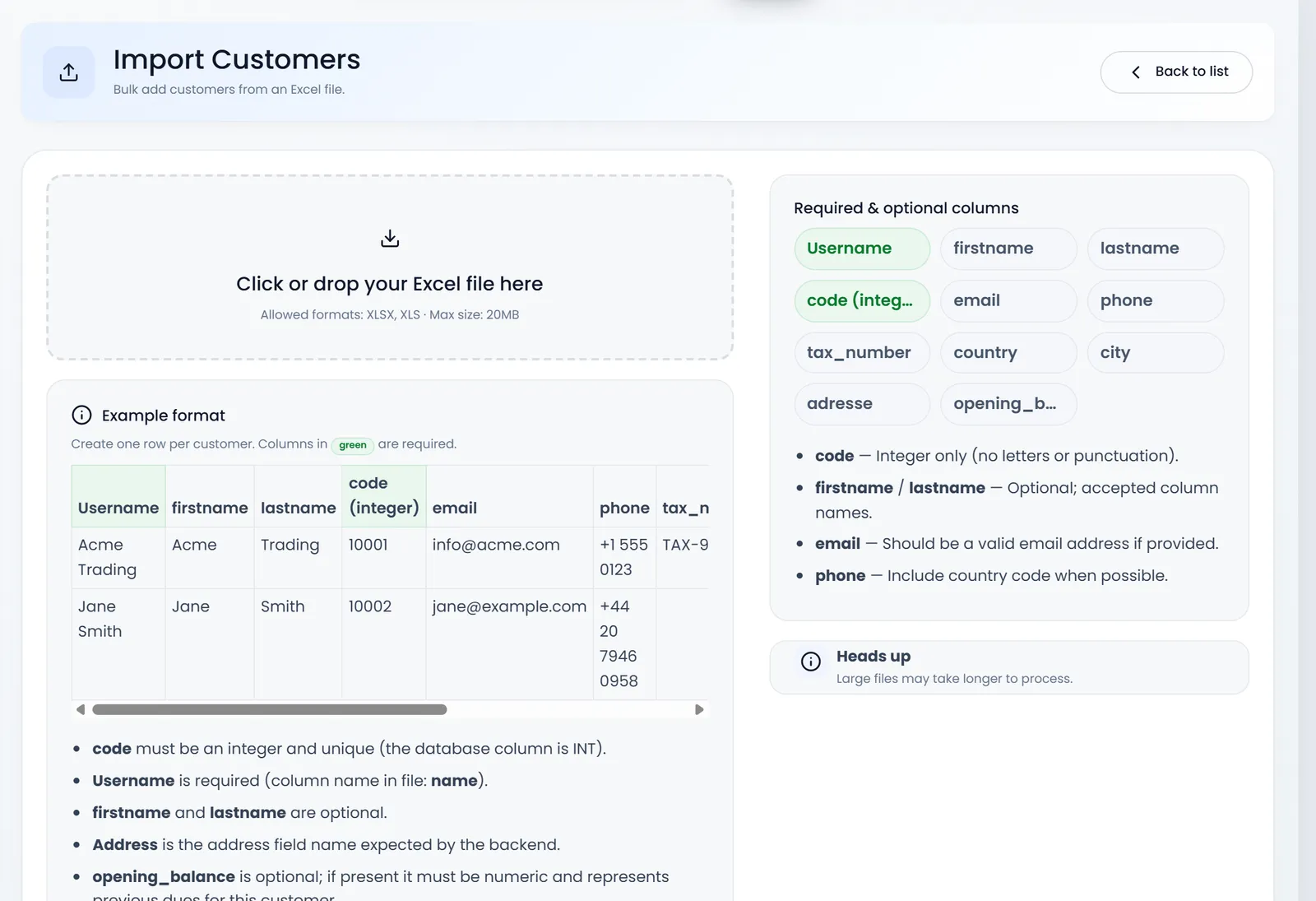
The columns:
| Column | Required | What goes in it |
|---|---|---|
| username (or name) | yes | the name shown on sales and receipts |
| code | yes | a whole number, unique for each customer, such as 2001 |
| firstname, lastname | no | |
| no | a valid address; no two customers may share one | |
| phone | no | with the country code, such as +256 |
| country, city, adresse (or address) | no | |
| tax_number | no | |
| opening_balance | no | a number: what the customer already owed you |
If any row has a problem, nothing is imported. The page lists each problem by row: a missing name, a code that isn't a whole number, a code or email used twice in the file, or a code or email that is already in your shop. Fix them and import the file again.
Suppliers
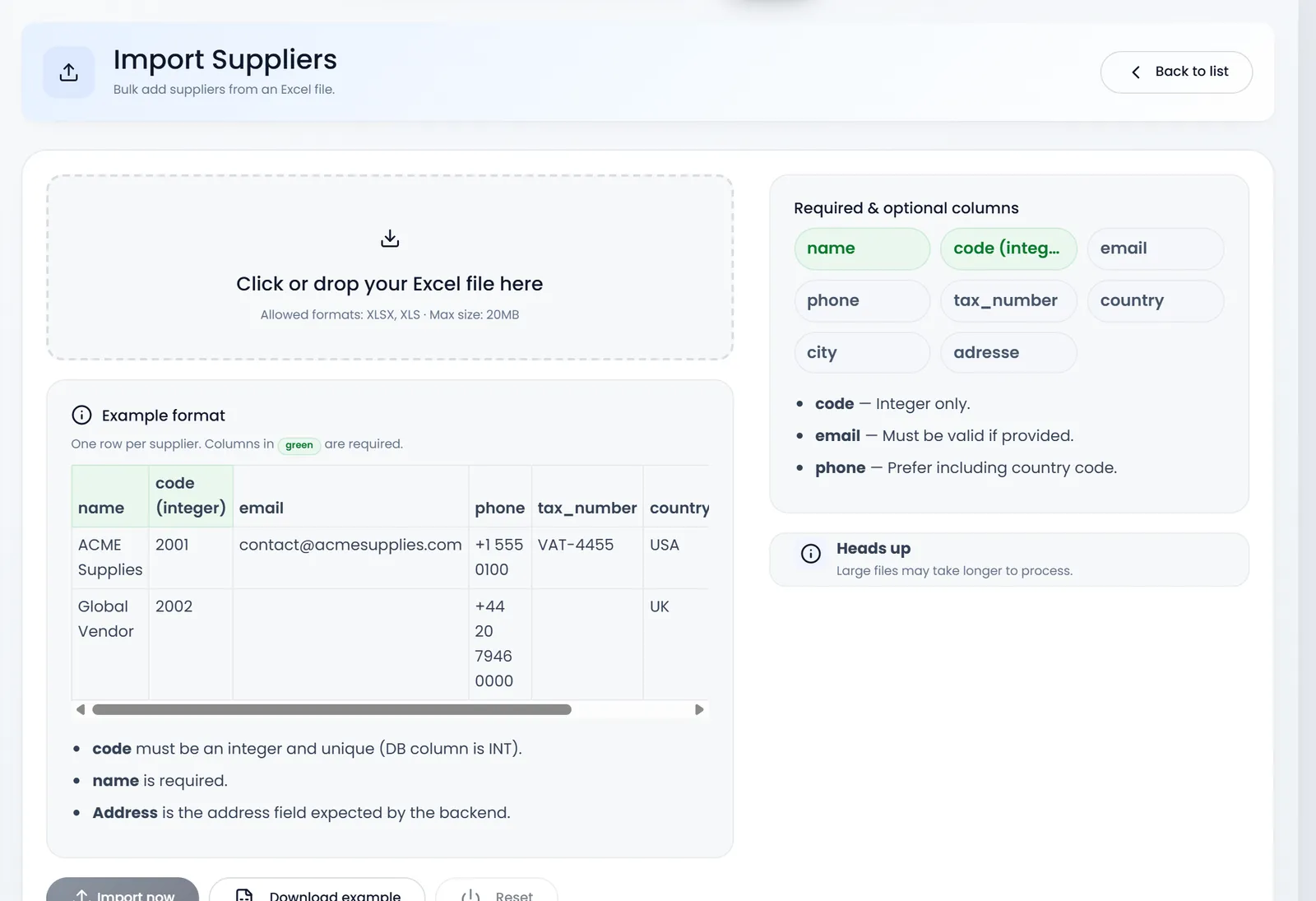
The same, from People › Import Suppliers: name and code are required, then email, phone, tax_number, country, city and adresse.
What's next
Still stuck?
Write to us and a person answers. If you already have a shop, Ask support inside it sends us the page you're on.
Contact usAsk your AI assistant
ChatGPT, Claude and Gemini can read every guide and walk you through it.
Set it up