




Names like these, in green, are pages inside your ArmPOS shop. Sign in to your shop to open them.
The real-time sales counter is today's selling on one screen, refreshing by itself: a page to leave open in the office or on a manager's tablet. By the end you will know what each part shows.
Open it
Open Sales › Real-time Sales Counter. It shows only to roles allowed to see it.
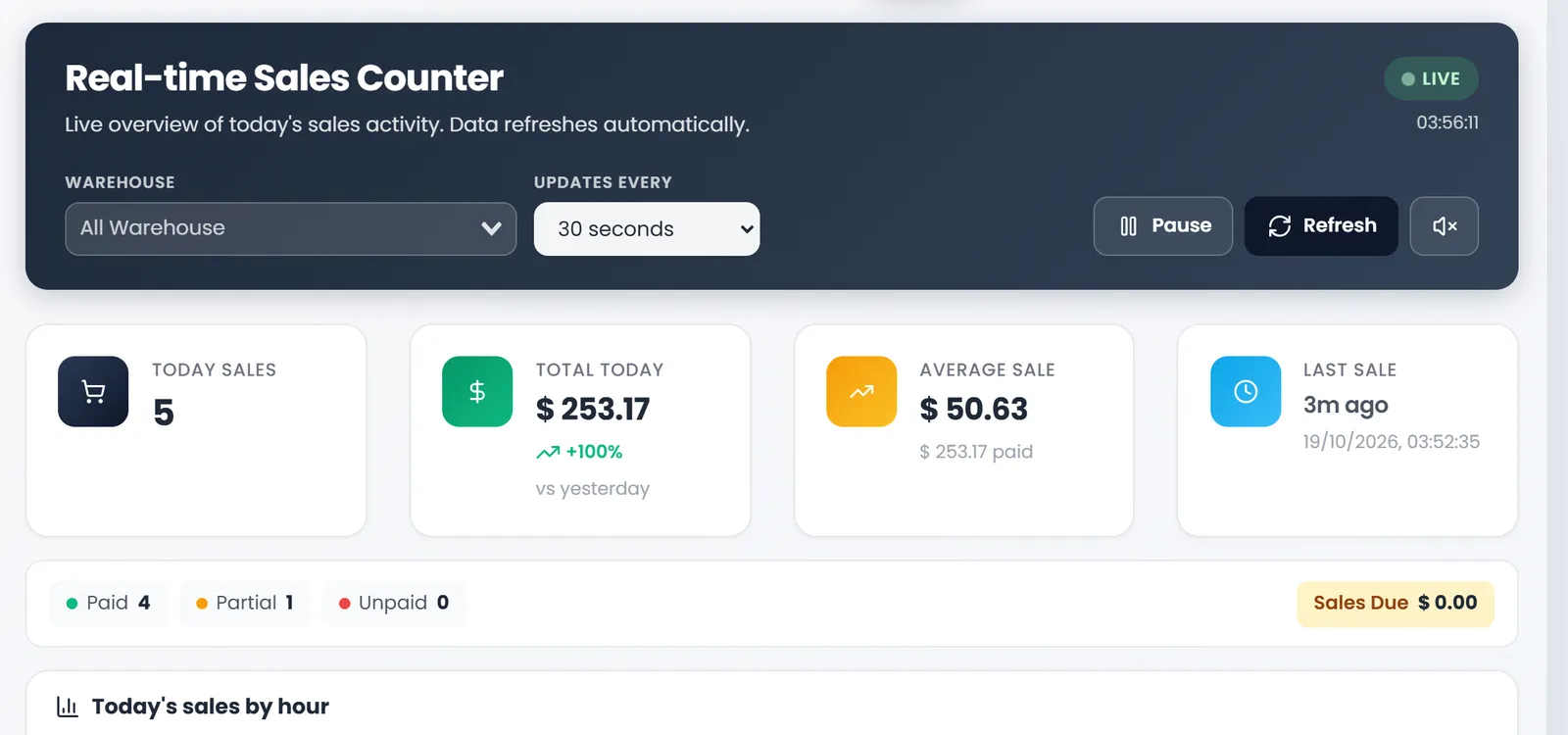
At the top, choose the Warehouse (or All Warehouse) and how often it UPDATES EVERY: 10, 30, 60 or 120 seconds. Pause stops the updates, Refresh updates now, and the speaker button turns the sound for each new sale on or off. LIVE and the clock show it is running.
What it shows
- TODAY SALES: how many sales today.
- TOTAL TODAY: their value, and the change against yesterday.
- AVERAGE SALE: the total divided by the sales, and how much of it is paid.
- LAST SALE: how long ago, and when.
- Paid, Partial, Unpaid and Sales Due: today's sales by payment, and what is still owed.
- Today's sales by hour: a bar for each hour.
- Recent Sales: the latest sales with their reference, customer, total, payment and time.
- Top products today and Sales by Location: what sold most, and each warehouse's total.
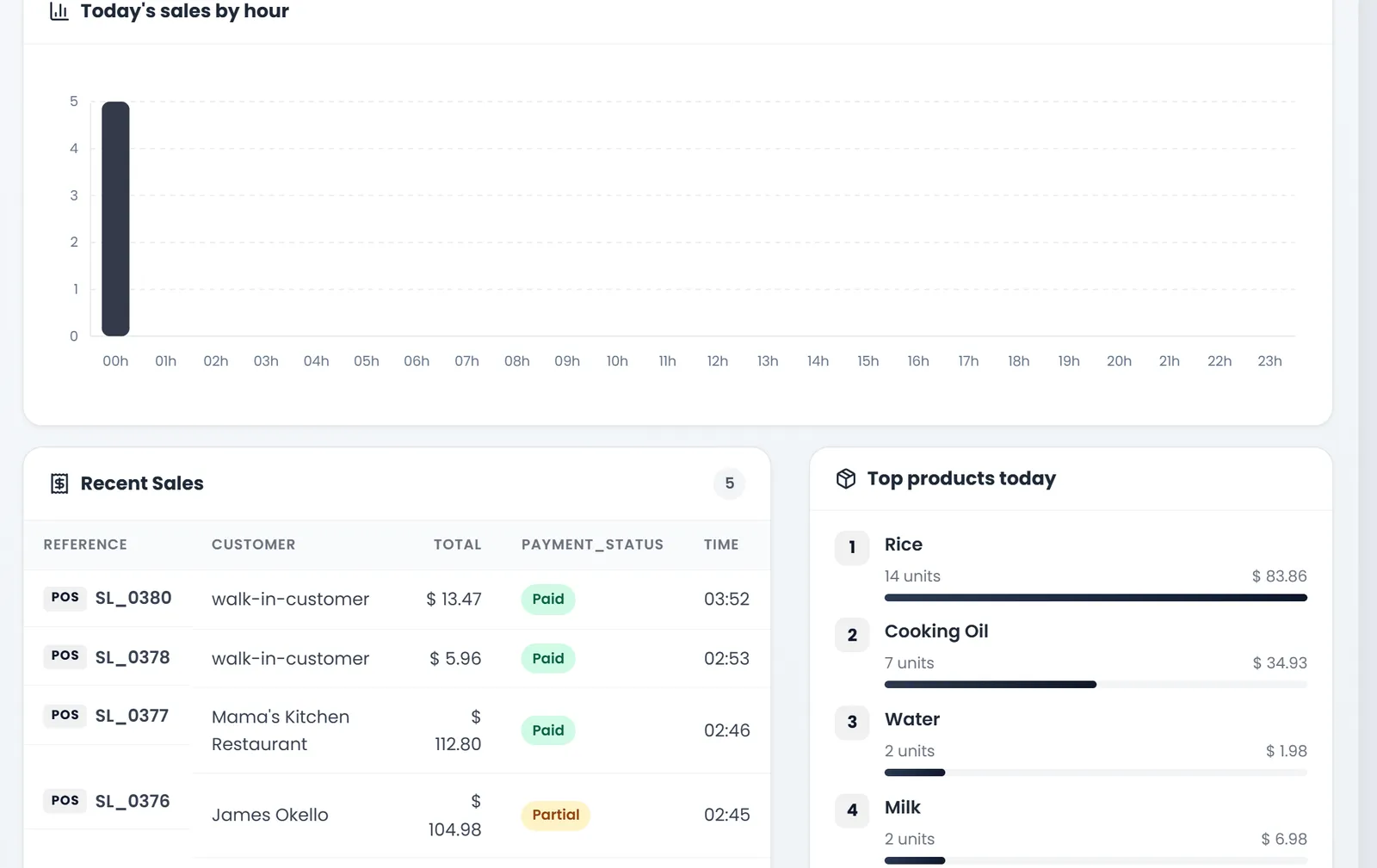
Today, Today's sales by hour shows every sale in the 00h bar, whatever time it was made. The counts and totals are right; use Recent Sales for the times.
What's next
For any other day or period, use the sales reports.
Still stuck?
Write to us and a person answers. If you already have a shop, Ask support inside it sends us the page you're on.
Contact usAsk your AI assistant
ChatGPT, Claude and Gemini can read every guide and walk you through it.
Set it up