




Names like these, in green, are pages inside your ArmPOS shop. Sign in to your shop to open them.
A register tracks the cash in one till's drawer for one cashier's shift. By the end you will have opened it with the float, recorded cash taken out, and closed it with what you counted, so any difference shows straight away.
The register is optional: the POS sells with it closed. Open it when you want each shift's cash checked.
Open the register
- Open the POS. At the top left, Register shows CLOSED.
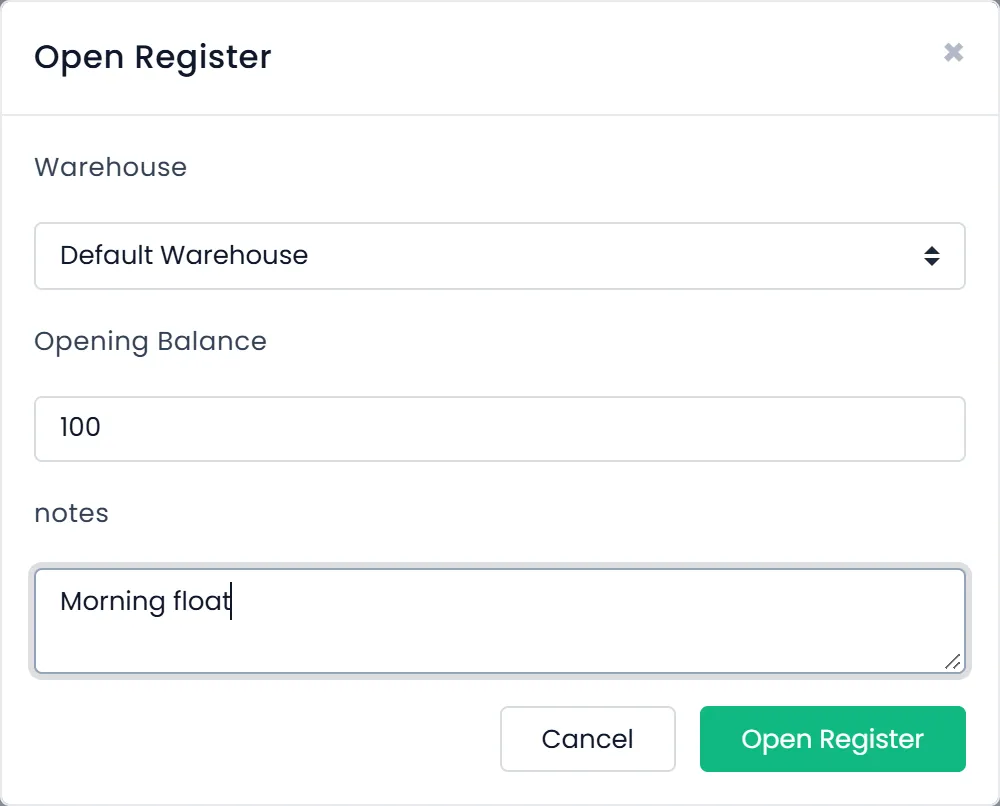
- Click CLOSED. The Open Register window opens on your warehouse.
- Enter the Opening Balance. It is the cash in the drawer as you start, the float. It is required. notes is optional.
- Click Open Register. The badge now says OPEN, with the register's number, and Cash in / out appears beside it.

Each cashier opens their own register, one per warehouse at a time. A second Open Register in the same warehouse is refused while one is open.
Cash in and cash out
When you put cash into the drawer or take some out for something other than a sale, record it, or the count at the end won't match.
- Click Cash in / out.
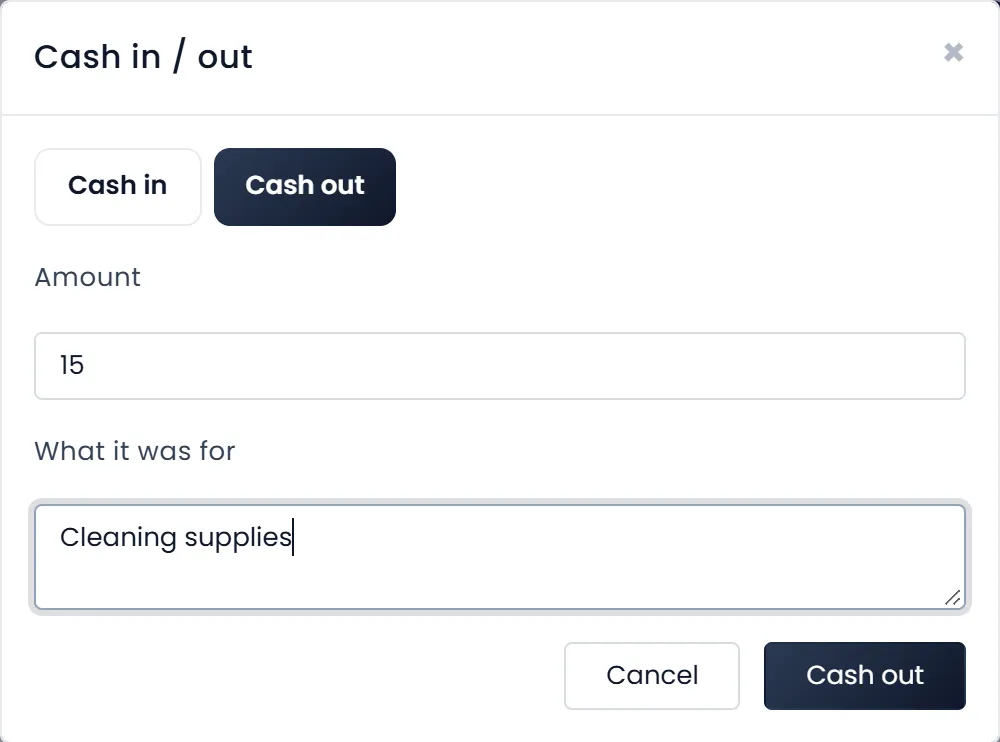
- Choose Cash in or Cash out.
- Enter the Amount and, under What it was for, a few words such as "Cleaning supplies" or "Change from the bank". The amount must be above zero.
- Click the button at the bottom, which says Cash in or Cash out to match your choice.
Close the register
- Count the cash in the drawer.
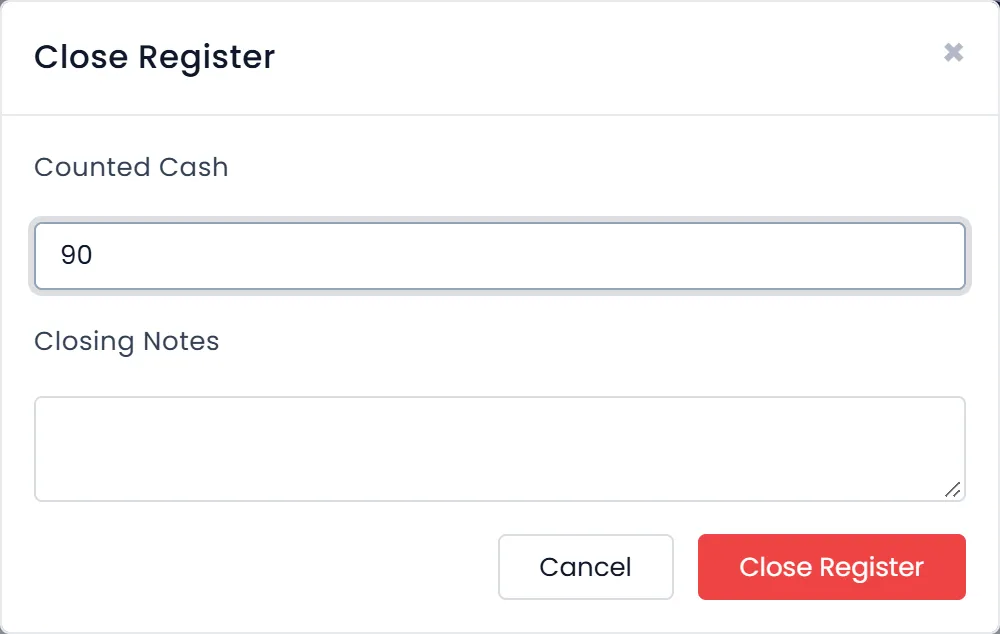
- Click OPEN at the top left. The Close Register window opens.
- Enter the Counted Cash. It is required. Add Closing Notes if something needs explaining.
- Click Close Register.
ArmPOS answers with what the drawer should have held, what you counted and the difference, for example "Register closed. Expected $ 90.96, counted $ 90.00, difference $ -0.96."
What the drawer should hold is the opening balance, plus cash in, less cash out, plus the cash this cashier took for POS sales in this warehouse while the register was open, less the cash refunded there. Card, mobile money and unpaid amounts don't count: they never reach the drawer. A negative difference means the drawer is short.
Check past registers
Open Reports › Cash Register Report. Each register is a row: the cashier, warehouse, when it opened and closed, the opening balance, cash in, cash out, the shift's total sales, the closing count and the difference. Filter by Date range, Cashier, Warehouse or Status, and Print the list.
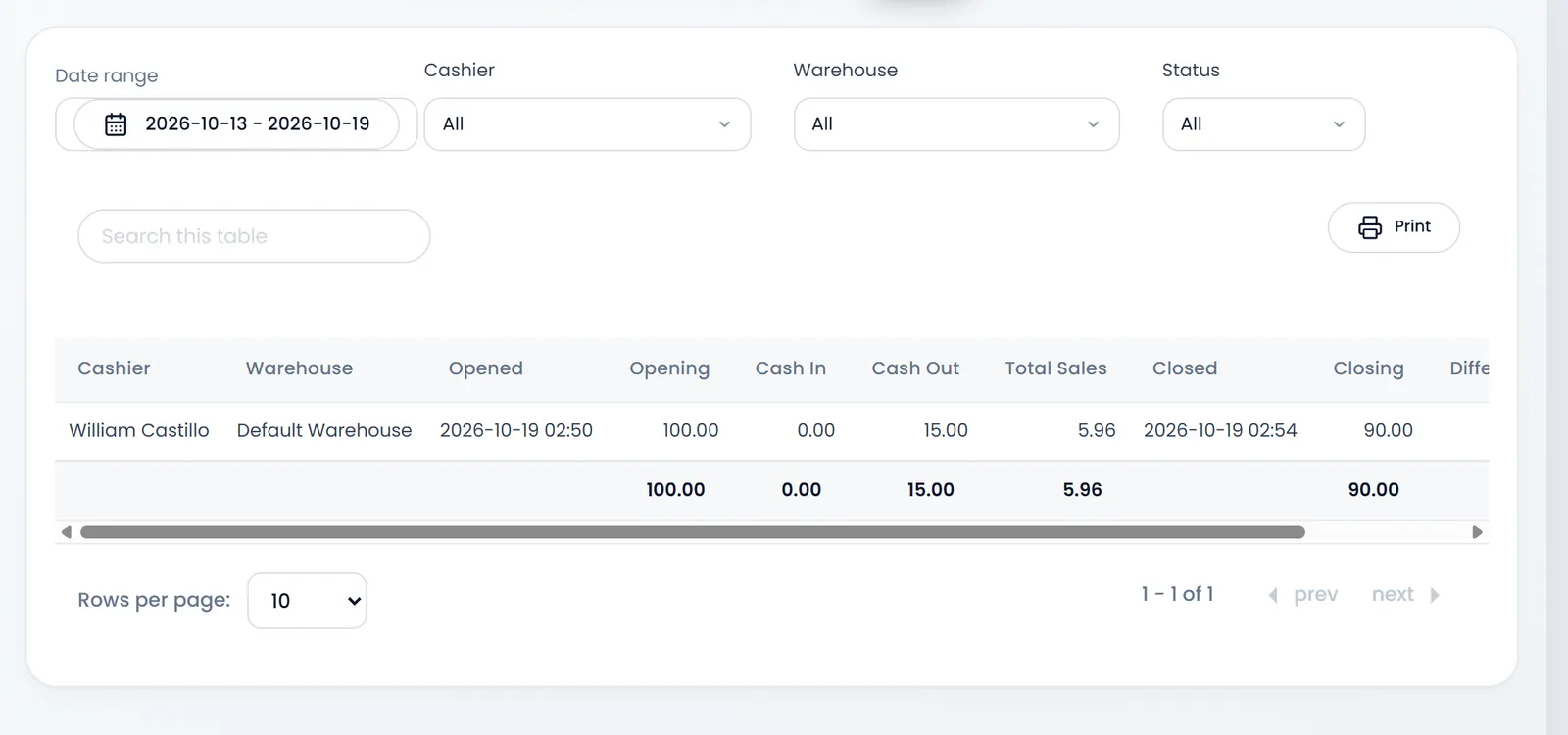
Total Sales in the report is every POS sale of the shift, however it was paid. Only the cash part is in the drawer's expected amount.
A register belongs to its cashier. Someone else can see, move cash in or close it only if their role may see other people's records and the register's warehouse is theirs.
What's next
Read Returns and refunds.
Still stuck?
Write to us and a person answers. If you already have a shop, Ask support inside it sends us the page you're on.
Contact usAsk your AI assistant
ChatGPT, Claude and Gemini can read every guide and walk you through it.
Set it up