




Names like these, in green, are pages inside your ArmPOS shop. Sign in to your shop to open them.
By the end you will know how an estate agency or a landlord can list properties for sale or rent in its online store, and where visitors' inquiries arrive.
Property listings come with the online store, which some plans include. They suit a shop that sells or lets property: a shop selling products doesn't need them.
Switch the store to properties
Open Store › Settings, set Store Theme to Real Estate Theme and click Save. The store's home page then shows your featured and latest available properties instead of products, with a page listing every property and a page for each one.
Add a property
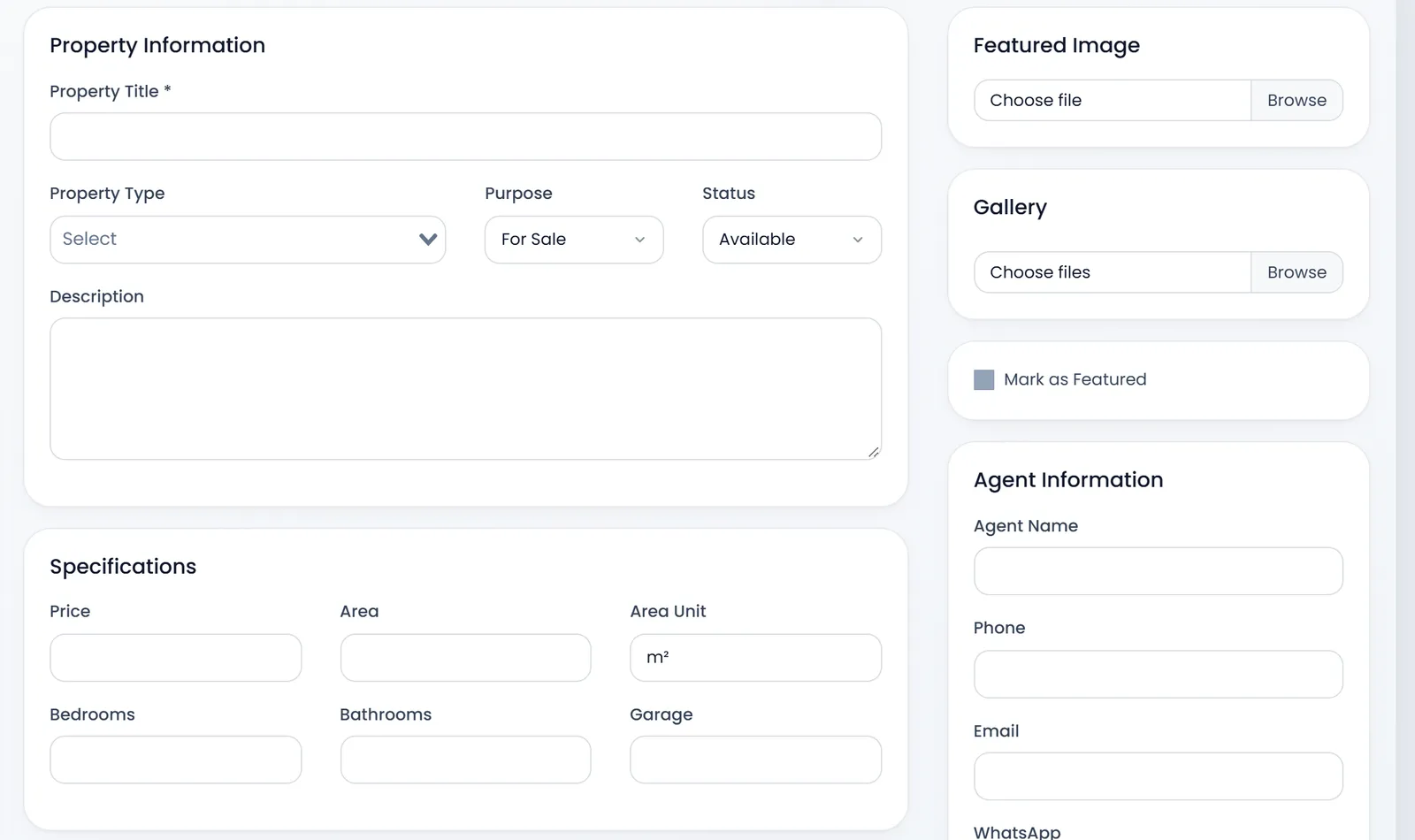
- Open Store › Real Estate › Properties and click Add Property.
- Type the Property Title. It is the only required field.
- Fill Property Information: the Property Type (such as House, Apartment or Land), the Purpose (For Sale or For Rent), the Status (Available, Sold or Rented) and the Description.
- Fill Specifications and Location: Price, Area and Area Unit, Bedrooms, Bathrooms, Garage, then the Address, City, Region, and the map's Latitude and Longitude if you have them.
- Add pictures: one Featured Image and as many as you like in the Gallery (JPG, PNG or WebP, up to 8 MB each).
- Fill Agent Information: the Agent Name, Phone, Email and WhatsApp visitors contact.
- Tick Mark as Featured to put it on the home page, and click Save.
Features & Amenities adds lines such as "Parking" or "Swimming pool", and SEO sets what search engines show.
Property Categories holds the property types: Apartment, Commercial Property, House, Land, Office and Villa to start with. Add your own with Add Category.
Inquiries
A visitor who asks about a property fills a short form on its page. The inquiry lands in Store › Real Estate › Property Inquiries, and an email goes to the property's agent, or to the store's contact email when the property has no agent email.
Each inquiry is New until you open it, then Read. Mark it Responded once you have answered, and Closed when it is settled.
Set a property to Sold or Rented once it is taken: the home page shows available properties only.
This guide was written from ArmPOS's screens and code: Demo Store sells groceries and lists no property.
What's next
Set up the rest of the store in Set up your online store.
Still stuck?
Write to us and a person answers. If you already have a shop, Ask support inside it sends us the page you're on.
Contact usAsk your AI assistant
ChatGPT, Claude and Gemini can read every guide and walk you through it.
Set it up