




Names like these, in green, are pages inside your ArmPOS shop. Sign in to your shop to open them.
By the end you will have recorded money that came in without a sale, such as rent for shelf space or a refund from a service, and you will find it in your reports.
Deposits sit under Accounting, which comes with some plans only. If Accounting isn't in your menu, your plan or your role doesn't include it.
Create the categories
Categories group your other income, as expense categories group your spending.
- Open Accounting › Deposit Category.
- Click Create.
- Type the title, such as Shelf rental, and click Submit.
Record a deposit
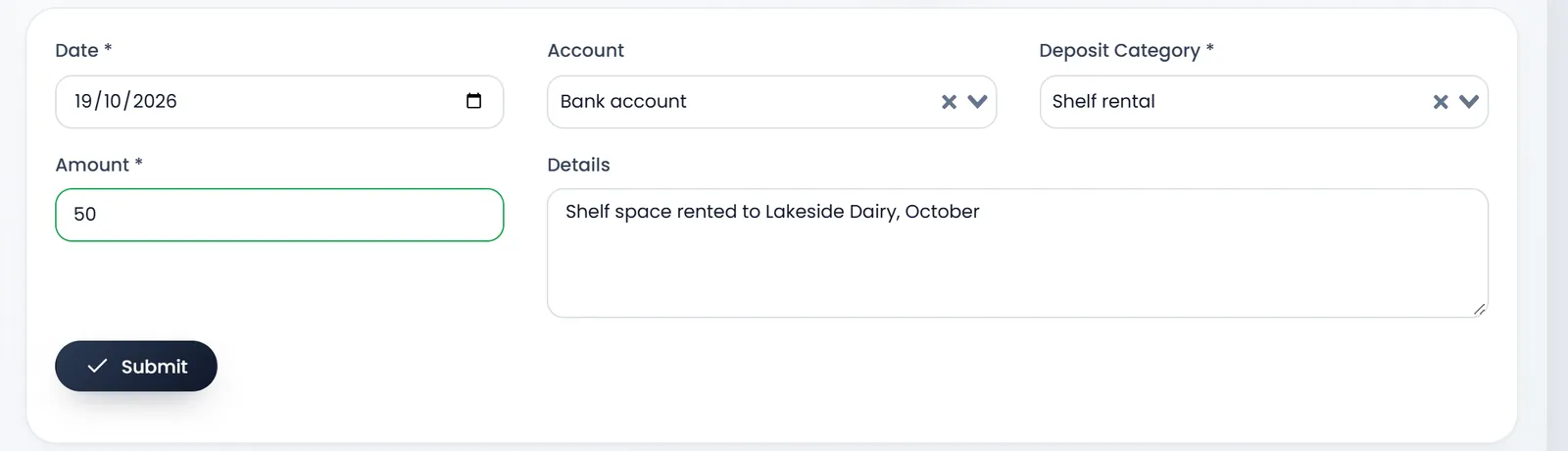
- Open Accounting › Create deposit.
- Check the Date. It is required.
- Pick the Account the money went into. It is optional, but only a deposit with an account adds to that account's balance.
- Pick the Deposit Category. It is required.
- Enter the Amount and the Details. Amount is required; Details says where the money came from.
- Click Submit. You land on List Deposit.
Find it again
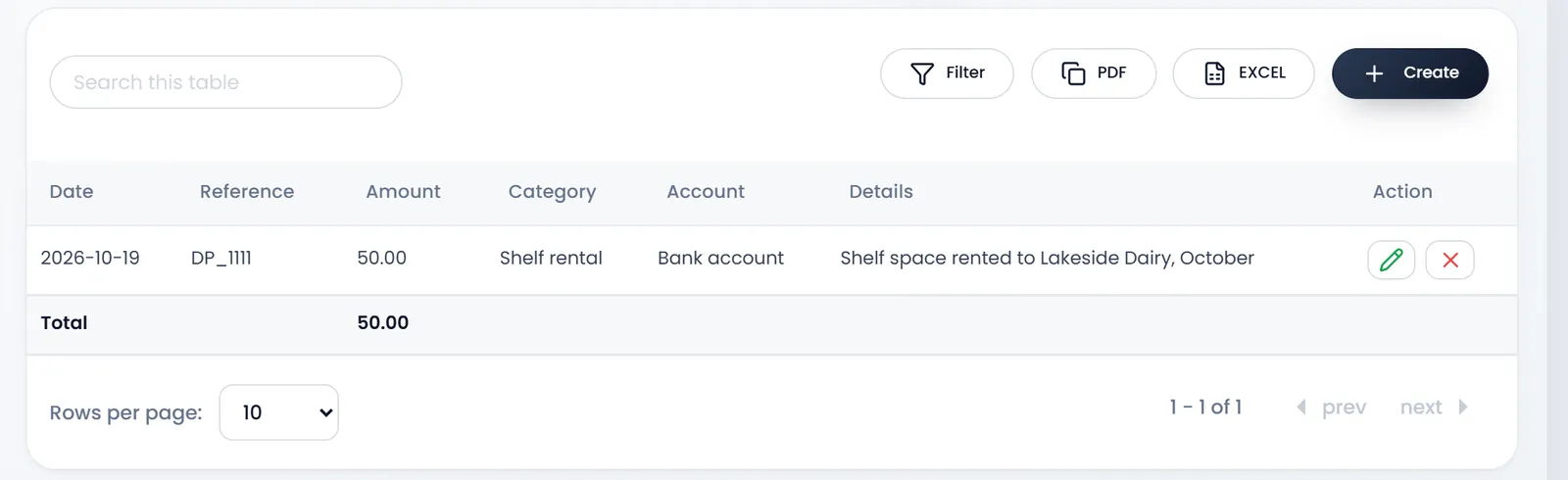
Accounting › List Deposit lists your deposits with their Date, Reference (DP_ and a number), Amount, Category, Account and Details. Filter finds them by date, reference, account or category, and PDF and EXCEL keep a copy. The Total row adds up the page you see.
Reports › Deposits Report totals your deposits by category, with a chart.
A deposit isn't a sale, so Reports › Profit and Loss doesn't count it in your sales or profit.
What's next
Keep your accounts in step with Bank and cash accounts.
Still stuck?
Write to us and a person answers. If you already have a shop, Ask support inside it sends us the page you're on.
Contact usAsk your AI assistant
ChatGPT, Claude and Gemini can read every guide and walk you through it.
Set it up