




Names like these, in green, are pages inside your ArmPOS shop. Sign in to your shop to open them.
By the end every room will be on the desk with its floor, and you'll know how to mark a room clean or take it out of order.
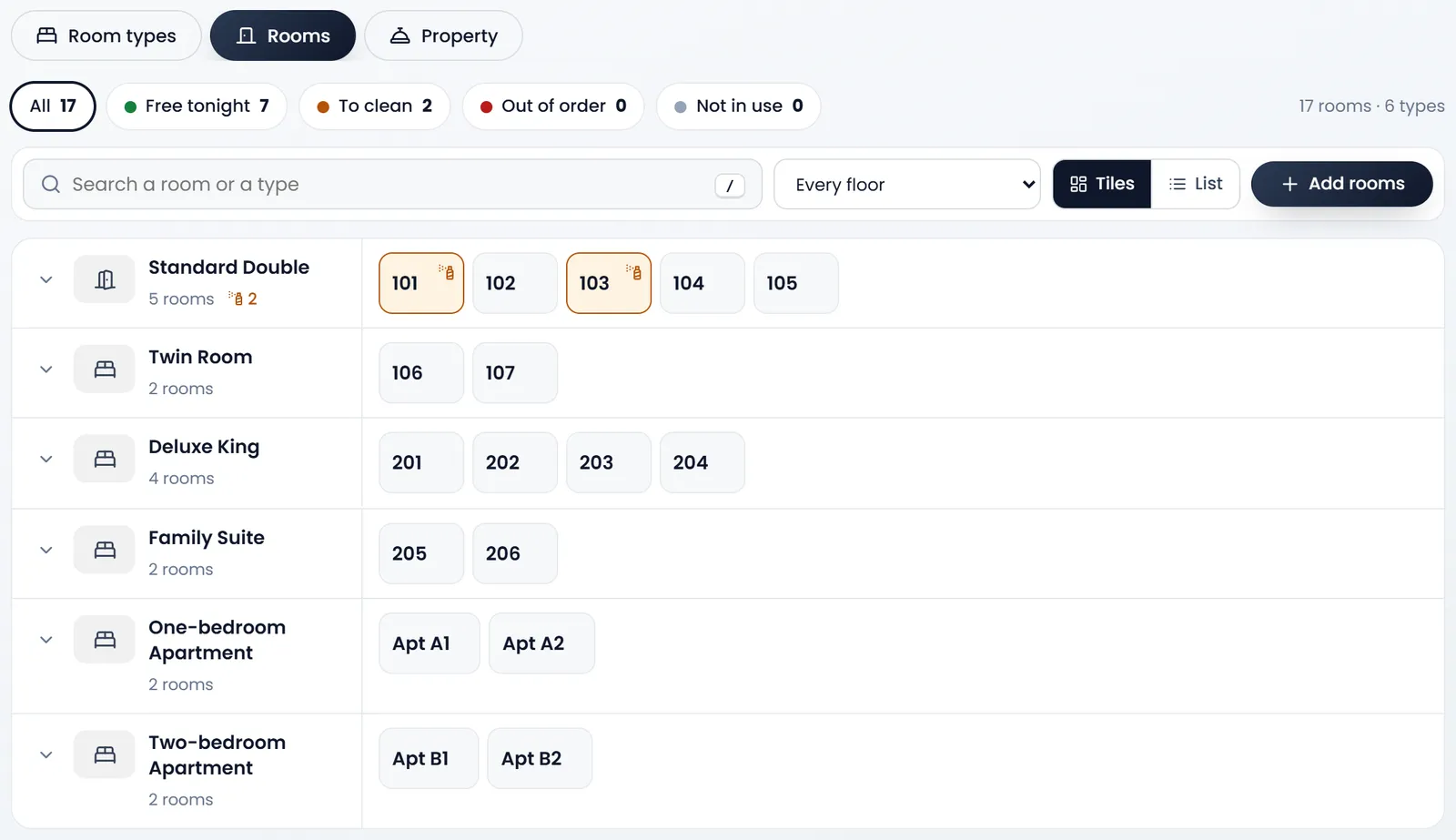
Add rooms
- Open Rooms and click Add rooms, or the + beside a room type.
- Choose One room or A run of rooms.
- Pick the Room type.
- Type the room's number or name. For a run, type From and To, and the numbers to Skip, if any.
- Pick the Floor, or add one with +.
- Click Add. The button says how many rooms it adds.
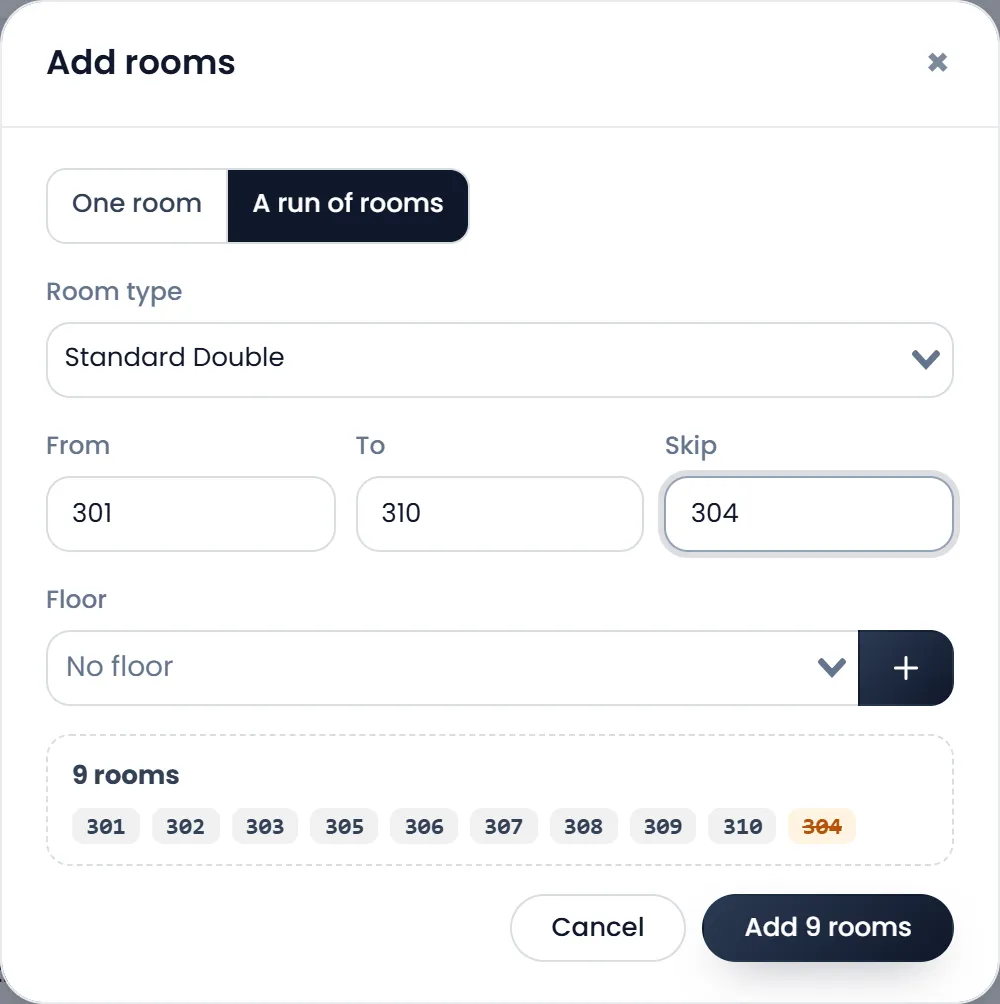
A run adds up to 200 rooms at a time. From and To end in a number and start the same way, like A701 and A720. A room's name is up to 40 characters. A number that's already a room is left out, and named.
Find a room
The pills at the top count the rooms Free tonight, To clean, Out of order and Not in use: click one to see only those. Search by room or type, pick a floor, and show the rooms as Tiles or a List.
A room's page
Click a room to open it. Tonight names the guest in it, with Open the booking. The arrows go to the previous and next room.
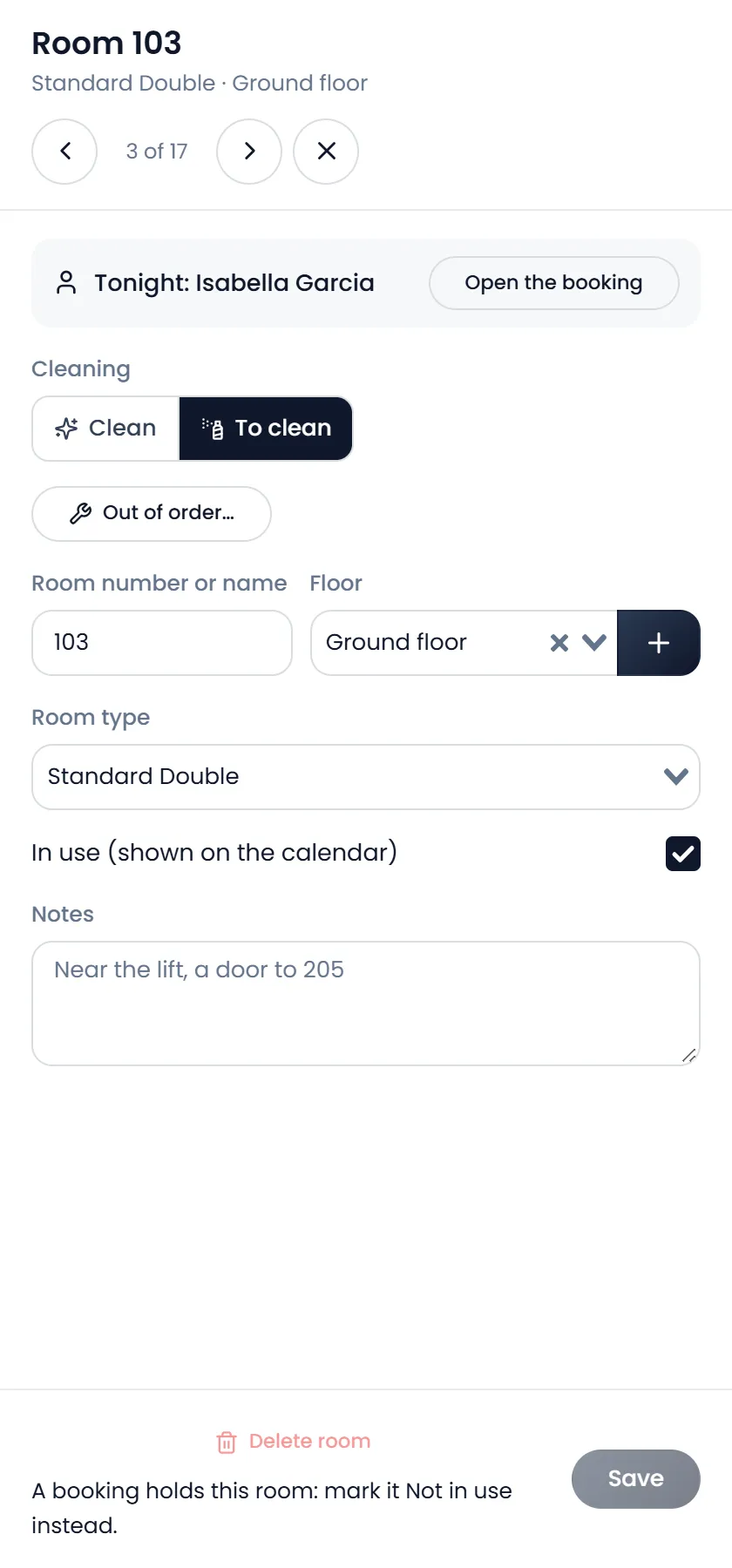
- Cleaning: Clean or To clean.
- Room number or name, Floor, Room type and Notes. Click Save.
- In use (shown on the calendar): untick it for a room you don't sell, such as a store room.
- Delete room: a room with a booking now or to come can't be deleted. Mark it not in use instead.
Out of order
For a room you can't sell for a few nights (painting, a repair):
- Open the room and click Out of order…
- Set From the night of and Back in use on, and type Why.
- Click Save.
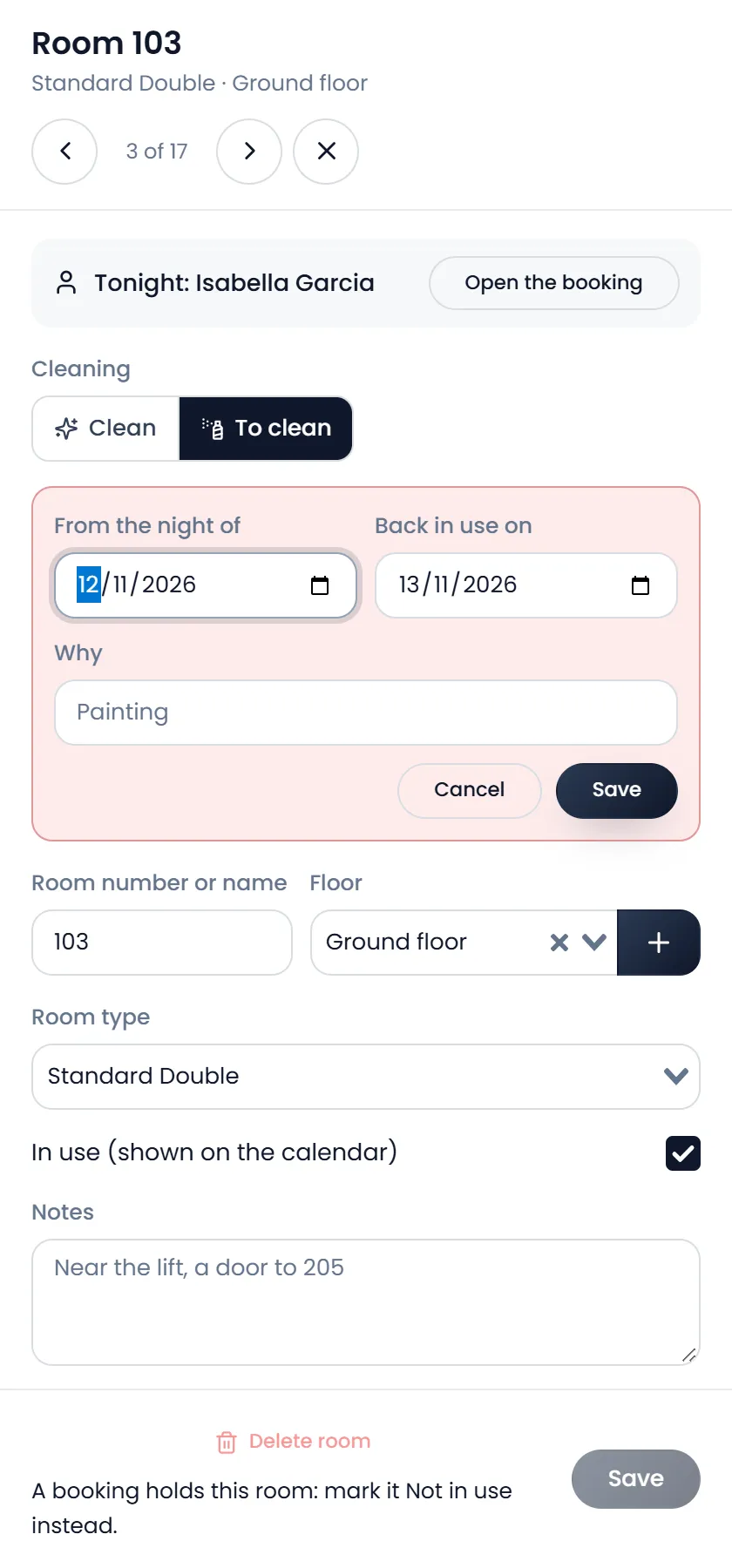
The calendar shows those nights as out of order, and nobody can book them. To end it early, open the room and click Back in use now.
Housekeeping
A room goes to To clean when its guest checks out. Whoever cleans it marks it clean: on Today, under To clean, click Mark clean, or open the room and click Clean.
The Housekeeping role can do this and nothing else on the desk.
Several rooms at once
Pick several rooms and choose what to do with them: Mark clean, Out of order…, Move to… another type, or Delete…. A room a booking holds is left as it is, and named.
What's next
Still stuck?
Write to us and a person answers. If you already have a shop, Ask support inside it sends us the page you're on.
Contact usAsk your AI assistant
ChatGPT, Claude and Gemini can read every guide and walk you through it.
Set it up