




Names like these, in green, are pages inside your ArmPOS shop. Sign in to your shop to open them.
By the end your shop's HR will have its departments, job titles, working hours and public holidays, ready for your employees.
HR comes with some plans only. If HRM isn't under Team & projects in your menu, your plan or your role doesn't include it.
In this order
Each step needs the one before it:
- Company: the business the staff work for.
- Departments: belong to a company.
- Designations (job titles): belong to a department.
- Office Shift: the working hours, for a company.
- Then Employees, who need all four.
All of them are under Team & projects › HRM.
Company
Open HRM › Company. Your shop is usually there already. Create adds another, with its Name (required), Email, Phone and Country.
Departments
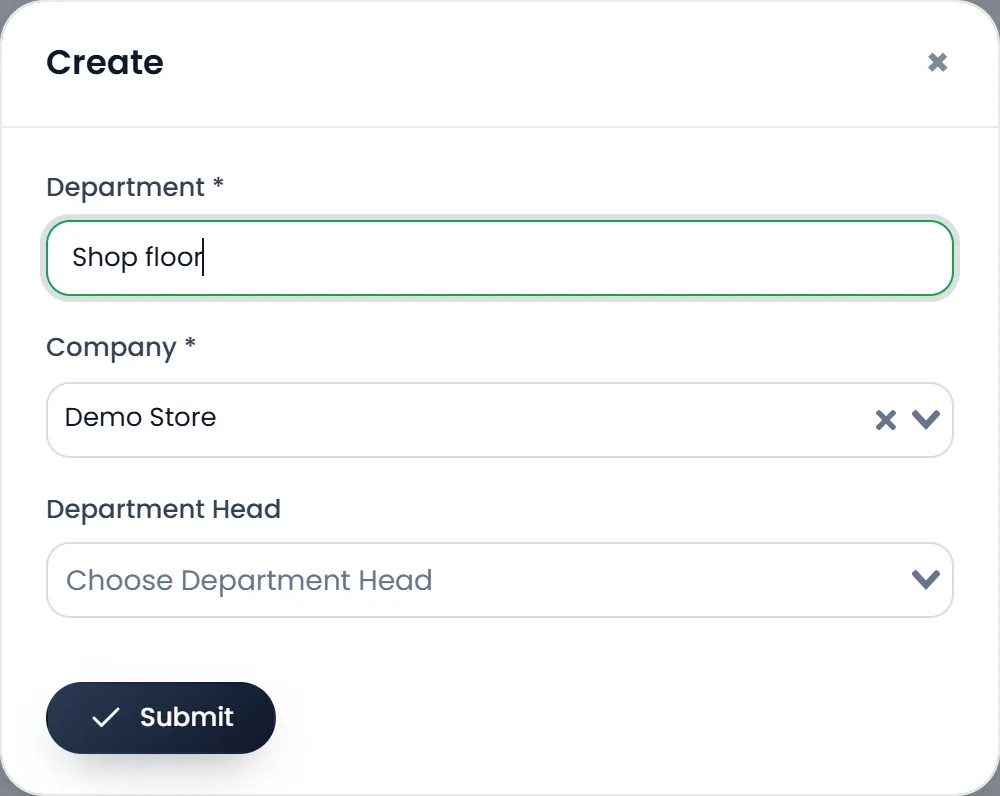
- Open HRM › Departments and click Create.
- Pick the Company and type the Department name, such as Shop floor.
- Pick a Department Head if the company already has employees; you can add one later.
- Click Submit.
Designations
Open HRM › Designations and click Create. Pick the Company and the Department, type the Designation, such as Cashier or Stock clerk, and click Submit.
Office shifts
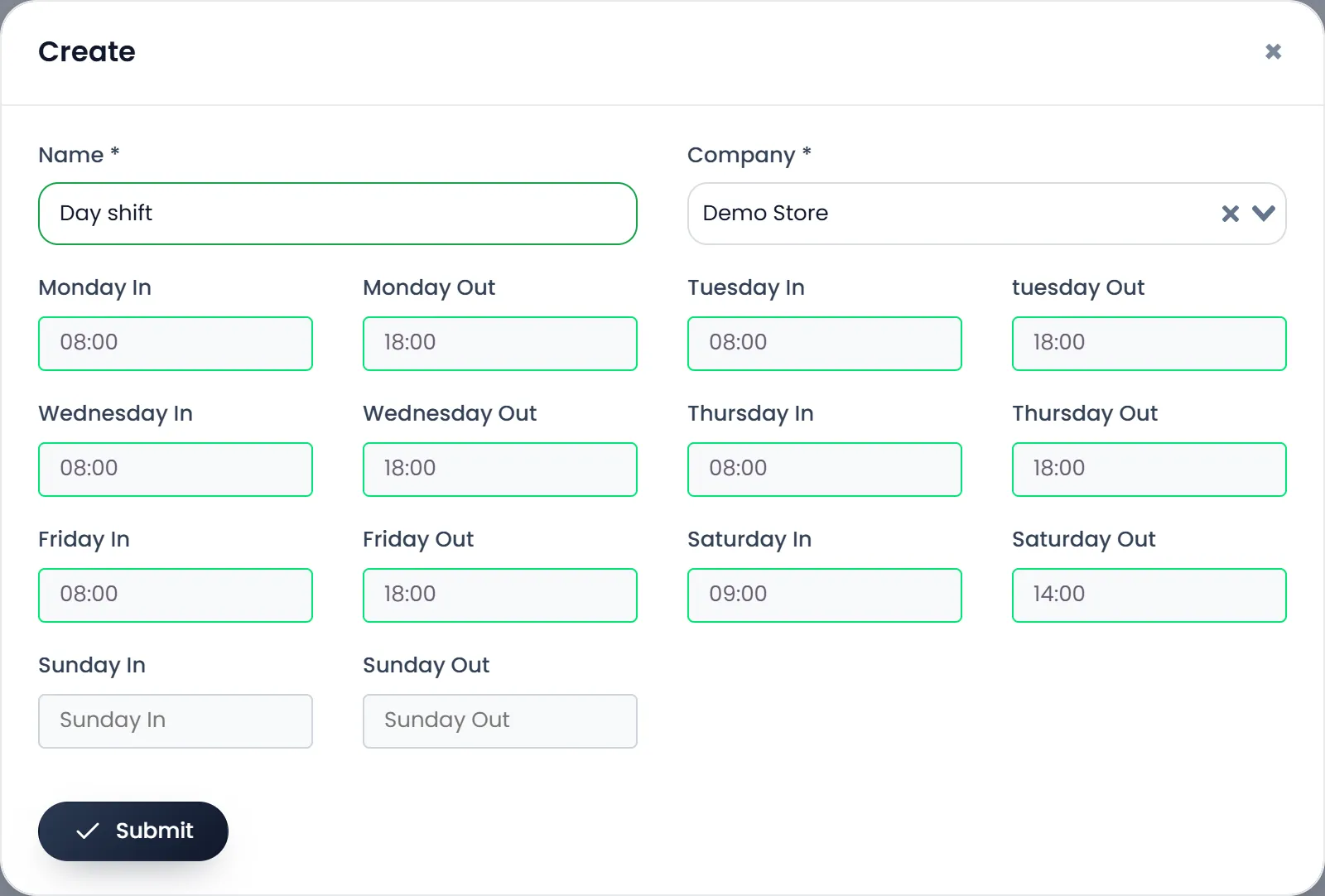
- Open HRM › Office Shift and click Create.
- Type the Name, such as Day shift, and pick the Company.
- Set each day's In and Out. Click a time box: a clock opens. Click the hour, then the minutes, then done. The inner ring holds 12 to 23. Leave a day empty when the shop is closed.
- Click Submit.
The shift decides how attendance counts lateness, leaving early and overtime: see Attendance.
Holidays
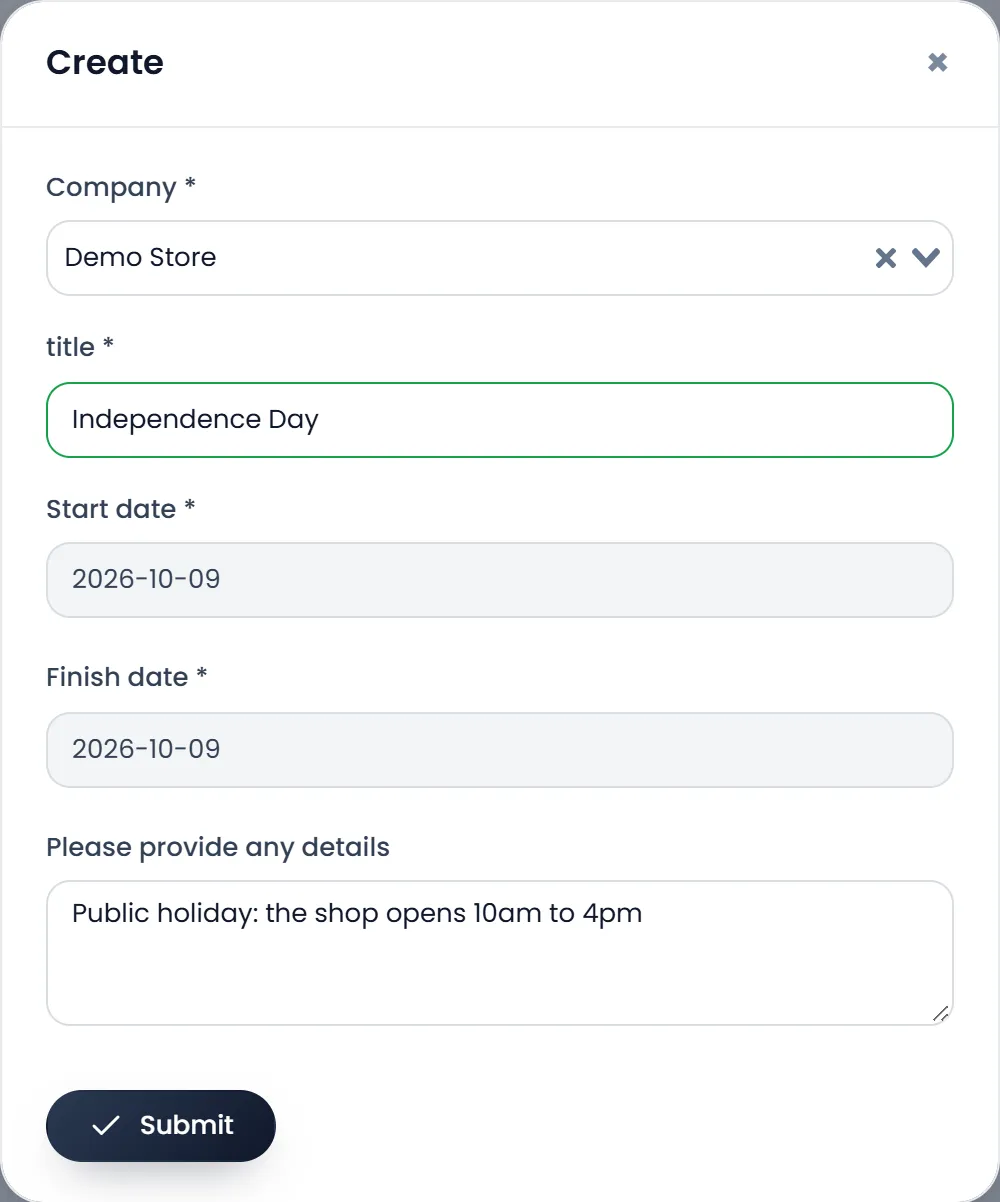
Open HRM › Holidays and click Create. Pick the Company, type the title, pick the Start date and Finish date from the calendars, add any details, and click Submit. Holidays are a list for your team to see: they don't change attendance or leave.
What's next
Add the people: Employees.
Still stuck?
Write to us and a person answers. If you already have a shop, Ask support inside it sends us the page you're on.
Contact usAsk your AI assistant
ChatGPT, Claude and Gemini can read every guide and walk you through it.
Set it up