




Names like these, in green, are pages inside your ArmPOS shop. Sign in to your shop to open them.
By the end you'll run the day from one page: guests leaving, guests arriving, who's in, and the rooms to clean.
The page
Open Today. The top says how many rooms are taken tonight and how many are free. Four tabs list the day:
| Tab | Who | The button |
|---|---|---|
| Leaving | Guests due out today, and any still in past their day | Check out |
| Arriving | Guests due in today | Check in |
| In the house | Everyone staying tonight | |
| To clean | Rooms to clean | Mark clean |
Click a guest's name to open their booking.
Check a guest out
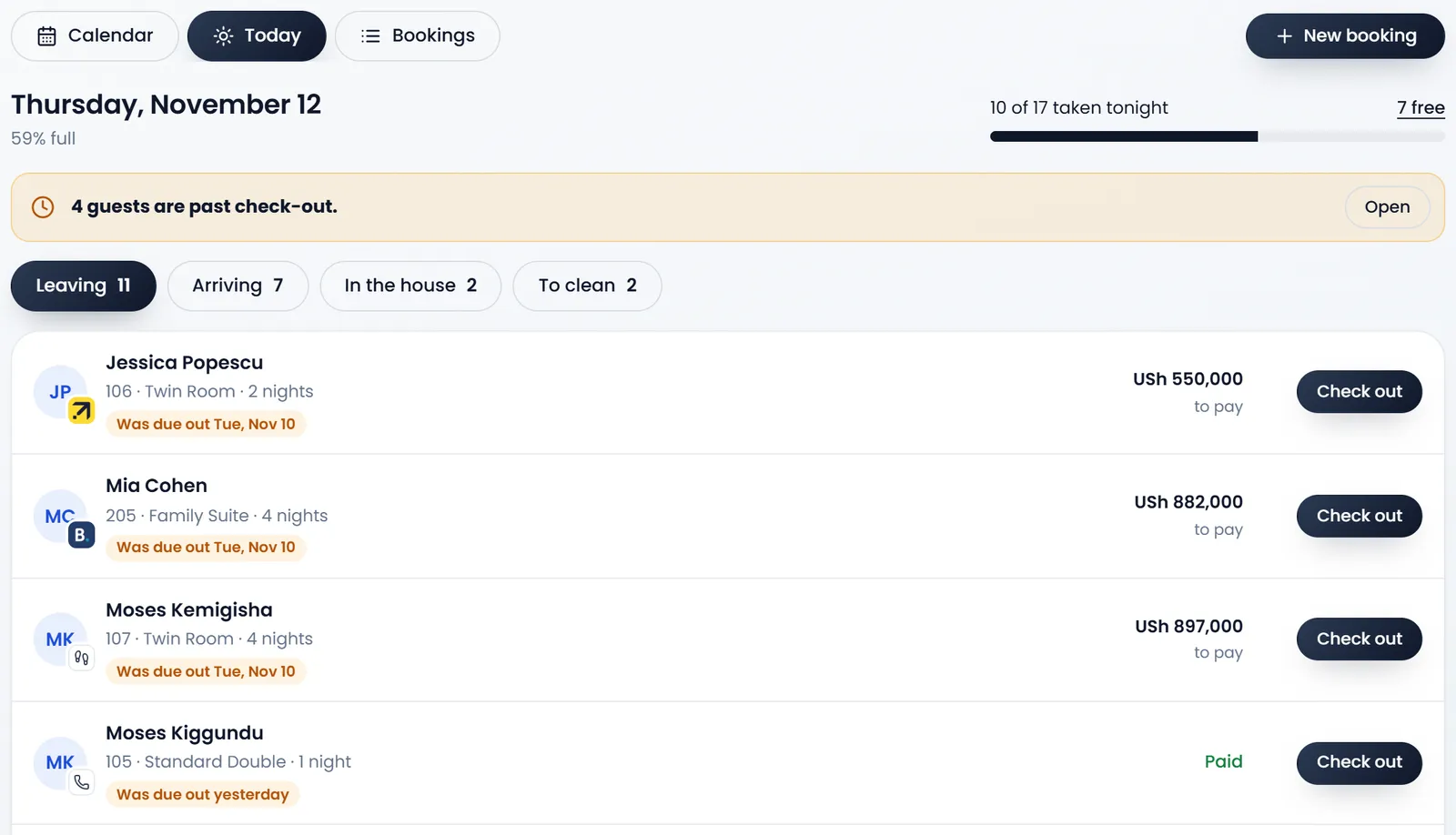
Each guest shows their room, their nights and what's to pay. Take what's owed on the booking's bill first (see The guest's bill), then click Check out.
If money is still owed, the desk says how much is left, with Take payment or Check out anyway. After check-out the room goes to To clean.
A guest still in past their day shows Was due out yesterday, and a banner at the top counts them. Open shows who.
Check a guest in
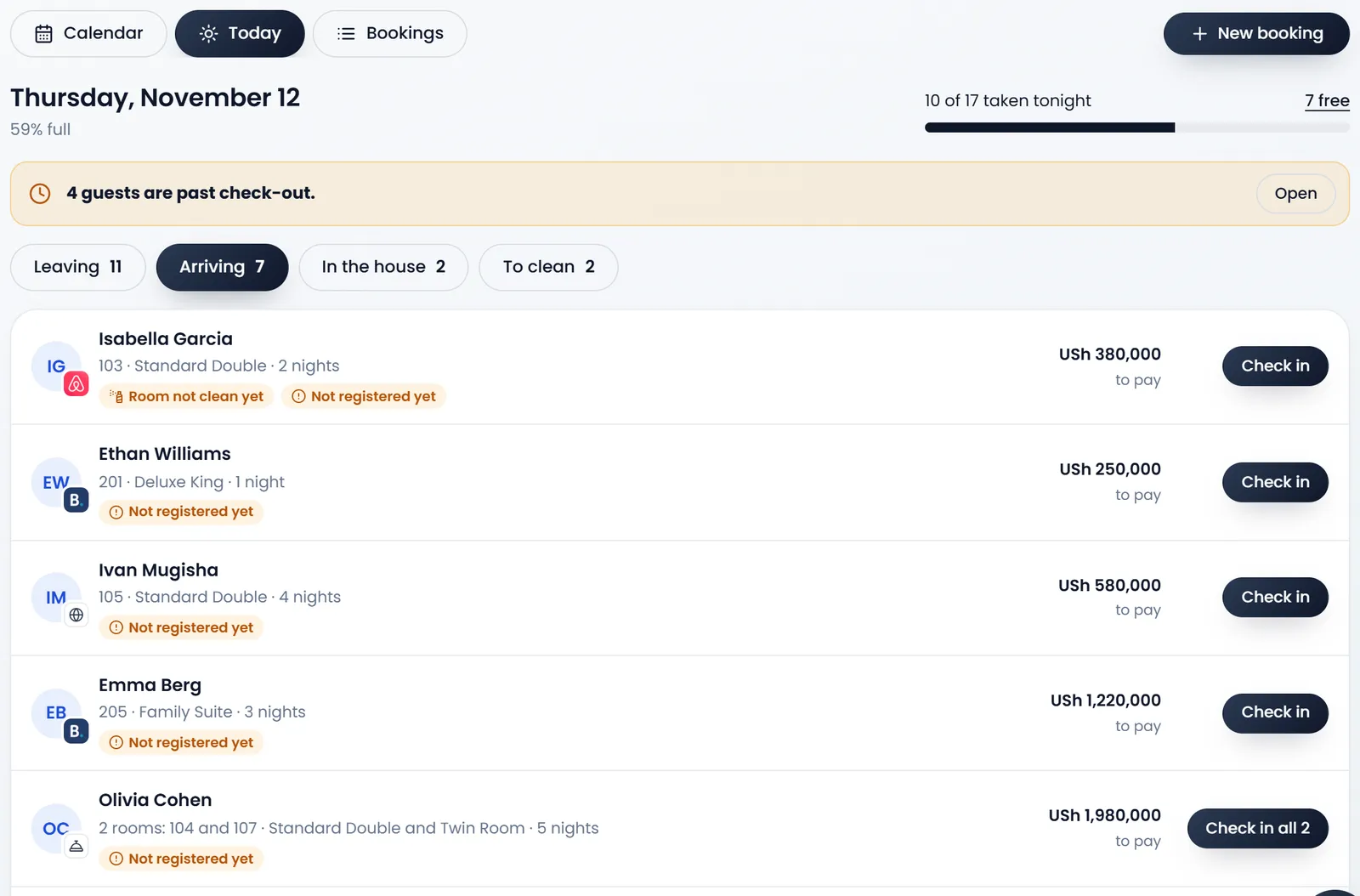
Tags under a guest's name warn you before you start:
- Room not clean yet: their room is still to clean.
- Not registered yet: their registration card isn't filled. Registered means it is.
Click Check in. If something's missing, the desk asks first:

- Room … isn't clean yet: Check in anyway or Wait.
- … hasn't filled the registration card: Fill it now with the guest, or Send the link.
A booking with several rooms checks them all in with Check in all. A booking a travel site sold with no room picked shows Place a room: click it and choose one.
Clean the rooms
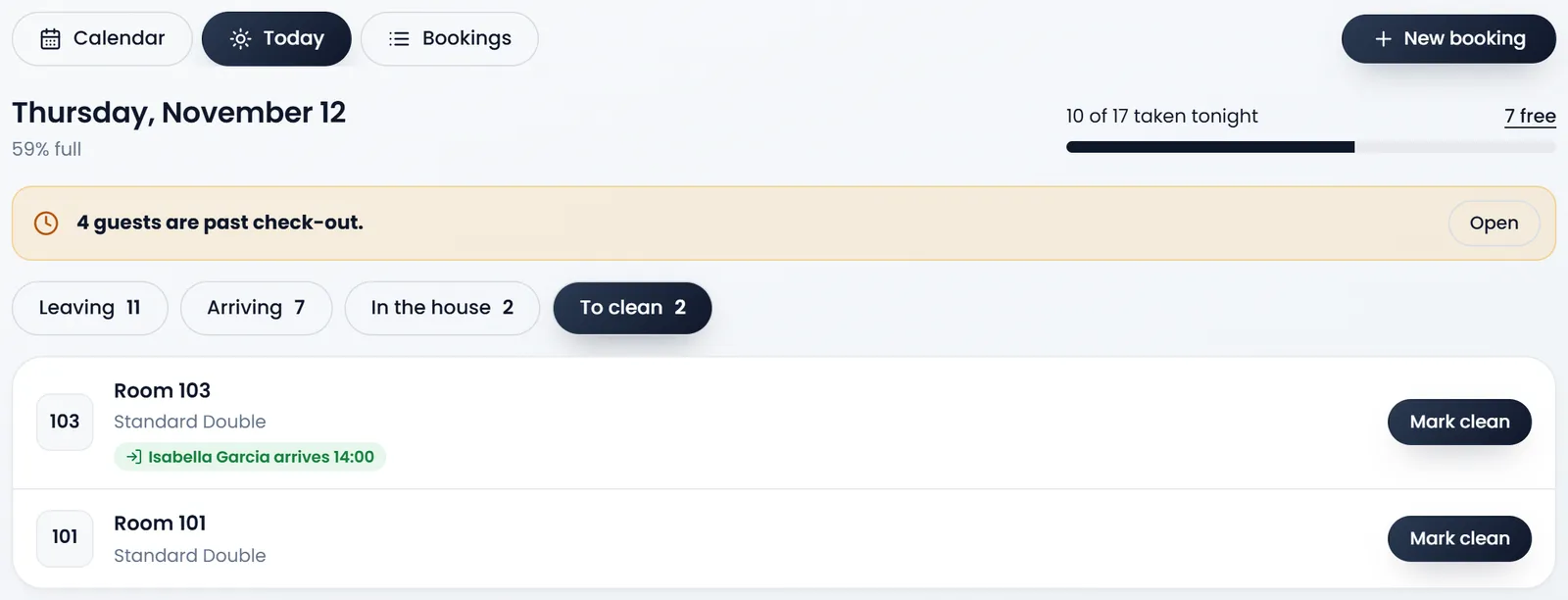
A room shows who arrives in it tonight, so the cleaner knows which to do first. Click Mark clean when it's done.
Problems at the top
- … guests are past check-out: Open shows who. Check them out, or change their dates.
- Room … is sold twice: two travel sites sold the same night. Fix opens both bookings. See Booking sites.
What's next
Still stuck?
Write to us and a person answers. If you already have a shop, Ask support inside it sends us the page you're on.
Contact usAsk your AI assistant
ChatGPT, Claude and Gemini can read every guide and walk you through it.
Set it up