




Names like these, in green, are pages inside your ArmPOS shop. Sign in to your shop to open them.
By the end you'll take a guest's payments, add charges to their bill, and check them out with nothing owed.
Open a booking
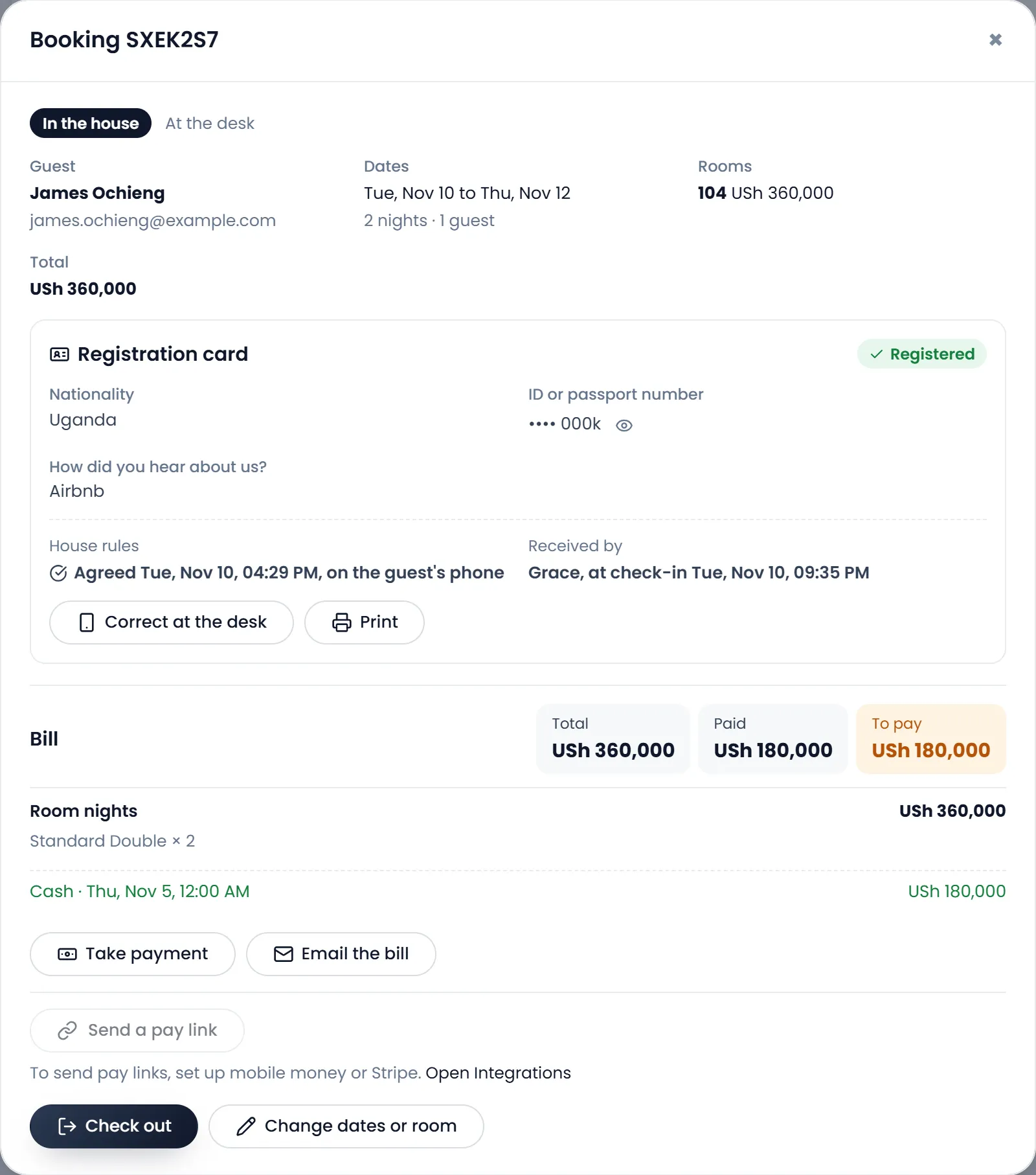
Click a guest's name on the calendar, Today or Bookings. The booking opens with the guest, the dates, the rooms, the registration card and the bill.
The bill
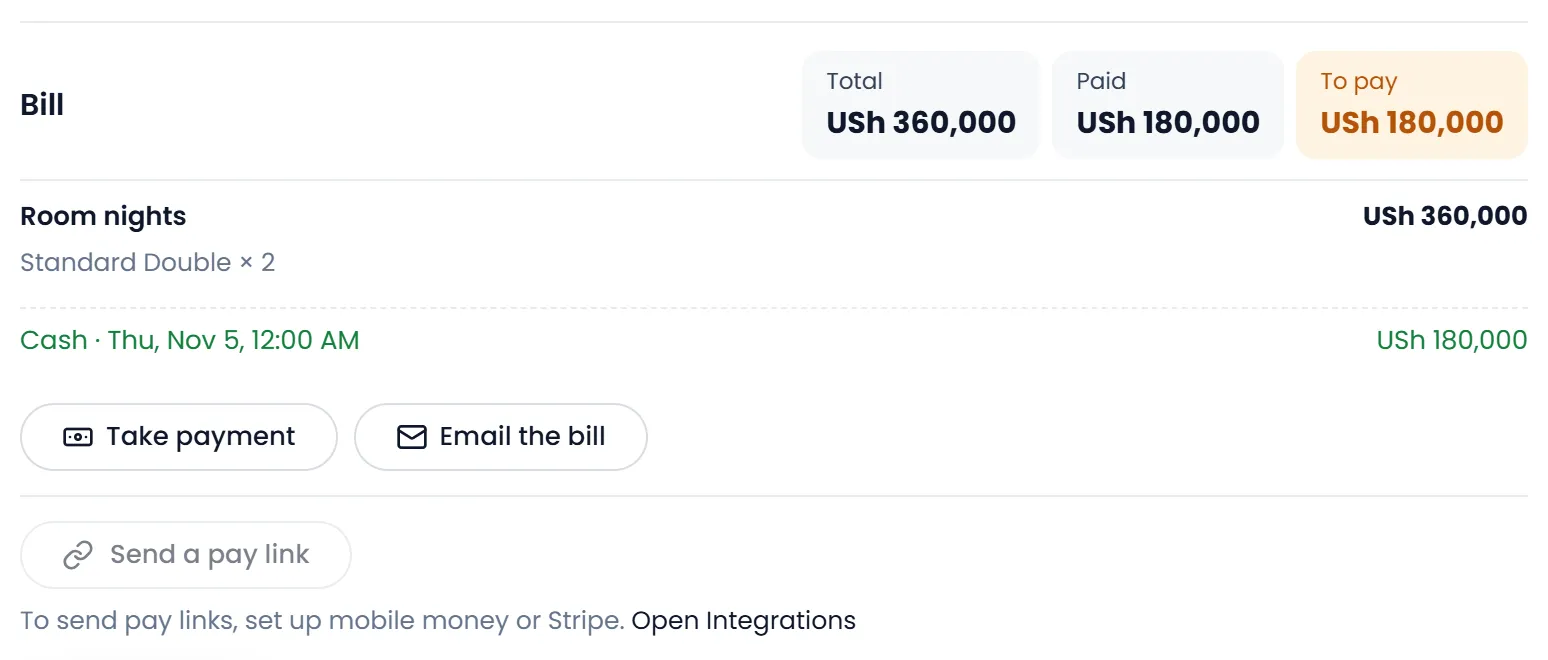
The three boxes at the top say what the stay costs, what's paid and what's left To pay. Below them:
- Room nights, at each room's price.
- Charges from the till (Charge to room) and from your house rules.
- Every payment and deposit, with how and when.
Before the guest arrives, the bill isn't open yet: a deposit you take becomes its first payment.
Take a payment
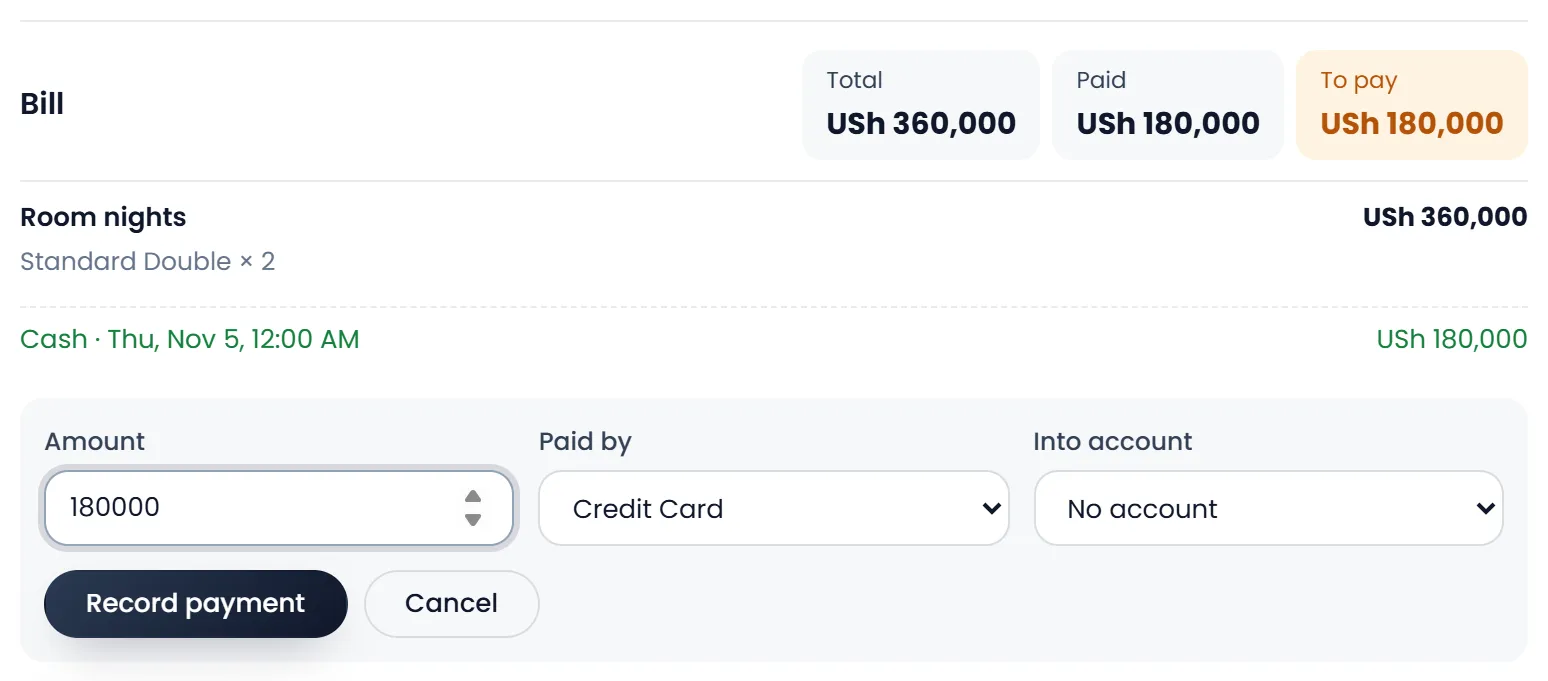
- Click Take payment (or Take a deposit, before arrival).
- Check the Amount. It starts at what's left to pay.
- Pick Paid by, and Into account if you keep accounts.
- Click Record payment.
A card at the desk: with Stripe, Pesapal or DPO set up in Integrations, pick Credit Card under Paid by, choose the gateway under Charge on, and click Charge. The gateway's own card form opens in a pop-up on the desk: the guest types their card, or you do with their card in hand. The payment shows on the bill when the gateway confirms it.
Send a pay link
The guest can pay on their phone, by mobile money or card. Click Send a pay link: the link is for the deposit or for what's left on the bill. Copy link, Send on WhatsApp or Email it. The link opens the guest's page, and what they pay lands on the bill by itself. Cancel the link stops it.
Pay links need mobile money or Stripe set up in Integrations. Until then the bill says so.
Card payments and pay links go through your gateway, so they were not tried when this guide was written: the steps come from ArmPOS's screens and code.
Charges from your house rules
A house rule with a price (a late check-out, a lost key, an extra guest) is one tap on the bill once the guest is in the house: it's under From your house rules. Set the prices on Property, under House rules.
Check the guest out
Click Check out on the booking, or on Today. If money is still owed, the desk says how much and asks before it lets you: Check out anyway or not.
Email the bill or Send the bill on WhatsApp sends the guest what they paid and what's left.
What's next
Still stuck?
Write to us and a person answers. If you already have a shop, Ask support inside it sends us the page you're on.
Contact usAsk your AI assistant
ChatGPT, Claude and Gemini can read every guide and walk you through it.
Set it up