




By the end your till will know each sale's table, add your service charge, and put a hotel guest's meal on their room.
Tables and the service charge are on the till of a restaurant, a bar or a hotel. Charge to room is on any till while the Front desk is on.
A sale's table
- Add the items to the cart.
- Click Table, above the cart.
- Pick the table, or type a new one and click Add to keep it for next time.
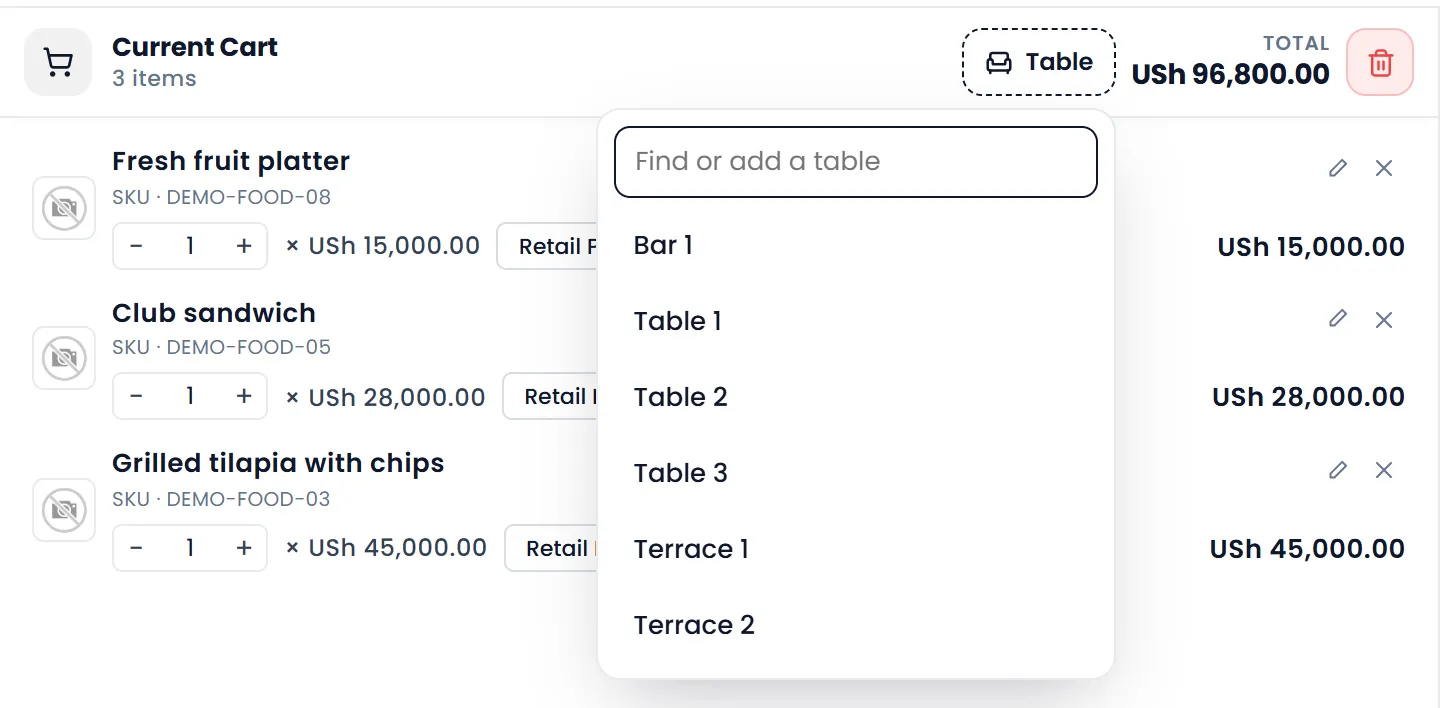
The button then shows the table. No table clears it.
Service charge
Set it once, in the till's own settings:
- Click the gear at the top of the till. Till settings opens.
- Under At the till, type the Service charge (%). 0 turns it off.
- Click Save.
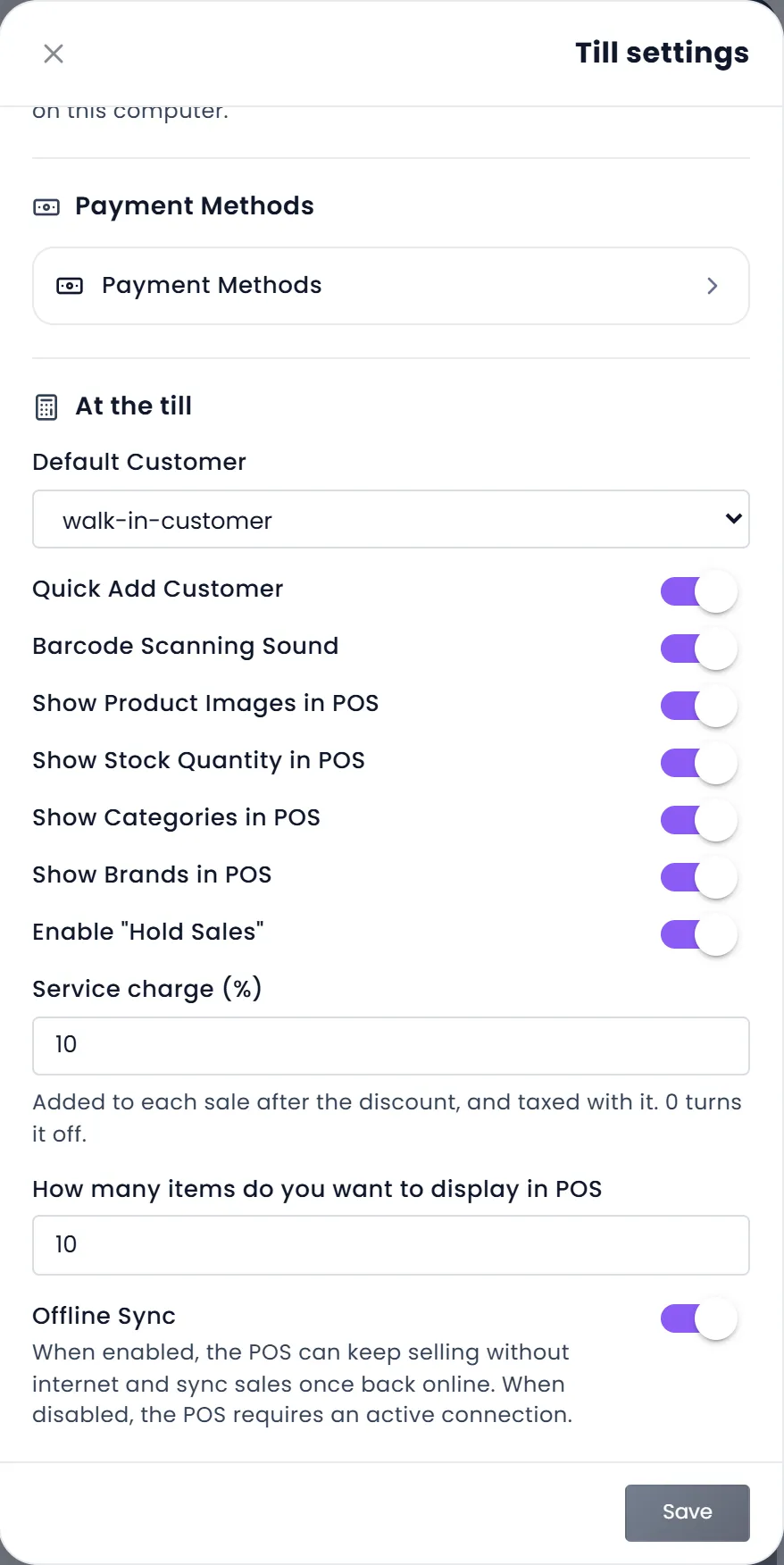
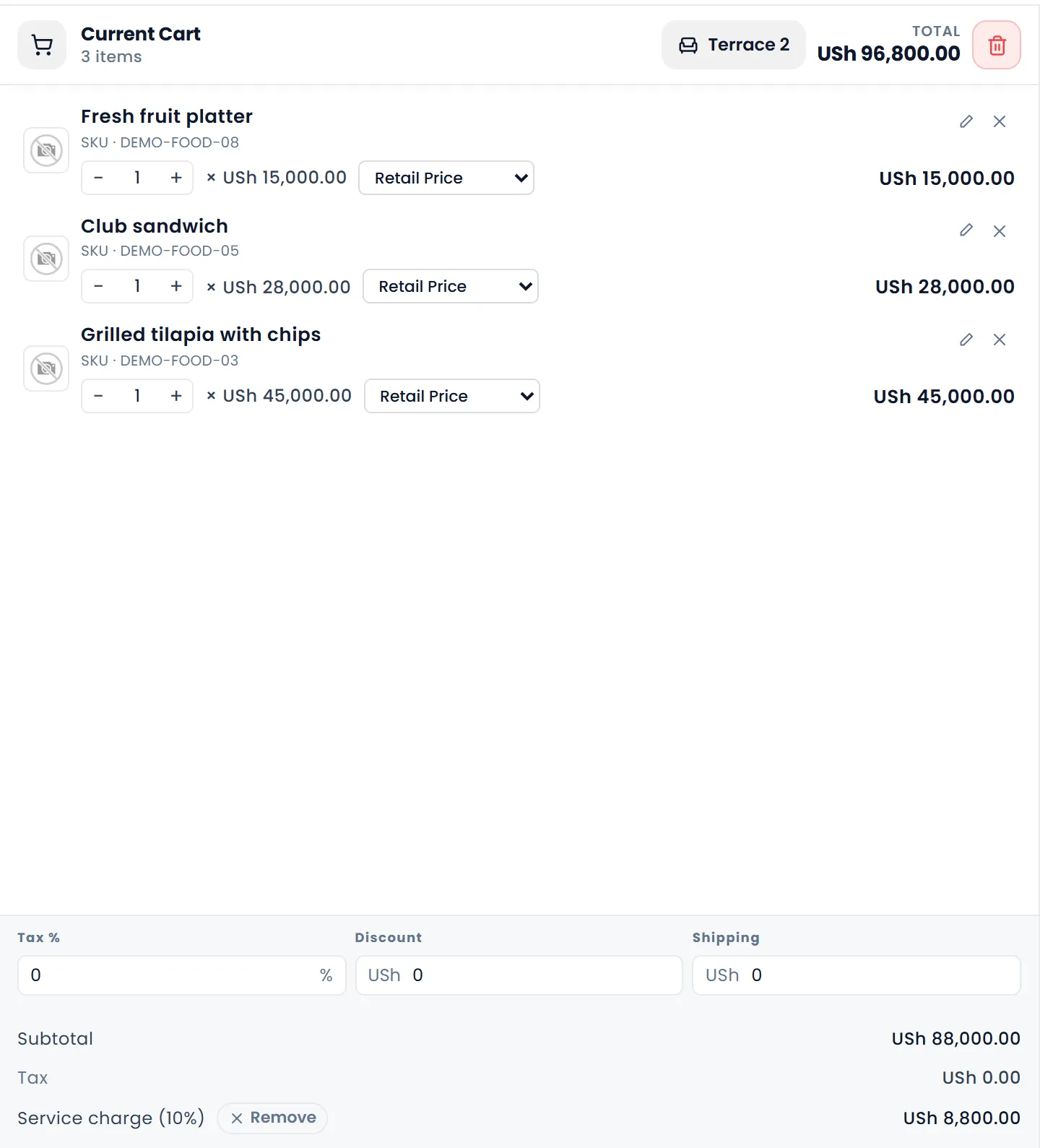
The charge is added to each sale after the discount, and taxed with it. A sale that shouldn't have it: click Remove beside it, and Add back to undo.
Charge to room
A hotel guest who eats or drinks can pay at check-out instead.
- Click Pay Now. The payment window opens.
- Click Charge to room.
- Pick the guest, by name or room. Only guests checked in are listed.
- Check the amount, the guest and the room, and click Charge to room.
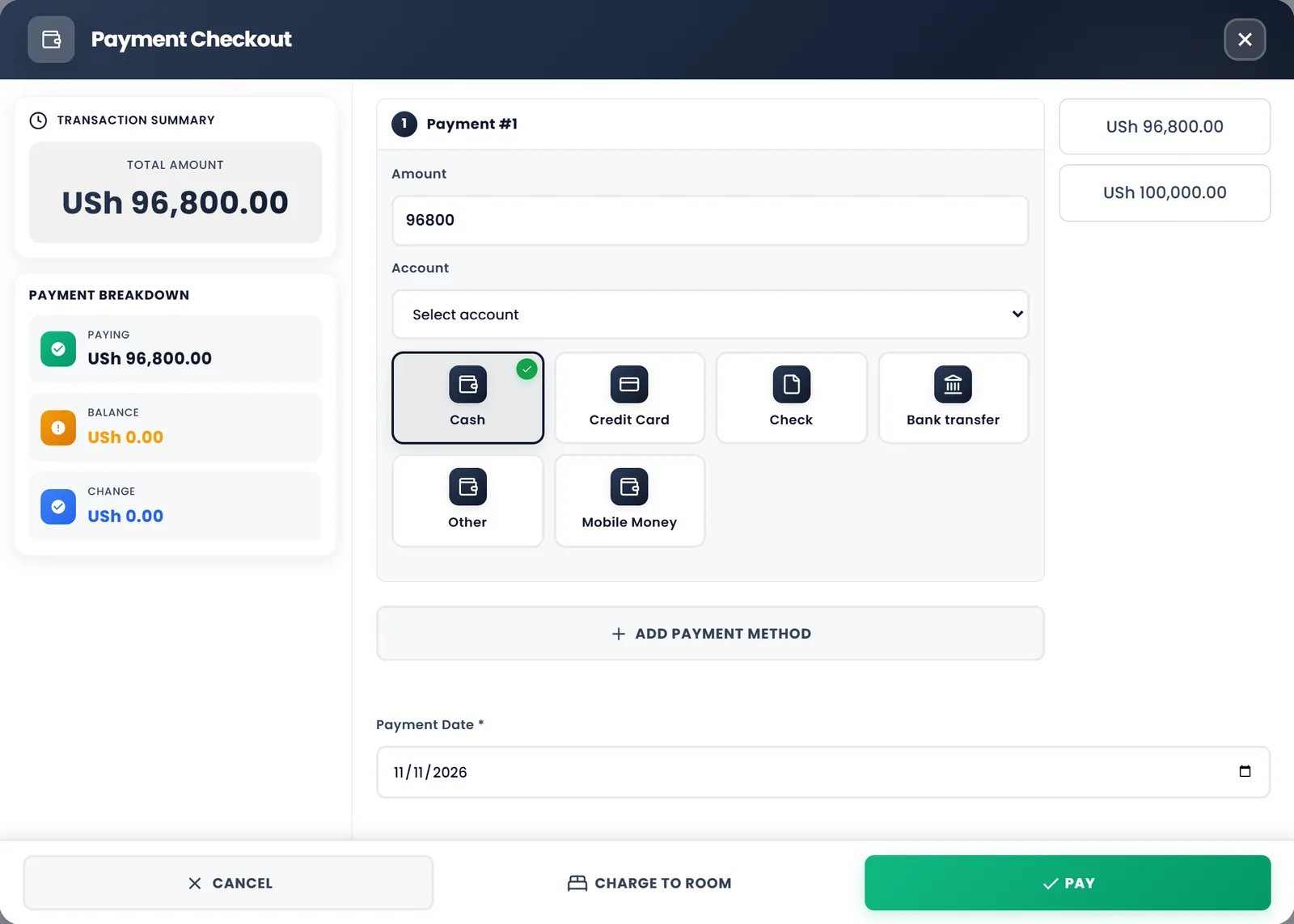
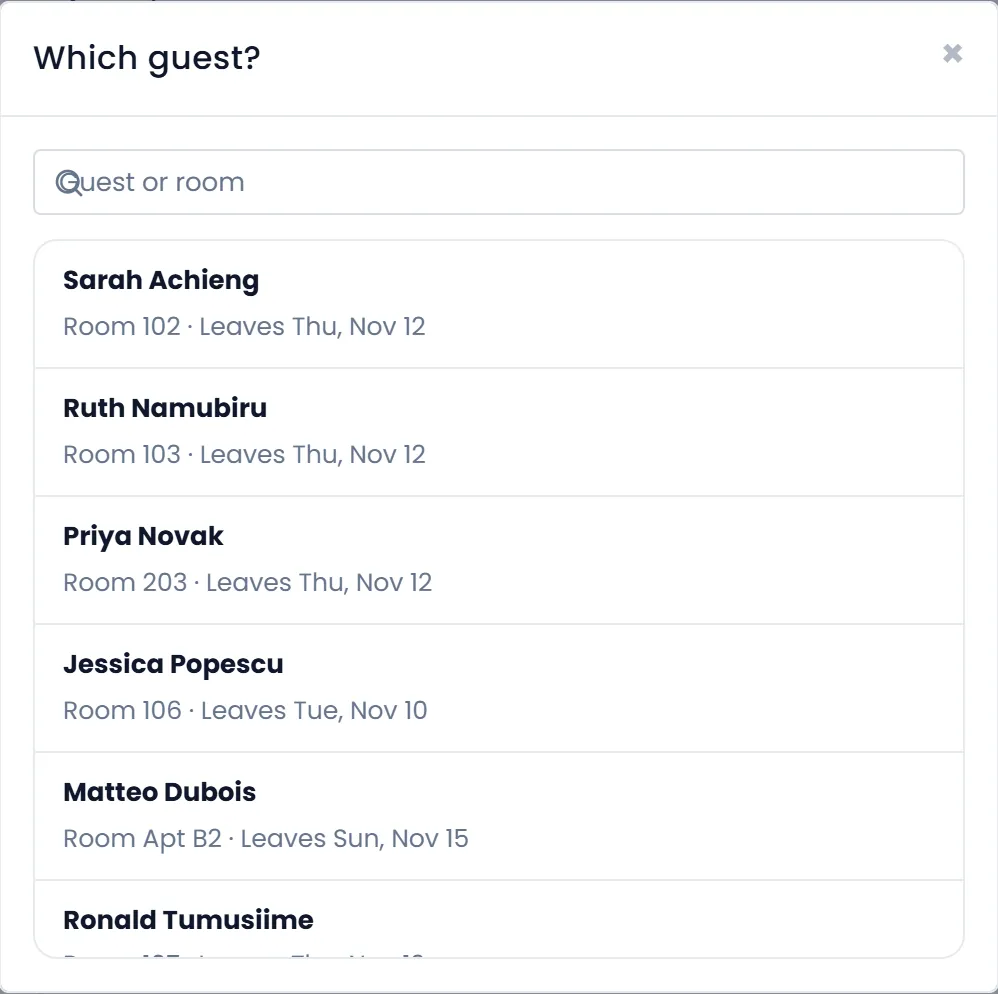
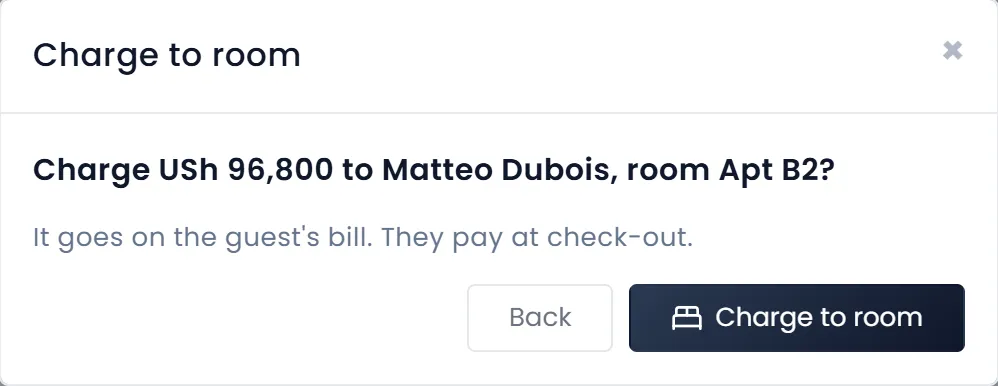
The sale goes on the guest's bill as From the till. They pay it with the rest of their stay. See The guest's bill.
Charge to room needs the till online, and isn't offered when the sale spends loyalty points.
What's next
Still stuck?
Write to us and a person answers. If you already have a shop, Ask support inside it sends us the page you're on.
Contact usAsk your AI assistant
ChatGPT, Claude and Gemini can read every guide and walk you through it.
Set it up