




Names like these, in green, are pages inside your ArmPOS shop. Sign in to your shop to open them.
By the end you'll know where each part of the front desk lives, what to set up first, and who on your team can do what.
Where it lives
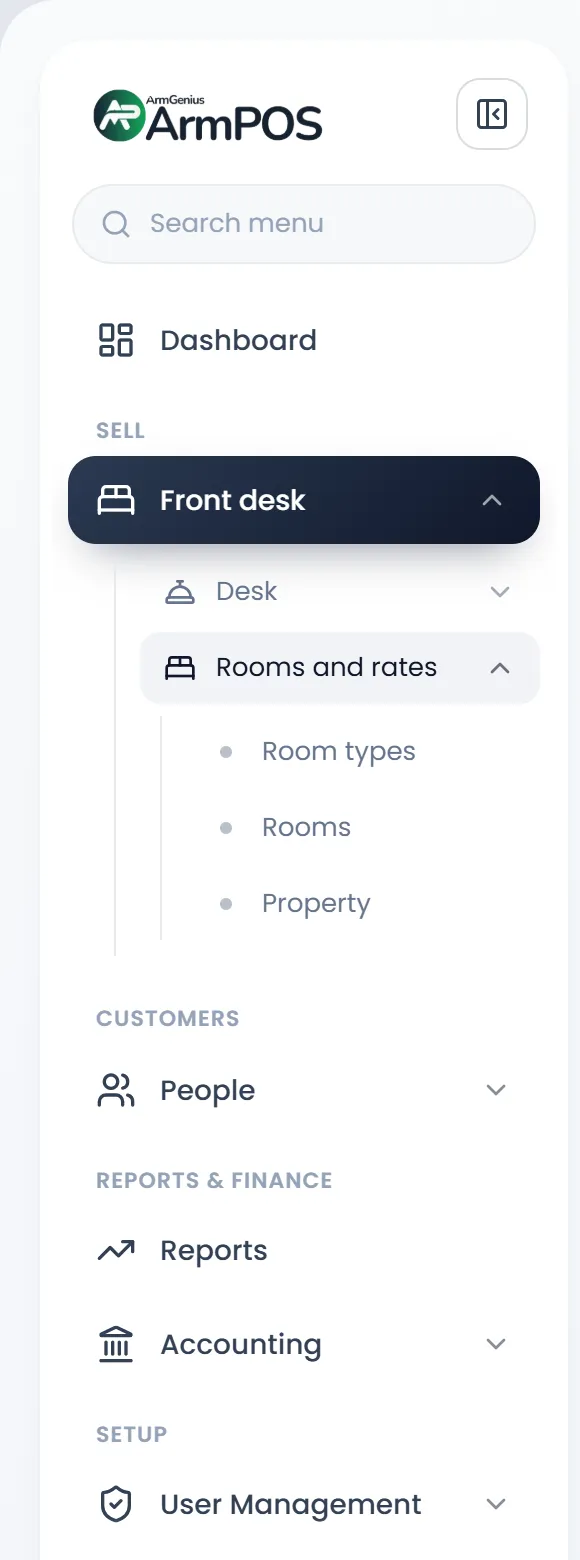
Front desk in the side menu has two groups:
| Group | Page | What it's for |
|---|---|---|
| Desk | Calendar | Every room, night by night. Take a booking here. |
| Today | Who leaves, who arrives, who's in, which rooms to clean. | |
| Bookings | Every booking: find it, change it, cancel it. | |
| Rooms and rates | Room types | What a guest books, with its price a night. |
| Rooms | Each room, its floor, and whether it's clean. | |
| Property | Check-in times, deposits, the registration card and house rules. |
Set up in this order
- Check-in and deposits. Open Property and set the check-in and check-out times and the usual deposit. See Check-in, registration cards and house rules.
- Room types. One for each kind of room a guest books, with its price a night. See Room types and prices.
- Rooms. Add each type's rooms: one at a time, or a run like 101 to 120. See Rooms and housekeeping.
- The registration card and house rules, if you want guests to register before they arrive.
- Travel sites, if you sell on Airbnb, Booking.com or others. See Booking sites.
- Your team. Give each person a role under User Management.
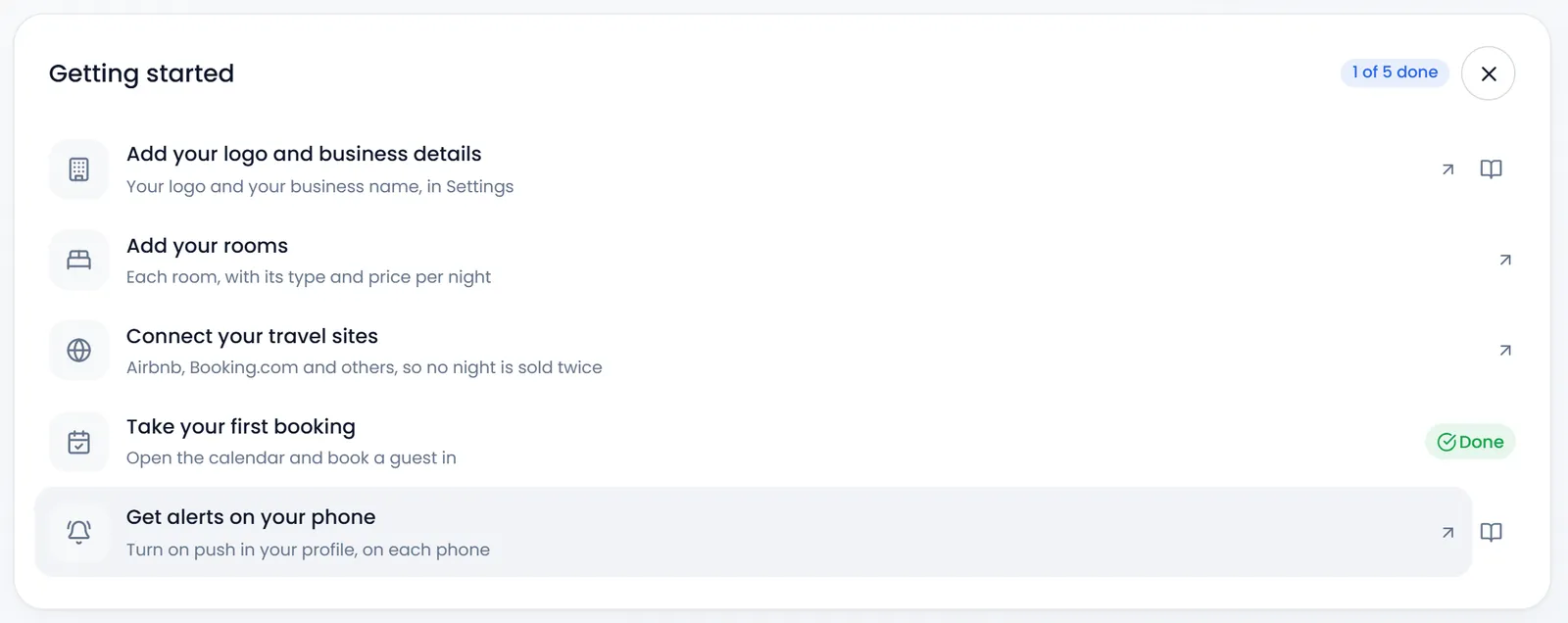
The dashboard's Getting started card follows the same order. Each step opens its page.
The dashboard
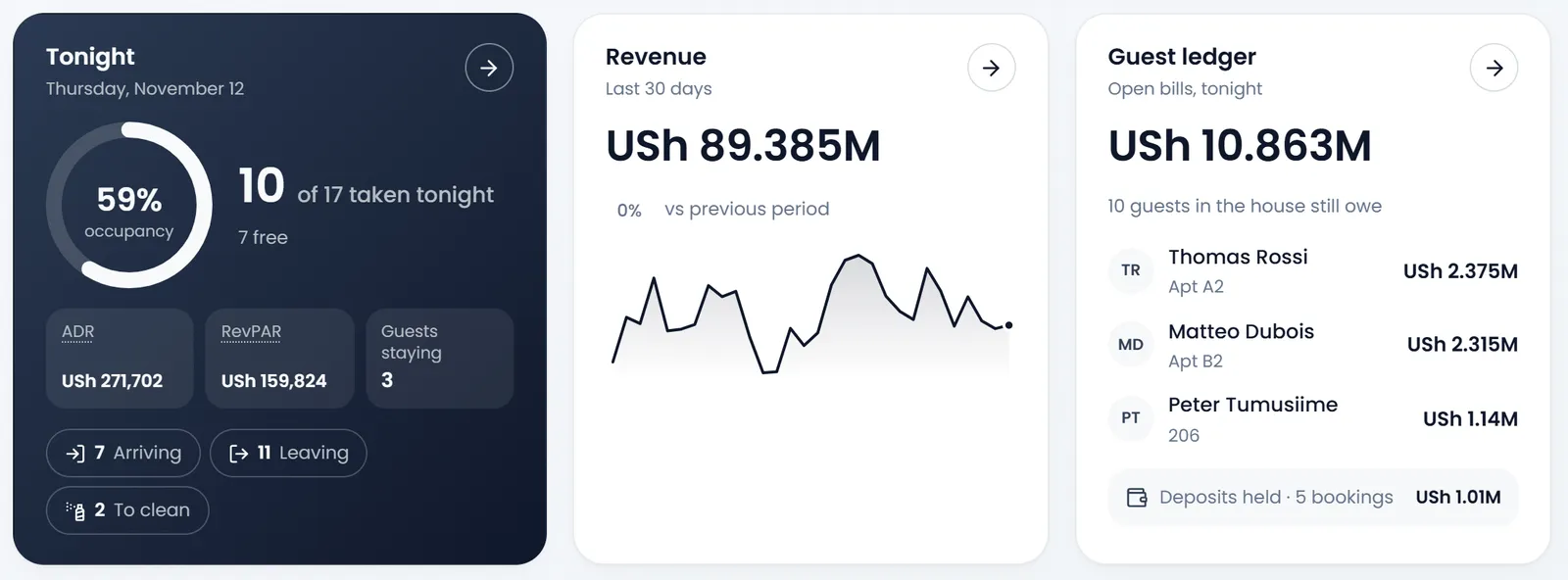
- Tonight: how full you are, the average rate a night (ADR), the revenue per room you have (RevPAR), and how many guests arrive, leave, and how many rooms are to clean.
- Revenue: the last 30 days.
- Guest ledger: what guests in the house still owe, and the deposits you hold.
- Further down: Next 14 nights, Source of business (where your room nights come from) and Booking pace.
Who can do what
The roles your shop starts with:
| Role | Can |
|---|---|
| Owner and Manager | Everything, including room types, rooms and the Property settings |
| Front desk | Take bookings, check guests in and out, take payments, fill registration cards, add and edit guests |
| Housekeeping | See the desk and mark rooms clean |
A page a role can see but not change says so.
What's next
Still stuck?
Write to us and a person answers. If you already have a shop, Ask support inside it sends us the page you're on.
Contact usAsk your AI assistant
ChatGPT, Claude and Gemini can read every guide and walk you through it.
Set it up