




Names like these, in green, are pages inside your ArmPOS shop. Sign in to your shop to open them.
When you deliver an order, a shipment records where it goes and how far it has got. By the end you will have set a sale's shipment and followed it to delivery.
Set a sale's shipment
- Open Sales › All Sales and find the sale.
- Open the row's menu and click Edit Shipping.
- Choose the Status. It is required: Ordered, Packed, Shipped, Delivered or Cancelled.
- Say where it goes. Delivered To is who receives it, Address is where. Add anything the driver needs under Please provide any details.
- Click Submit.
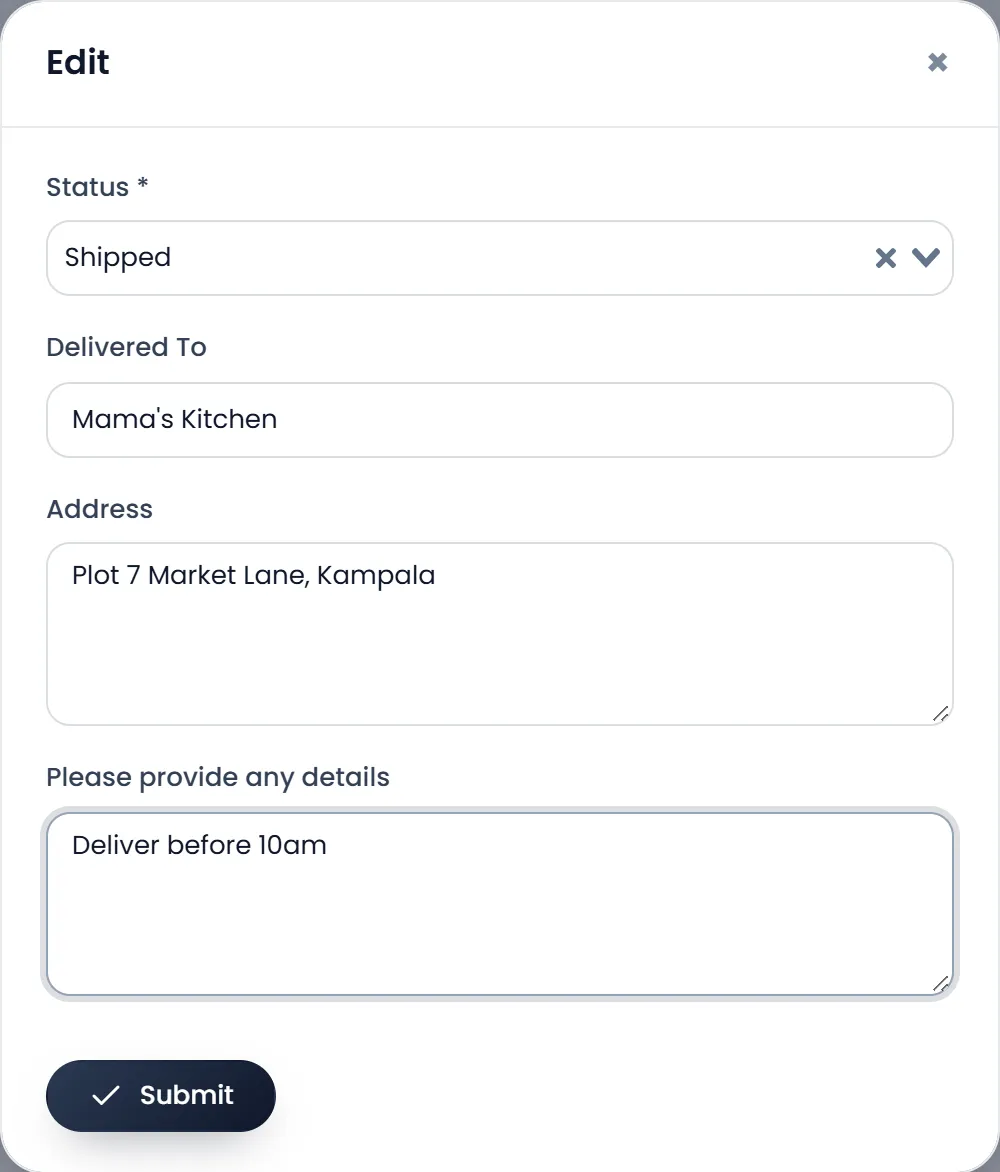
The sale's Shipping Status in All Sales now shows the shipment's status. As the order moves, open Edit Shipping again and change the Status: Packed when it is ready, Shipped when it leaves, Delivered when it arrives.
Follow every delivery
Sales › Shipments lists them all: the Date, the Shipment Ref (SM_ and a number), the Sale Ref, the Customer, the Warehouse and the Status. Search finds one, PDF and EXCEL download the list, and each row's Action edits or removes it.
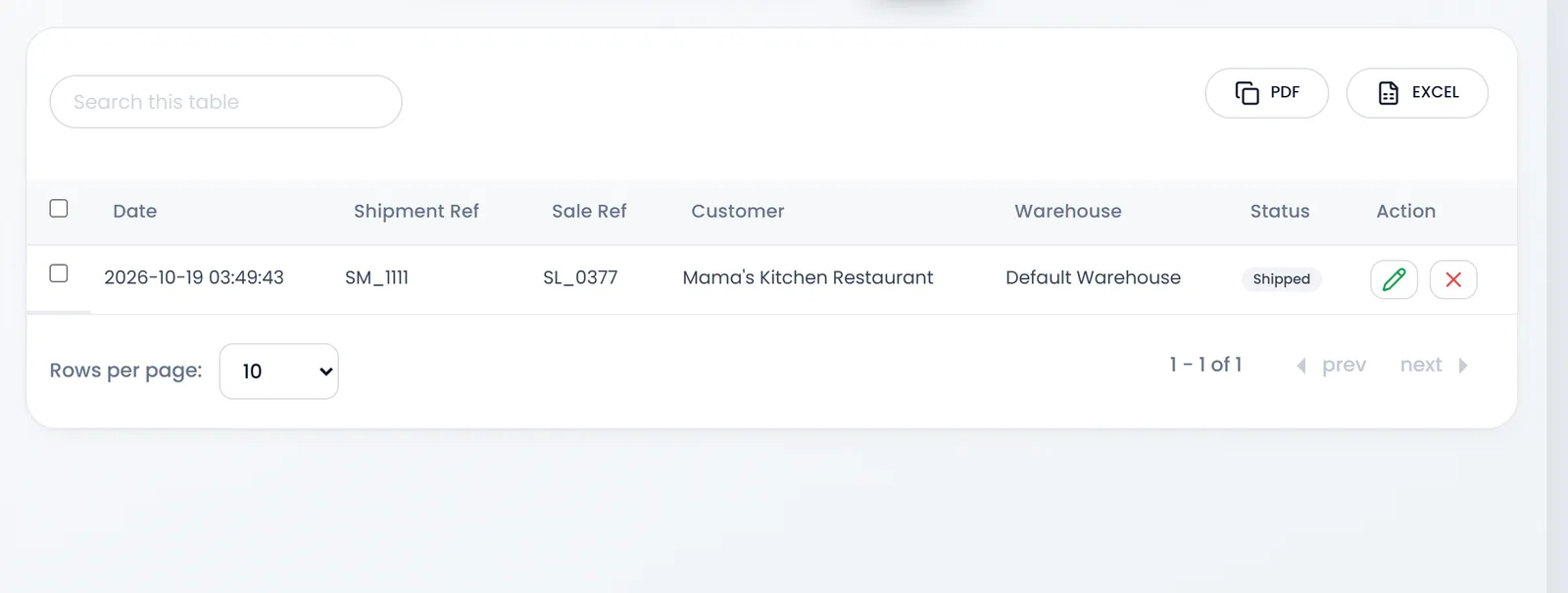
A shipment records the delivery; it doesn't move stock. The stock left when the sale was completed.
What's next
Still stuck?
Write to us and a person answers. If you already have a shop, Ask support inside it sends us the page you're on.
Contact usAsk your AI assistant
ChatGPT, Claude and Gemini can read every guide and walk you through it.
Set it up