




Names like these, in green, are pages inside your ArmPOS shop. Sign in to your shop to open them.
A subscription records that a customer takes the same product on a regular cycle: water every week, a service every month. By the end you will have recorded one and know what ArmPOS does with it today.
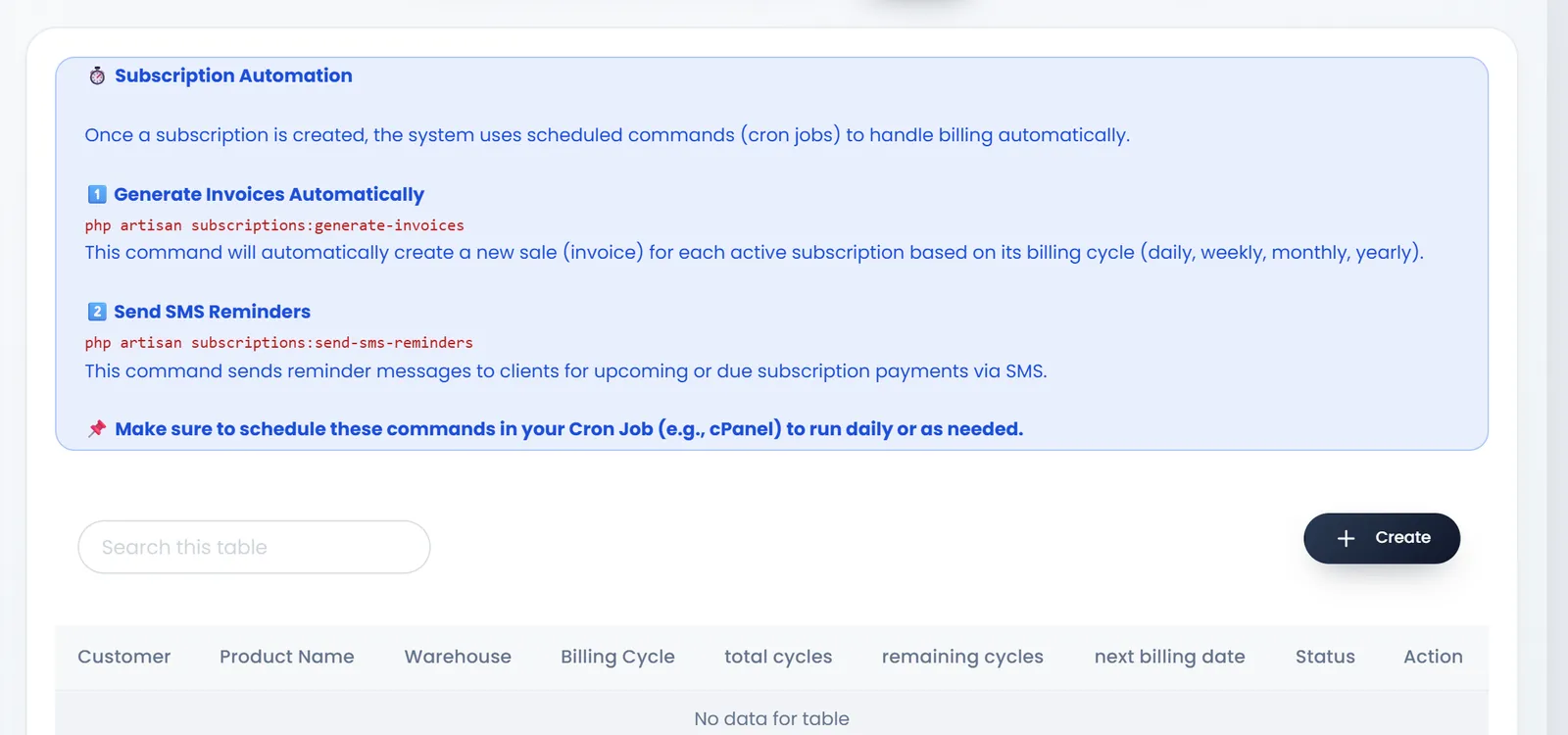
Today a subscription is a record only: ArmPOS doesn't yet create its invoices or send its reminders by itself. The banner on the page about cron jobs and php artisan commands is not something a shop can or needs to do. Until billing runs automatically, make each cycle's sale yourself with Add sale on its billing date.
Record a subscription
- Open Sales › Subscription Product and click Create.
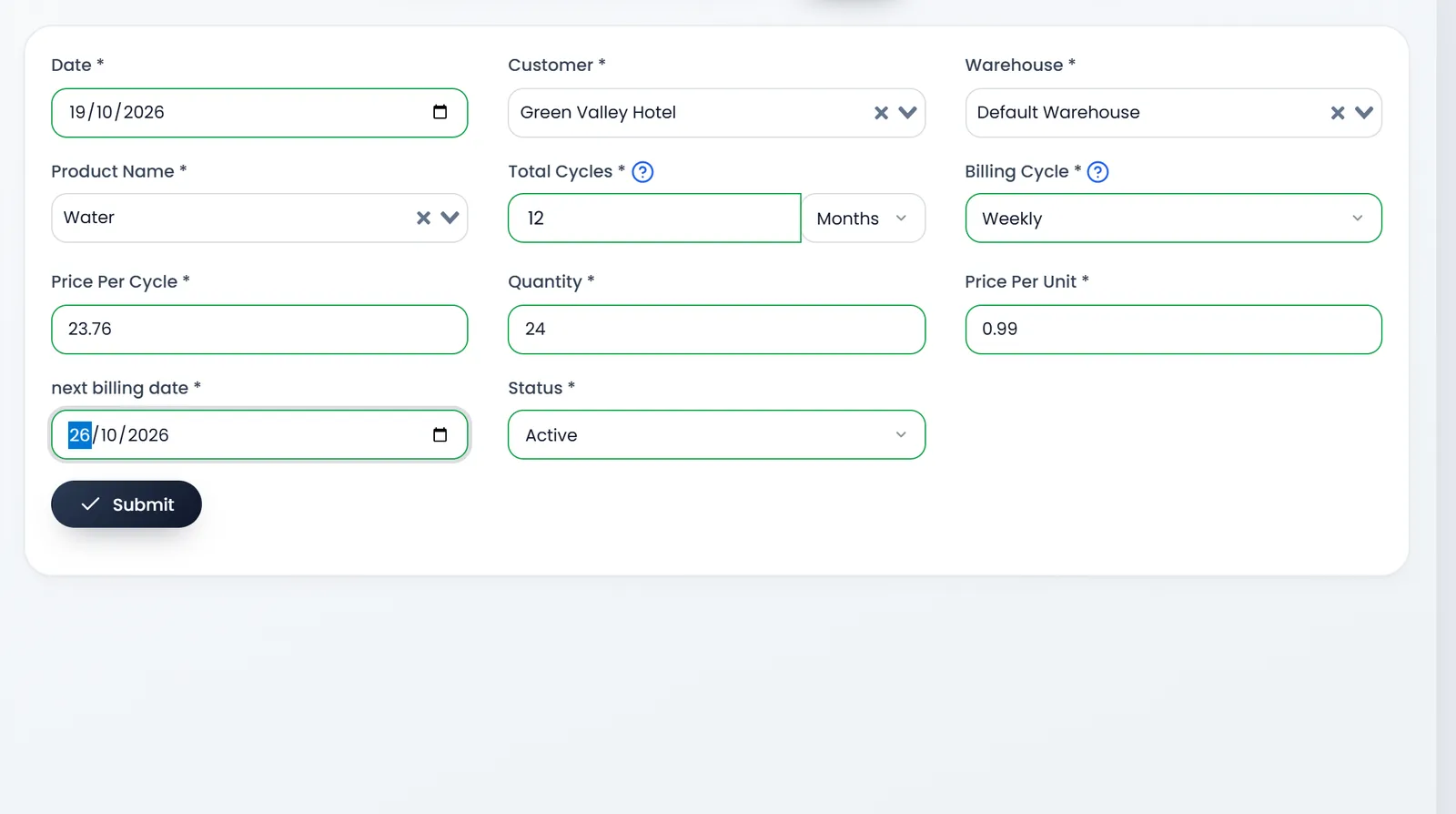
- Choose the Customer, the Warehouse and the Product Name. All three are required. Date starts on today.
- Set how long it runs. Total Cycles is a number with its unit: Months, Weeks or Years. 12 Months is a year.
- Set the Billing Cycle: Weekly, Monthly or Yearly. A year billed weekly is 52 bills.
- Set the quantity and prices. Enter the Quantity each cycle, the Price Per Unit and the Price Per Cycle. Type both prices: choosing the product doesn't fill them, and the cycle price is what each bill charges.
- Set the next billing date and the Status. Active while it runs; Canceled or Completed to stop it.
- Click Submit. You land on the list.
Follow your subscriptions
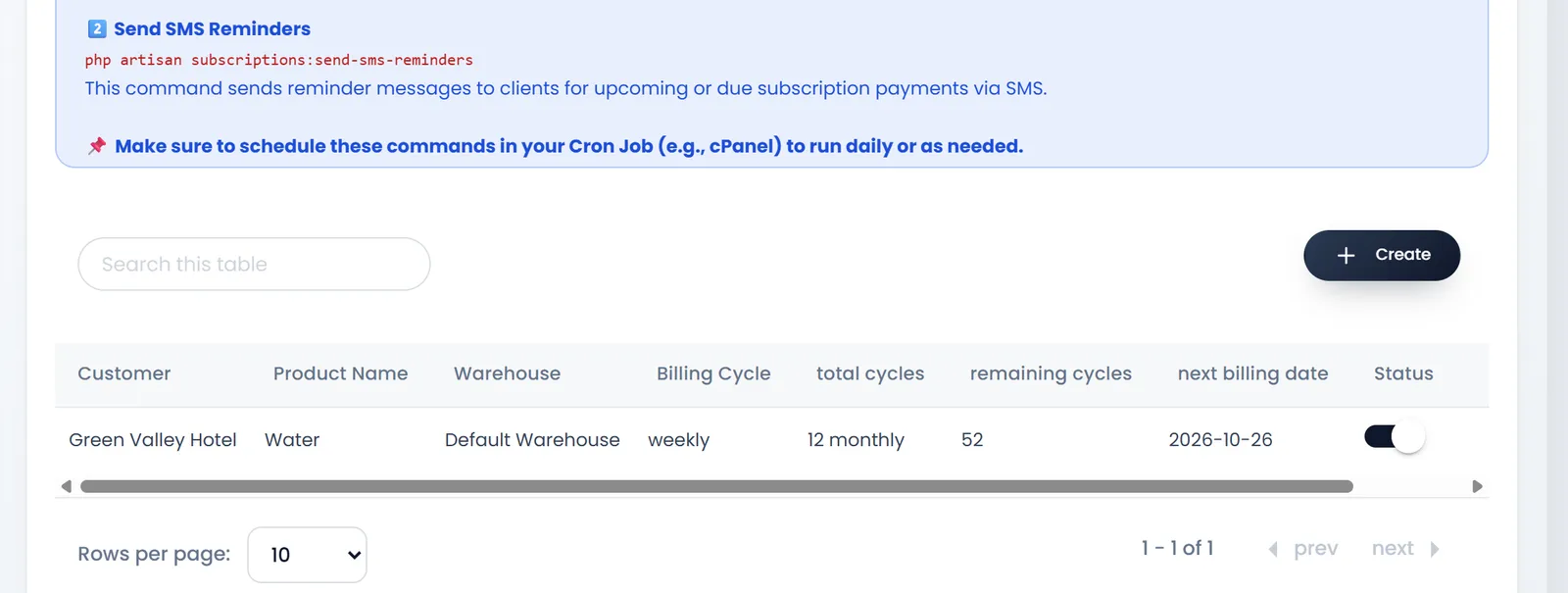
The list shows each one's Customer, Product Name, Warehouse, Billing Cycle, total cycles, remaining cycles, next billing date and Status, with Action to edit or remove it.
What's next
Still stuck?
Write to us and a person answers. If you already have a shop, Ask support inside it sends us the page you're on.
Contact usAsk your AI assistant
ChatGPT, Claude and Gemini can read every guide and walk you through it.
Set it up