




Names like these, in green, are pages inside your ArmPOS shop. Sign in to your shop to open them.
When a supplier sends a long delivery note, you can turn it into a purchase from a file instead of adding each line. By the end you will have imported one purchase from a CSV of product codes and quantities.
Prepare the file
A CSV with two columns, separated by semicolons (;), and a header line:
productcode;qty
DEMO-GRO-001;50
DEMO-GRO-020;40
productcode is each product's code, as in Products › All Products, and qty how many arrived. Download example on the page gives a file in this shape. One file makes one purchase.
Import it
- Open Purchases › Import Purchases.
- Fill the purchase's details. Date, Supplier and Warehouse are required, and Status starts on received. Order Tax, Discount, Shipping and Note are optional.
- Add the file. Click the CSV IMPORT box or drop the file on it. Only .csv files are taken.
- Check the preview. Each line shows the code, the product, the quantity, its cost and subtotal, with the total below.
- Click Submit. You land on All Purchases, with the new purchase at the top.
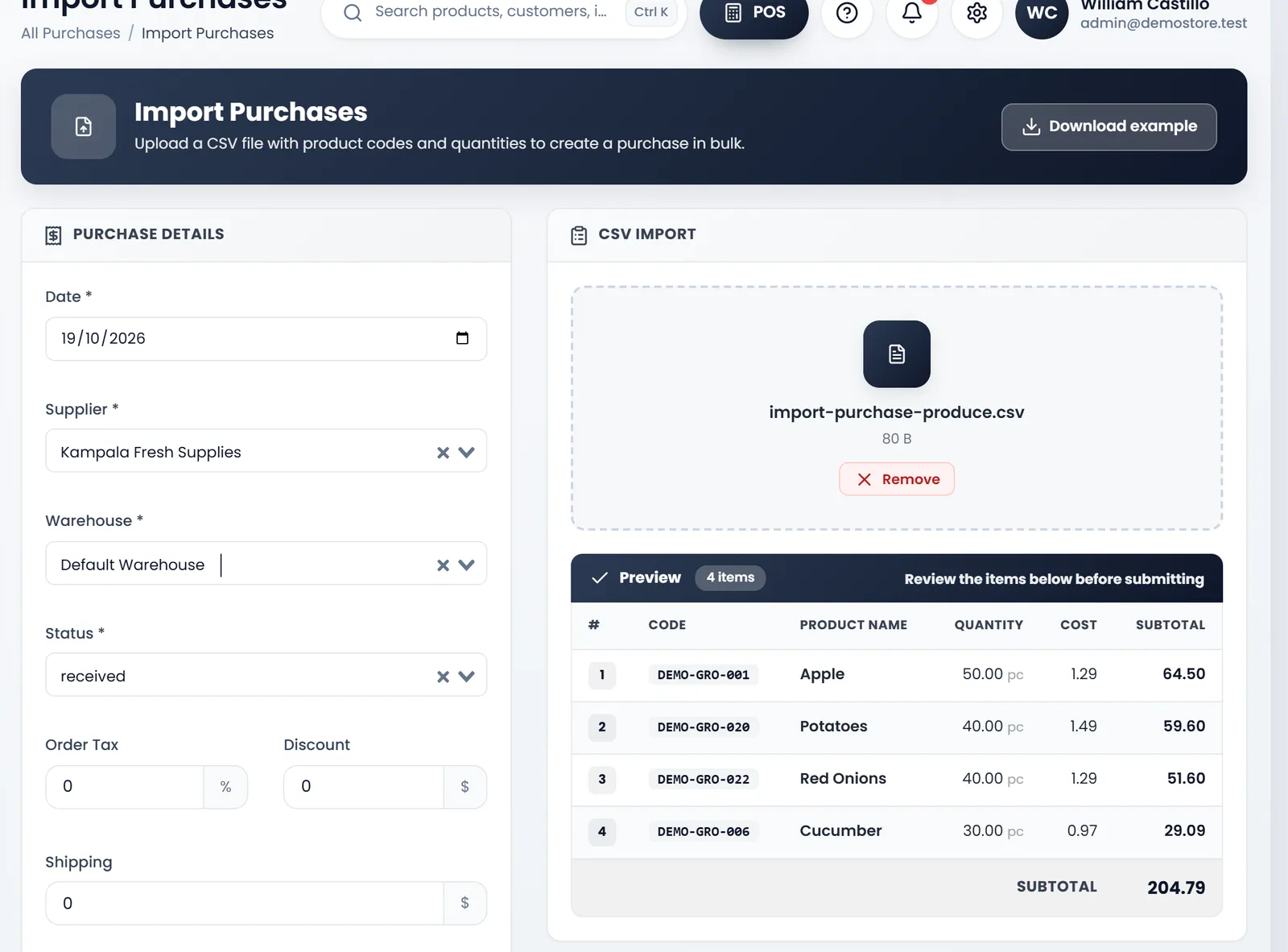
The costs come from each product's Product Cost. With received, the stock goes into the warehouse at once. The purchase is saved unpaid: pay it with Create Payment in its menu (see Pay your suppliers).
The preview's total can differ from the saved purchase by a cent: it rounds each line down. The saved purchase is right.
What's next
Still stuck?
Write to us and a person answers. If you already have a shop, Ask support inside it sends us the page you're on.
Contact usAsk your AI assistant
ChatGPT, Claude and Gemini can read every guide and walk you through it.
Set it up