




Names like these, in green, are pages inside your ArmPOS shop. Sign in to your shop to open them.
By the end you will know what the QuickBooks link is meant to do and what it needs. Read the first note before you set anything up.
The QuickBooks link doesn't work yet. Connecting can't succeed on ArmPOS today, so nothing reaches QuickBooks. This guide describes the screen as it stands. To keep QuickBooks up to date for now, export your sales and payments from the reports (EXCEL) and import them there.
What it is meant to do
Each new sale is to become an invoice in QuickBooks Online, numbered with the sale's reference. Customers and products are found or created in QuickBooks as needed. Editing a sale updates its invoice; deleting it deletes the invoice. Payments, returns, purchases and expenses are not sent.
The screen
Settings › Quickbooks Sync has four tabs:
- Connection shows the Environment, the Callback address to give Intuit, and the Status, with Connect to QuickBooks.
- Settings takes your Intuit app's Client ID, Client Secret and Redirect URI, the Environment (Development or Production) and an Income Account Name.
- Clients Sync sends your customers to QuickBooks.
- Audit lists every attempt and its error.
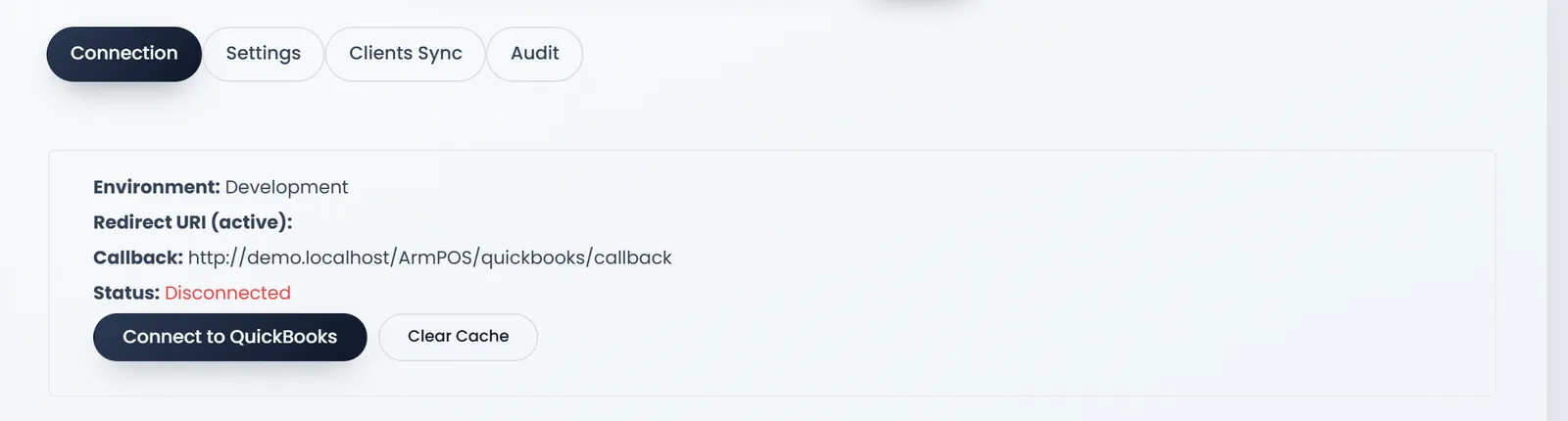
It needs an app in the Intuit Developer portal, with the Callback address added as its redirect URI, and a QuickBooks Online company.
This guide was written from ArmPOS's screens and code; it was not run.
What's next
Your own figures are in ArmPOS's Accounting and Reports.
Still stuck?
Write to us and a person answers. If you already have a shop, Ask support inside it sends us the page you're on.
Contact usAsk your AI assistant
ChatGPT, Claude and Gemini can read every guide and walk you through it.
Set it up