

The time-saving tools for small retail businesses that pay back fastest remove a job you repeat every day. Closing the till, keeping the stock book and chasing customers who owe come first, because money leaks there as well as time. All five tools below can be started without paying.
Most tool lists are written for online sellers and quote prices from years ago. This one starts from a counter shop's week. Each tool's free plan was checked on its own page in October 2026, and the audit below measures a job before you pick its tool.
Which jobs eat a small shop's week?
Time your jobs before you choose a tool. For one week, write down the minutes each job below takes you. The biggest number is the first job to hand over.
| Job | How to time it | The tool that removes it |
|---|---|---|
| Closing and balancing the till | From the last customer to the cash in the bag | ArmPOS |
| Writing sales and stock in a book | Minutes a day with the book | ArmPOS |
| Deciding what to reorder | The weekly walk round the shelves | ArmPOS |
| Chasing customers who owe | Calls and visits in a week | ArmPOS |
| "Do you have it? How much?" | WhatsApp minutes a day | WhatsApp Business |
| "Are you open? Where are you?" | Calls in a week | Google Business Profile |
| A flyer or a price list | Hours a month | Canva |
| Telling staff what to do next | Times a day you repeat yourself | Trello |
For example, an owner who spends 40 minutes closing the till each night gives it 20 hours a month (40 × 30 = 1,200 minutes). Cut that to 15 minutes and the owner gets back 12.5 hours a month, more than a day and a half of 8-hour shifts.
Fix the jobs where money leaks before the ones that only cost time. A slow flyer costs an evening. A till that closes short, or a debt nobody chases, costs the evening and the money.
1. ArmPOS: the till, the stock book and the debt book in one
ArmPOS replaces the three books most small shops keep by hand: the cash book, the stock book and the book of who owes what. It runs in the browser on a phone, tablet or computer, and its Starter plan is free.
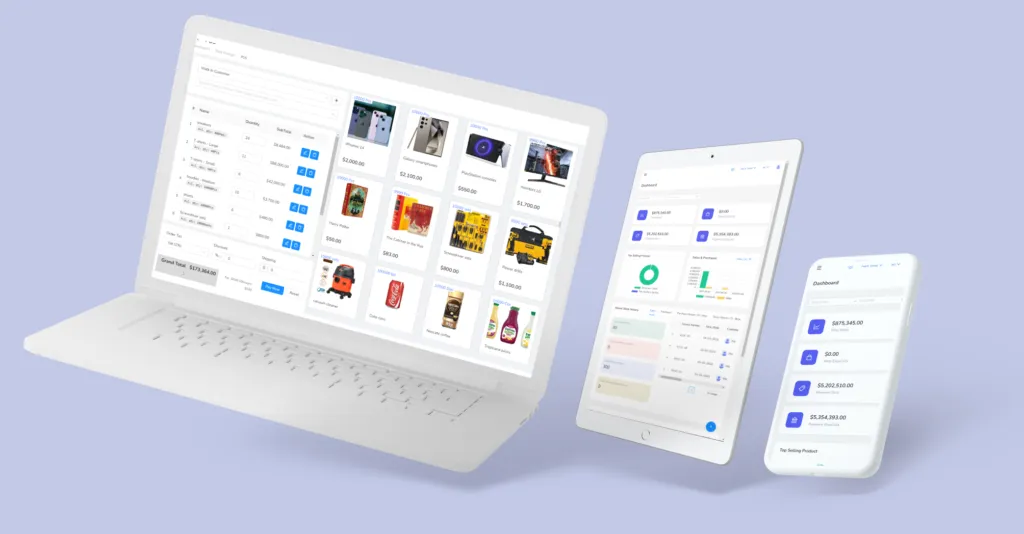
- Closing the till: open the register with the float, record cash taken out, and close with the cash you counted. ArmPOS answers with what the drawer should hold and the difference. See Open and close the register.
- The stock book: each sale takes its stock off as it happens. A barcode scanner, or the phone's camera, finds the product. Your existing list comes in from a spreadsheet, not by typing; see Import products.
- The reorder list: give each product an alert quantity, and the Product Quantity Alerts report lists what to reorder. The bell tells you when stock falls low or runs out. A push alert or an email can too, if you switch them on: see Get alerts on your phone.
- The debt book: a sale paid in part leaves a balance on the customer, and the customers list shows what each one owes. A credit limit stops the till selling past it.
Four reports replace the evening with the books: sales, payments by method, profit and loss, and products running low. Reports to check every day shows what to look for in each. If the internet drops while the POS is open, it keeps selling and sends the sales when the connection returns.
If your accountant works in a separate accounting program, ArmPOS's reports export to Excel or PDF for them.
2. WhatsApp Business: answer "do you have it?" once
The WhatsApp Business app lets you show your products with their prices and share them in a few taps. It can greet people when they start a chat and answer when you're away. Its FAQ describes it as a free-to-download app.
The time saved is in repeat questions. Put your best sellers and their prices in the app once, and send the item instead of typing the answer again. When prices move with the exchange rate, change them there on the same day you change them on the shelf.
For a team that answers customers on one WhatsApp number, ArmHive automates WhatsApp replies and campaigns for several agents on a single number.
3. Google Business Profile: stop the "are you open?" calls
A Google Business Profile puts your hours, phone number, photos, products and reviews where people search for you. Google's own page says creating one is free.
Keep the hours right on public holidays and the calls stop. Customers who find you on the map arrive knowing where you are and when you close.
4. Canva: the flyer and the price list in minutes
Canva turns a template into a flyer, a price list or a social media post. Its free plan, checked on Canva's pricing page in October 2026, includes over 1.6 million templates, 5GB of storage and Canva Offline for designing without a connection.
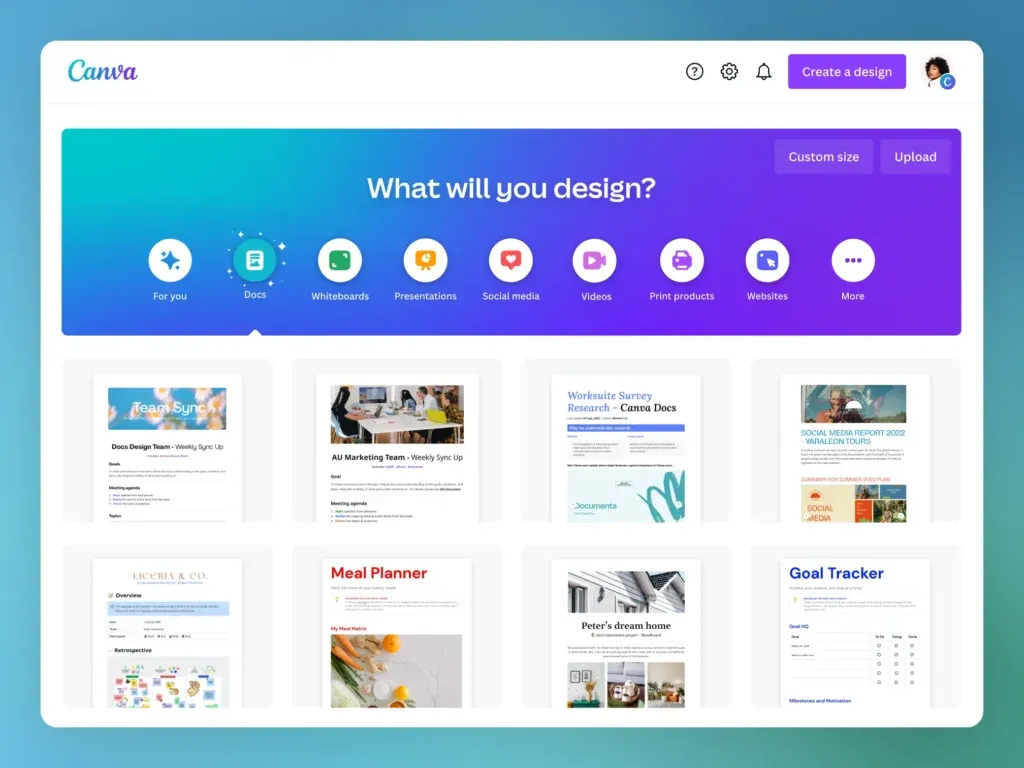
Make one price-list design and reuse it. When prices change, edit the numbers, not the layout. Scheduling posts ahead is a paid Pro feature, so the free plan suits a shop that posts by hand.
If you would rather pay someone to do design and social media, a local agency can. In Kenya, for example, Wayne Graphics in Nakuru is a digital marketing agency in Kenya offering design, websites and social media work.
5. Trello: tasks your staff can see without asking
Trello puts tasks on cards that move across a board, from To do to Doing to Done. Its free plan allows up to 10 boards and 10 collaborators per workspace.
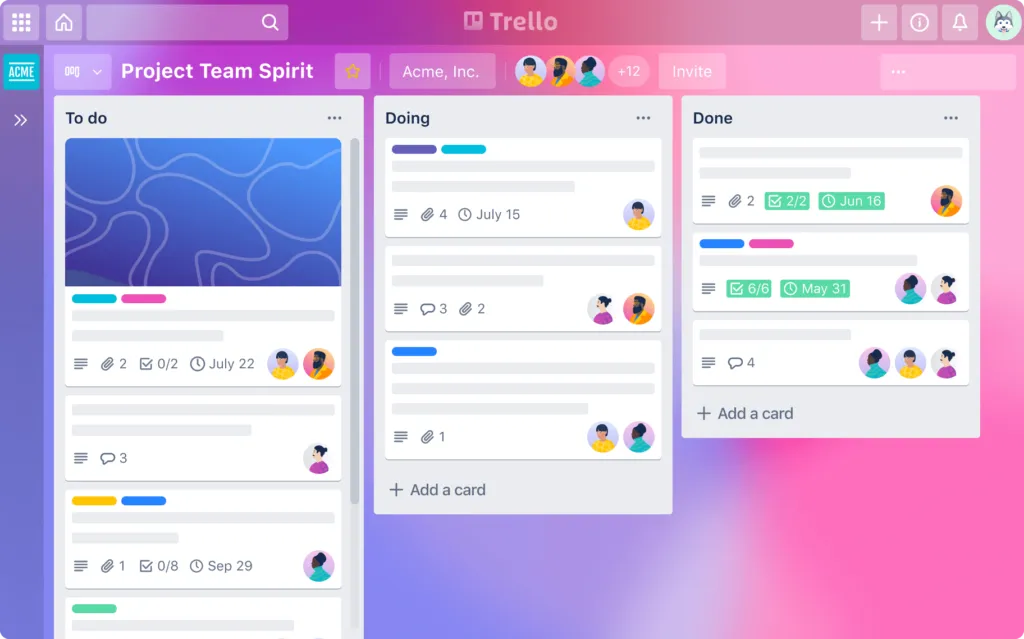
Give the shop one board: restocking, deliveries to collect, supplier calls, cleaning. Staff move their own cards, and you see the day's progress from your phone instead of asking.
Which tool should you start with?
Start with the job your one-week audit found biggest, and add one tool a month. A tool nobody opens saves nothing.
- The till closes short or debts go unchased: start with ArmPOS, because those jobs cost money as well as time.
- The phone and WhatsApp interrupt sales: WhatsApp Business and a Google Business Profile, set up in one afternoon.
- Promotions happen only when you find an evening: Canva, with one reusable template.
- Staff ask you what to do every hour: a Trello board.
Once the till is in, the same records help you sell more. See how to increase sales with POS data and how to build customer loyalty. For the stock jobs in more depth, read how to automate inventory management.
Frequently asked questions
What is the best free tool for a small retail shop?
The one that removes your biggest weekly job. For most counter shops that is a free POS, because one tool covers the till, the stock book and the debt book.
Do these tools work without the internet?
ArmPOS keeps selling if the internet drops while the POS is open, and Canva's free plan includes Canva Offline. For the others, check each one's own help pages before you rely on them offline.
Do I still need accounting software?
Not always. On plans with Accounting, ArmPOS records expenses and produces profit and loss, a trial balance and a balance sheet. If your accountant uses other software, export the reports to Excel.
How do I know a tool saved me time?
Time the job for a week before and a week after. If the number didn't fall, the tool isn't being used for that job yet.
Start with the job that costs you the most. Create a free ArmPOS account and close tonight's till with it, or compare the plans on the pricing page.