




Names like these, in green, are pages inside your ArmPOS shop. Sign in to your shop to open them.
By the end you will know which report tells you who buys most, who owes you, who stopped coming, and what you owe your suppliers.
All of them are under Reports in the sidebar.
Customers
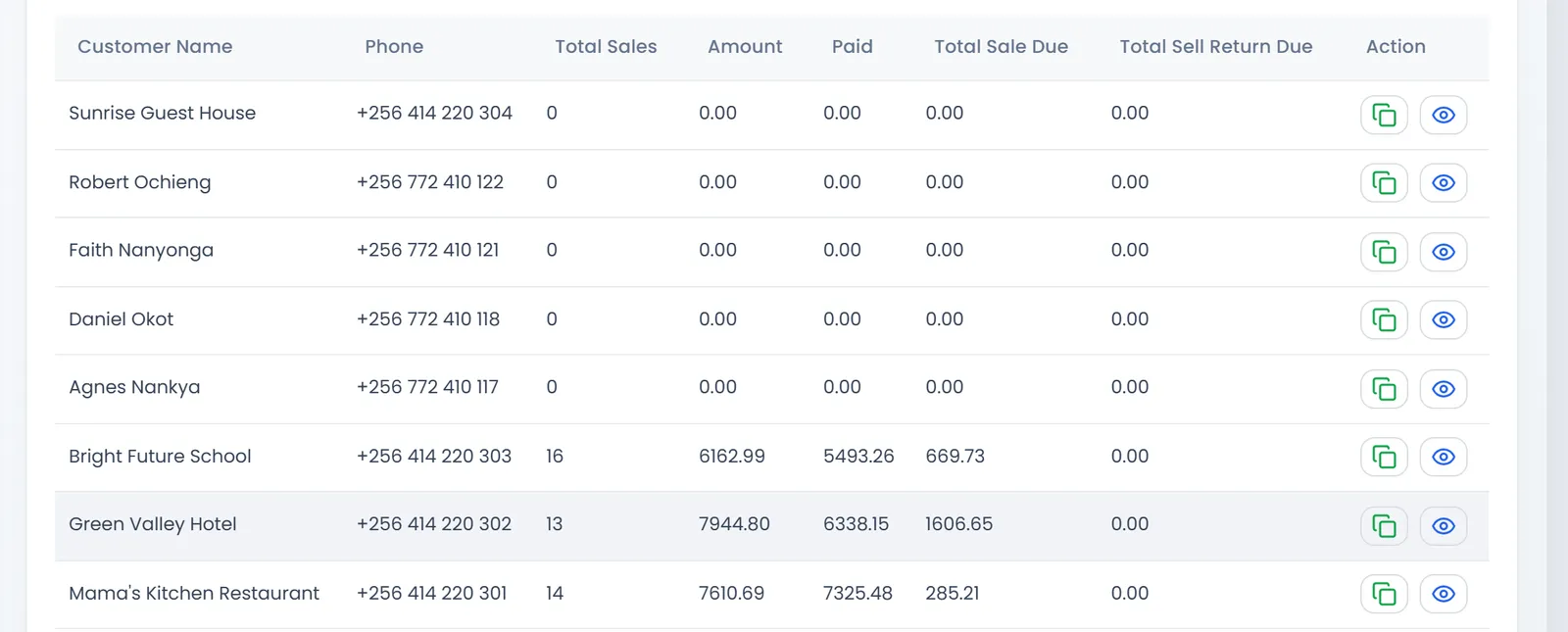
Customers Report lists every customer with their Total Sales (how many), the Amount, what they Paid, the Total Sale Due they still owe, and Total Sell Return Due, the refunds you still owe them. The eye opens the customer's own report, on tabs: their Sales, Quotations, Return and Sales payments.
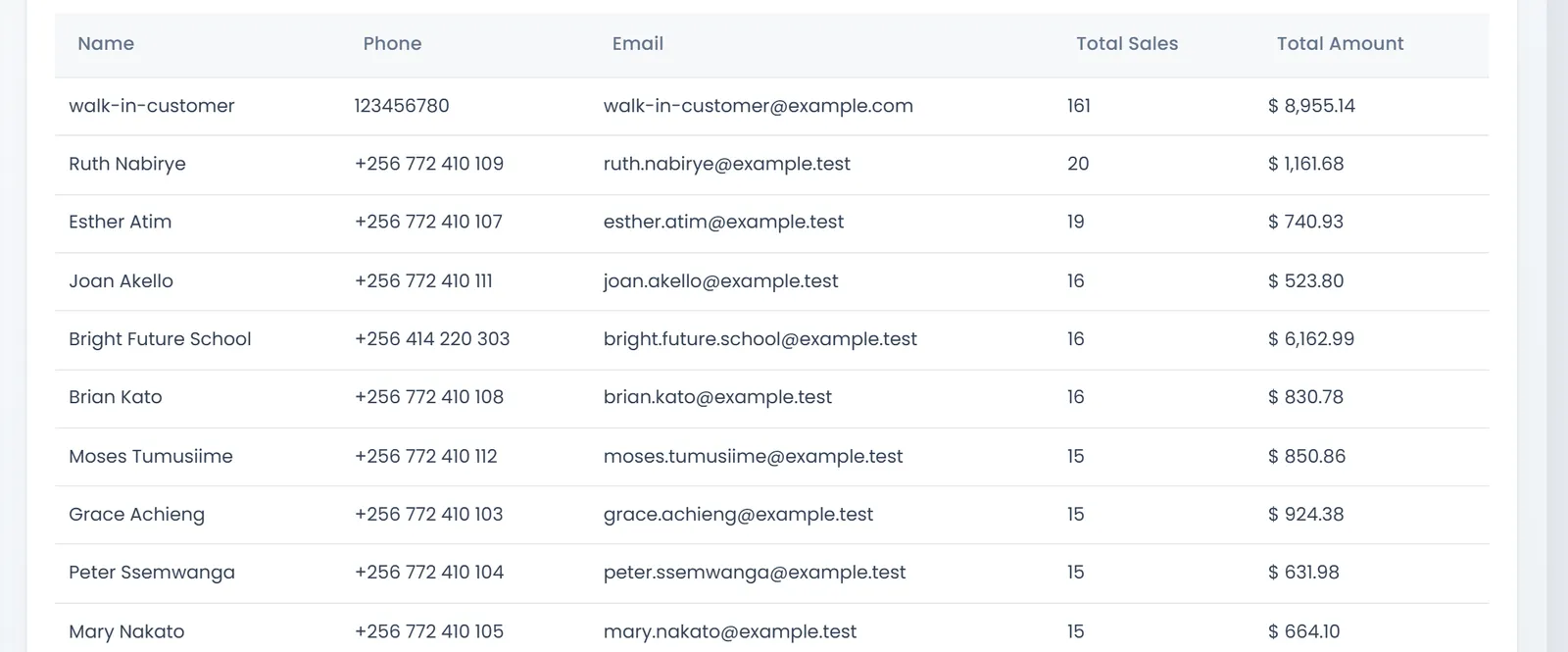
- Top 5 Customers opens Best customers: your customers ranked by the number of sales, with the Total Amount they spent.
- Inactive Customers Report lists customers who haven't bought in the Period you pick (30, 60 or 90 days), with their last purchase and Days inactive. New customers who never bought show Never purchased. It is a ready list for a phone call or a promotion.
- Customer Loyalty Points Report shows the points each customer Earned, Redeemed and still holds (Points Balance) in a period.
Suppliers
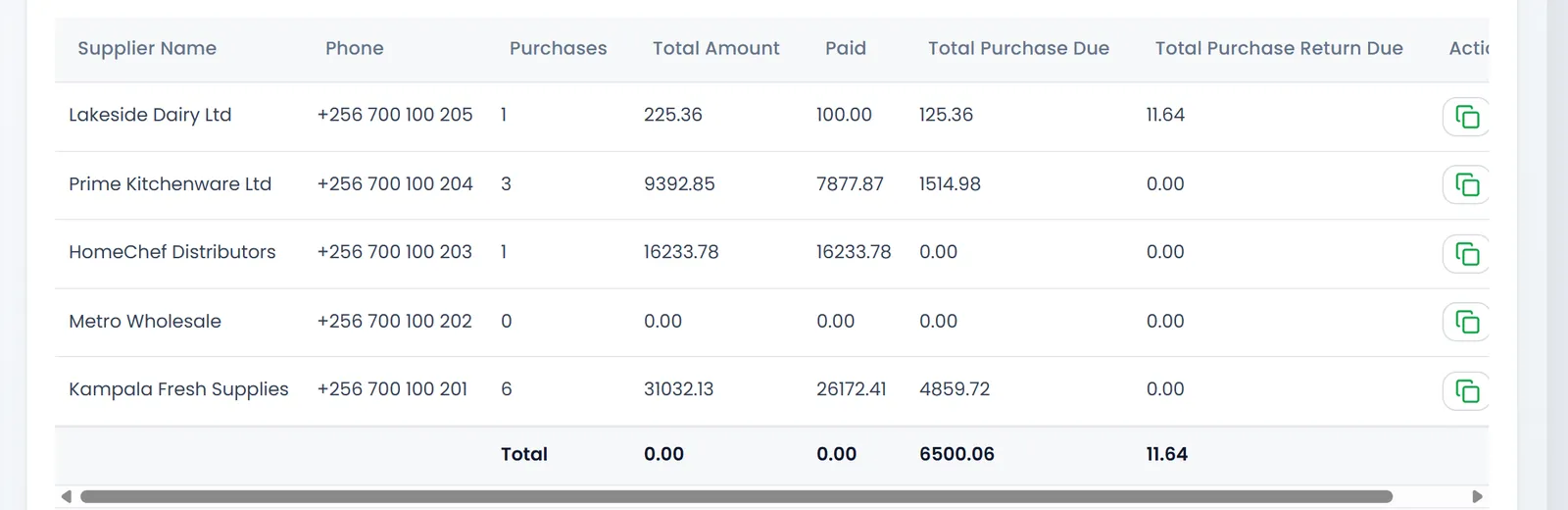
Suppliers Report lists every supplier with the number of Purchases, the Total Amount, what you Paid, the Total Purchase Due you still owe, and Total Purchase Return Due, what they still owe you for goods you sent back.
- Top Suppliers Report ranks suppliers by what you spent with them in a period, with the quantity bought and the average per purchase.
- Purchases Report lists every purchase with its Total, Paid, Due and Payment Status: see Pay your suppliers.
- Product purchases report lists each product line of each purchase: what you bought, from whom, how many and for how much.
What's next
Collect what customers owe with Take payments and print receipts.
Still stuck?
Write to us and a person answers. If you already have a shop, Ask support inside it sends us the page you're on.
Contact usAsk your AI assistant
ChatGPT, Claude and Gemini can read every guide and walk you through it.
Set it up