




Names like these, in green, are pages inside your ArmPOS shop. Sign in to your shop to open them.
By the end you will know which report shows the money that came in and went out, what you spent, the tax you collected, and the profit.
All of them are under Reports in the sidebar.
Payments
Reports › Payments has four reports, one for each kind of payment:
- Sales: money customers paid you.
- Purchases: money you paid suppliers.
- Sales Return: refunds you gave customers.
- Purchases Return: refunds suppliers gave you.
Each lists the payments with their Date, Reference, the sale, purchase or return they belong to, Paid by and Amount, with Payments Over Time and Payments By Method charts above. The first two open on the last 30 days, with quick ranges such as 7D and Month to date; the date range's own list has Today.
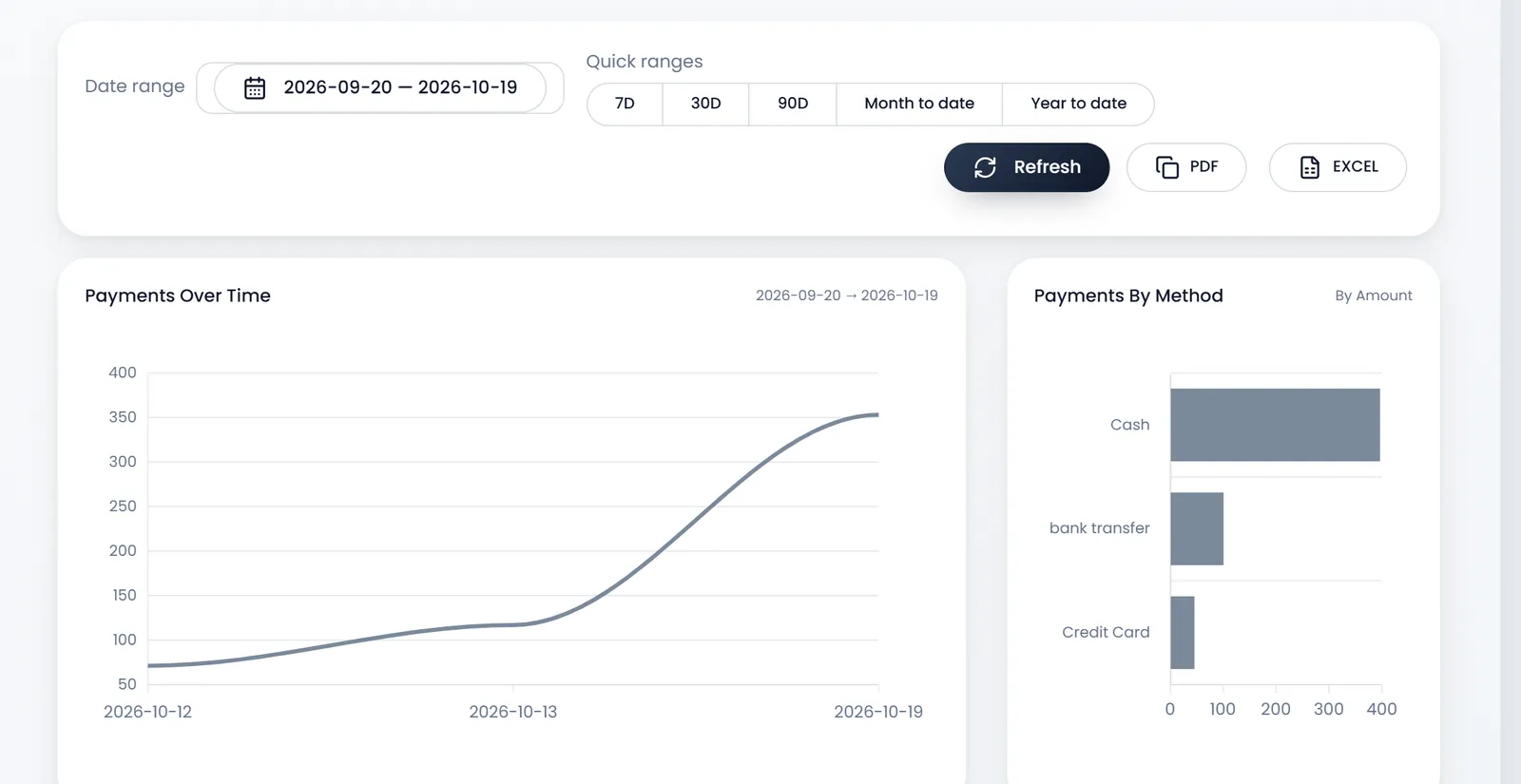
Report Transactions puts all of them in one list, opening on today: each payment marked (sale), (purchase), (sale return) or (purchase return).
Cash flow
Cash Flow Report adds up the money in (Total Inflow) and out (Total Outflow) for a period, and the difference (Net Cash Flow). Group by splits it by Account, Payment Method or Warehouse, and the charts show it over time.
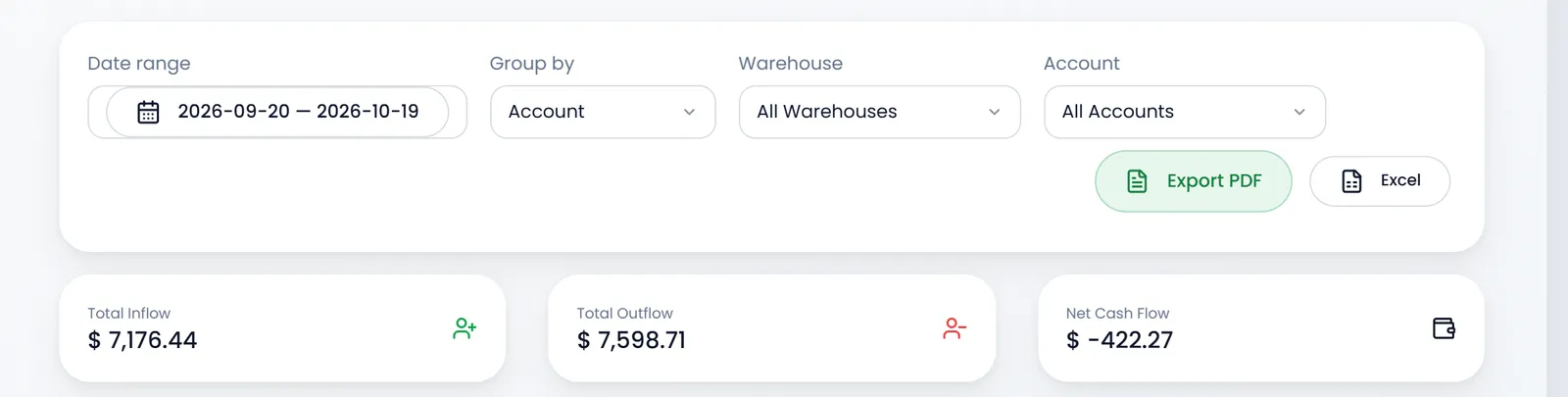
Payments made without an account show under --- when you group by account.
Spending and other income
- Expense Report totals your expenses by category, with the top category and a chart. See Record an expense.
- Deposits Report does the same for income that isn't a sale, recorded as deposits.
Tax
Tax Summary Report lists each sale's Taxable base, Tax collected and Effective rate %, with a chart over time. Use it when you fill your tax return. With Accounting, the accounting reports have a Tax Report of their own.
Profit
Profit and Loss sets sales, purchases, returns, payments and expenses for a period side by side, and ends on your net profit. Reports to check every day explains each tile.
The till's own figures, each register's opening, sales, cash in and out and count, are in Cash Register Report: see Open and close the register.
What's next
Keep your bank and cash accounts in step with these figures: Bank and cash accounts.
Still stuck?
Write to us and a person answers. If you already have a shop, Ask support inside it sends us the page you're on.
Contact usAsk your AI assistant
ChatGPT, Claude and Gemini can read every guide and walk you through it.
Set it up