




QuickBooks inventory management is stock tracking inside QuickBooks Online Plus or Advanced: quantities on hand, low-stock alerts, purchase orders and the cost of each sale. Intuit's own help pages, read on 25 October 2026, limit it to those two plans. The costing method, FIFO or moving average, can't be changed once chosen.
This guide sets out what each QuickBooks edition does for stock and works the costing choice through in Uganda shillings. It then lists what QuickBooks Online leaves out, and how to use it beside a till.
Which QuickBooks tracks inventory?
Among the online plans, only Plus and Advanced track stock. QuickBooks Enterprise, the desktop product, adds stock at several sites, and Intuit's own point of sale for the desktop is gone.
| Edition | Tracks stock? | What Intuit's pages say |
|---|---|---|
| QuickBooks Online Simple Start and Essentials | No | Upgrade to Plus or Advanced; the US help page also offers an inventory add-on |
| QuickBooks Online Plus and Advanced | Yes | Quantity on hand, reorder points with low-stock alerts, purchase orders, and FIFO or moving average cost |
| QuickBooks Enterprise, desktop | Yes | Its Advanced Inventory tracks stock stored at different sites or locations |
| QuickBooks Desktop Point of Sale | Discontinued | Intuit discontinued version 19.0 and its connected services on 3 October 2023 |
The sources are Intuit's global QuickBooks site for the four online plans, its inventory setup guide and its Point of Sale notice. Prices change by country and month, so check them on the site you would buy from.
In Africa, only South Africa has a QuickBooks site of its own in Intuit's country list. Elsewhere, such as Uganda, Kenya or Nigeria, the global site is the one to check.
What QuickBooks Online does for stock
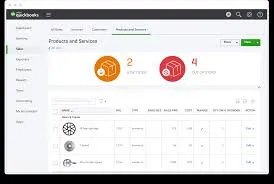
QuickBooks Online keeps one stock figure per product and moves it with each sale and each delivery. Intuit's guides describe six parts.
- Quantity on hand falls with each invoice or sales receipt, and rises with each delivery you record as received.
- Reorder points trigger a low-stock alert when a product runs low.
- Purchase orders record what is on order. A purchase order on its own doesn't change stock; receiving the goods does.
- Cost of each sale. Each product carries an Inventory Asset account and a cost, so a sale moves its cost from the asset to cost of sales.
- Bundles group several products on one sale, such as a gift basket. A bundle is a product type of its own, separate from inventory.
- Reports show best sellers, what is on hand and the cost of goods.
The value of what you hold is your stock at cost, and inventory valuation explains each method of working it out.
FIFO or moving average: the choice you can't undo
QuickBooks Online costs stock by first in, first out (FIFO) or by moving average cost, and the choice can't be changed later. Create an inventory item before choosing, and it defaults to FIFO with no way back, according to Intuit's page on valuation methods.
Both methods are allowed under IAS 2, which lists FIFO and weighted average cost. LIFO isn't offered, and IFRS doesn't allow it: FIFO vs LIFO works through why.
For example, a phone accessories shop in Kampala buys 100 chargers at UGX 12,000 each, then 100 more at UGX 13,500 after the shilling weakens. It sells 150 at UGX 18,000. These are illustrative figures, not a real shop's.
| Line | FIFO | Moving average |
|---|---|---|
| Cost of the 150 sold | 100 at 12,000, then 50 at 13,500 | 150 at 12,750, the average of all 200 |
| Cost of goods sold | 1,875,000 | 1,912,500 |
| Sales (150 × 18,000) | 2,700,000 | 2,700,000 |
| Gross profit | 825,000 | 787,500 |
| Closing stock, 50 chargers | 675,000 | 637,500 |
FIFO shows UGX 37,500 more profit and a higher closing stock while costs rise, and the gap reverses when they fall. Both columns add up to the UGX 2,550,000 the shop paid. Intuit's own page says moving average avoids the ups and downs of purchase costs that FIFO shows.
Decide with your accountant before you add a single product. ArmPOS's Profit and Loss report shows the difference on your own figures. Its last two tiles are Net Profit (FIFO) and Net Profit (Average Cost).
What QuickBooks Online leaves out
Intuit's QuickBooks Online guides describe one stock figure per product, kept in the back office rather than at a till. Five things a shop often needs are missing from them.
| Need | What Intuit's pages say | What it means for a shop |
|---|---|---|
| Stock in more than one place | Not described for QuickBooks Online; Enterprise's Advanced Inventory tracks sites | Branches or a separate store room need another system, or Enterprise |
| Batches, expiry dates and serial numbers | Not mentioned in the Online inventory guides | Food, medicine and phones need tracking elsewhere |
| Buying by the carton, selling by the piece | Units of measure are not mentioned | Record each product in one unit, or keep stock where units convert |
| A till: scanning, receipts and a cash drawer | Its desktop point of sale was discontinued in 2023 | Sales come from another system |
| Making products from materials | A bundle groups items on a sale; the Online guides describe no assemblies or work orders | Makers need a production tool as well |
Read the table as not in Intuit's guides, not as impossible. Apps can add some of these, at their own price.
How to set up inventory in QuickBooks Online
Set the costing method first, then turn tracking on, then add products. These steps follow Intuit's setup guides.
- Check your plan. Inventory needs Plus or Advanced.
- Choose FIFO or moving average before you create any inventory item. It can't be changed later.
- Turn tracking on. Open Settings, Account and settings, the Sales tab, and Edit in Products and services. Turn on quantity and price/rate, and inventory quantity on hand, then Save and Done.
- Add each product. Open Settings, Products and services, New, then Inventory. Fill in the name, SKU, category, initial quantity on hand with its as-of date, reorder point and the Inventory Asset account.
- Enter 0 for a product you're only now buying, then record the delivery, so it isn't counted twice.
- Order with purchase orders, once they are turned on in the Expenses settings. Stock rises when you record what arrived.
- Sell with invoices or sales receipts, and read the reports for best sellers, stock on hand and cost of goods.
Using QuickBooks beside a till
Keep stock quantities in one system only. If your stock moves at a till, by the piece, in several branches or offline, keep it in the POS and send QuickBooks summary totals.
Two systems that both take stock off each sale soon disagree, and then nobody knows which figure to trust. The totals QuickBooks needs are net sales, the cost of goods sold, and closing stock at cost to check its inventory account against.
POS and accounting integration shows the summary journal that posts the sales and their cost. It also gives the limits of QuickBooks Online's own imports.
Where ArmPOS stands with QuickBooks
ArmPOS's QuickBooks link can't connect yet, so nothing reaches QuickBooks from it today. It is meant to send each new sale to QuickBooks Online as an invoice. Payments, returns, purchases and expenses are not sent: Sync with QuickBooks.
For now, the honest route is Excel. Export the Sales Report and the sales payments with EXCEL, and import a summary into QuickBooks: Sales reports, Reports to check every day.
For closing stock at cost, the Inventory Valuation report multiplies each product's stock on hand by its cost: Stock reports. The Starter plan is free, with no card needed, and the pricing page shows what each plan includes.
Shops in South Africa, the one African country with its own QuickBooks site, can start from ArmPOS's local page.
Frequently asked questions
Does QuickBooks Online have inventory management?
Yes, on Plus and Advanced: quantities, reorder alerts, purchase orders and the cost of each sale. Simple Start and Essentials don't track stock without an upgrade, or the add-on Intuit offers in the US.
Can QuickBooks Online use LIFO?
No. It offers FIFO or moving average cost, chosen once and never changed.
Can QuickBooks track inventory in more than one location?
Intuit's QuickBooks Online guides describe no stock by location. QuickBooks Enterprise's Advanced Inventory tracks stock at several sites.
Does ArmPOS sync with QuickBooks?
Not yet: the link can't connect. Export your sales and payments to Excel from ArmPOS's reports and import them into QuickBooks meanwhile.
Choose your costing method before you add a single product to QuickBooks. To keep stock at the till and hand your accountant clean totals, create a free ArmPOS account.