




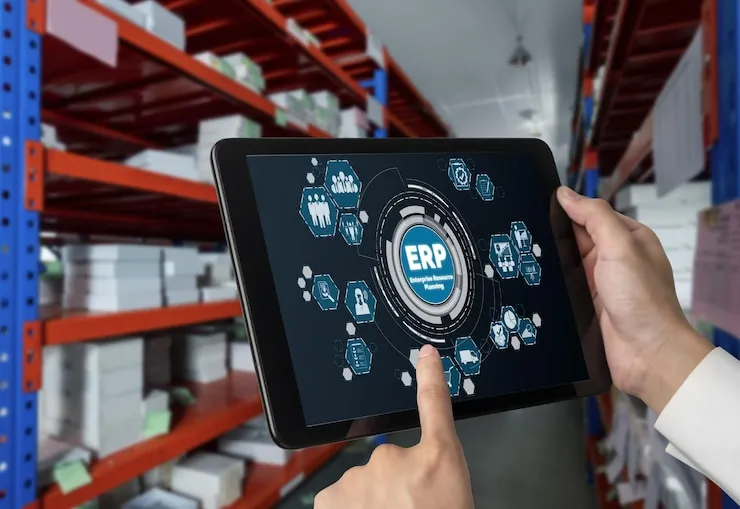

ERP inventory management is the stock side of an enterprise resource planning system. Every delivery, transfer, sale and count updates stock, purchasing and the accounts together, in one database. Unlike a separate stock tool, it posts each sale's cost to the books as the stock goes down.
That link is what a growing business pays for, and many small businesses can do without it. This guide shows what it changes in one month's figures, gives a 20-point checklist, and sets out when a small business needs one.
What is ERP inventory management?
ERP inventory management tracks stock in the same system that runs sales, purchasing, finance and, for makers, production. Each part reads and writes one set of records. A stock figure means the same to the store keeper, the buyer and the accountant.
A separate inventory tool, or a POS that keeps stock, holds the stock records and sends figures to the accounts by export, link or journal. An ERP sends nothing, because the stock and the accounts already share one database.
Why ERP inventory management matters
It matters because stock is money: every unit on a shelf is cash the business has already spent. When the stock records and the books disagree, the owner plans with one figure while the accounts show another.
An ERP keeps the two in step all the time. Sales, warehouse, finance and purchasing read the same stock, so a buyer sees what is promised to customers before ordering more.
That shared view also lets an ERP plan across locations: which branch holds too much, which too little, and what to move before buying. Planning stock across a network of warehouses and branches is the subject of multi-echelon inventory optimization.
Key features of ERP inventory management systems
An ERP's inventory side does nine jobs. Each one below is a feature to look for in a demonstration.
- Real-time inventory tracking. What is in stock, where it is stored and what is on the way, updated as goods are received, moved or sold.
- Multi-location and warehouse visibility. Stock in every warehouse, branch and storage location, from one system.
- Automated reorder points. A minimum level per item and location, below which the system drafts a purchase order or a transfer. The reorder point formula sets that level.
- Purchase and sales order integration. Orders linked to stock, so a sales order reserves goods and a purchase order shows as stock on the way.
- Inventory status and planning. Available, committed and on-order stock for each item, and what is free to promise to the next customer.
- Cycle counting support. Counts of a few items at a time, scheduled and posted without closing the warehouse.
- Product movement tracking. Each item's path from receiving to shipping, with lot and serial numbers where they matter.
- Analytics and reporting. Turnover, ageing, the cost of goods sold (COGS), and the best and worst sellers.
- Valuation. Stock carried at cost and posted to the ledger with every movement. IAS 2 allows FIFO or weighted average for interchangeable goods, and IFRS doesn't allow LIFO.
How ERP improves inventory operations
An ERP improves stock work in six ways. The first is the one most smaller systems leave to a monthly journal.
- Connects stock to finance. Each receipt, sale and write-off posts to the ledger as it happens.
- Cuts manual work. Receiving, transfers and sales update stock by themselves, with no figure typed twice.
- Prevents stockouts and overstock. Reorder points and committed stock show what to buy before the shelf empties.
- Speeds up fulfilment. Staff find items by location and pick against the order.
- Improves demand planning. Sales history, turnover and lead times feed the next order.
- Organises warehouse work. Counts, moves and putaway follow set steps, with each task on record.
One month's stock in the books: a worked example in rand
For example, a building supplies business in Durban, South Africa, starts the month with stock that cost R800,000. It buys R1,500,000 of goods and sells goods that cost R1,400,000, so it ends the month with R900,000 of stock. These are illustrative figures.
| Point in the month | Stock held | ERP's inventory account | A ledger that posts only purchases to inventory |
|---|---|---|---|
| Start of the month | 800,000 | 800,000 | 800,000 |
| Mid-month: half the purchases and half the sales done | 850,000 | 850,000 | 1,550,000 |
| Month end, before any journal | 900,000 | 900,000 | 2,300,000 |
| After the month-end entry | 900,000 | 900,000 | 900,000 |
The ERP's account follows the stock every day, because each sale takes its cost out of inventory. The other ledger only rises with purchases, so at mid-month it shows R700,000 of stock the business no longer has.
One journal at month end puts it right: debit cost of goods sold R1,400,000 and credit inventory R1,400,000. Both ledgers then agree, and both show the month's cost of sales.
That is the real trade. An ERP's figure is right every day; a POS ledger's is right at each month end. The month-end entry is worked step by step in inventory accounting.
Available, committed and on order: a worked example
For example, the Durban yard holds 200 bags of cement, 150 of them sold to a contractor for delivery next week. Another 300 bags are on order from the supplier.
An ERP shows 50 bags free to sell today, and 350 once the delivery lands. A system that shows only stock on hand says 200, and a counter clerk can sell the contractor's bags to a walk-in customer.
When does a small business need ERP inventory management?
A small business needs ERP inventory management when its stock work stops being the buying and selling of finished goods. Four signs mark that point.
- It makes what it sells. Materials must leave stock as products are made, at a cost per batch, through a bill of materials and production orders.
- Stock moves between companies. Two companies sharing a warehouse need sales between them recorded, and books that combine.
- The warehouse is the business. Picking waves, putaway rules and dock schedules belong to a warehouse management system, often run beside an ERP: see ERP and WMS.
- A lender or a board reads the books between month ends. If inventory must be right in the books on any day, the cost of each sale has to post as it happens.
Without one of these signs, a POS with stock in several warehouses, purchasing and a ledger covers the same ground with far less setup. The choice for the whole business, not just its stock, is in POS vs ERP.
5 questions to choose the right ERP inventory system
Ask each question in a demonstration on your own data, not on the vendor's sample company. Each one comes with a test you can run in an hour.
Can it scale with your business?
Ask for its limits in writing: warehouses, users, items and transactions a day. Then ask what the next tier costs, so growth doesn't arrive as a surprise bill.
Does it connect with your suppliers, systems and tools?
List every system it must work with: the accounts, your e-commerce channels and your biggest suppliers. For each one, ask whether the connection works today or is only planned, and watch it run.
Is it easy for your team to use?
Give a store keeper ten minutes to receive a delivery and put it on a shelf, with no training. Check that roles limit who can adjust stock, approve transfers and change costs.
Does it improve visibility and reporting?
Ask it to show stock by location, turnover rates by product group, and last month's cost of goods sold as posted. A system that needs a consultant to build those reports will need one every month.
Is it flexible and cost-effective?
Add up three years: licences, the partner who sets it up, moving your data, training and support. Then ask what happens when the internet drops, because a warehouse that can't receive or ship offline loses the day's work.
ERP inventory benefits checklist
The 20 capabilities below are what an ERP's inventory side offers. The last column says which of them ArmPOS covers today: it is a POS with stock and accounting basics, not an ERP.
| Capability | Benefit | In ArmPOS |
|---|---|---|
| Track and manage stock | Real-time stock, with alerts for shortages, overstock and dead stock | Yes: stock per warehouse, a Stock Alert per product, and a Dead Stock Report |
| Order management | Sales and purchase orders linked to stock | Partly: purchases move from ordered to received, and quotations become sales |
| Warehouse and location tracking | Stock across sites and storage areas | Yes: warehouses, with racks and shelves as locations |
| Reorder automation | Reorder points that trigger a restock | No: alerts only, and you raise the purchase |
| Product movement tracking | Goods followed from receiving to shipping | Yes: each product's history, and serial numbers traced from purchase to sale |
| Cycle counting support | Guided counts that keep the records accurate | Yes: a count sheet by warehouse and category, then an adjustment |
| Inventory status updates | Available, committed and incoming stock | Partly: stock on hand; ordered purchases and sales are listed but move no stock |
| Analytics and reporting | Sales, turnover and top sellers | Yes: about 60 reports, to print or export to PDF or Excel |
| Demand planning tools | Past sales used to plan stock | No forecasting: export the sales history to Excel |
| Multi-channel support | One stock across online, retail and wholesale | Yes: the online store sells the counter's stock; WooCommerce syncs when someone clicks. Shopify can get each sale within about a minute, with Send changes at once on |
| Point-of-sale integration | Stock updated as sales happen | Built in: ArmPOS is the POS, and keeps selling offline |
| CRM integration | Customer records joined to orders | Partly: customer records, balances, credit limits, loyalty points and campaigns |
| Finance and accounting sync | Stock figures in the financial reports | Partly: purchases post to inventory; cost of goods sold by month-end journal |
| Quality check rules | Stock held back on safety or quality grounds | Partly: a batch set to Quarantined stays out of every sale |
| E-commerce and shipping tools | Shipping, returns and online sales | Yes: the online store, shipments from ordered to delivered, and returns that restock |
| Supplier connection | Order details shared with suppliers | Partly: a purchase goes to the supplier by email, WhatsApp or SMS from its menu |
| Cross-docking support | Goods passed from inbound to outbound without storage | No |
| Drop-shipping | Orders sent on to third-party suppliers | No: nothing forwards an order to a supplier |
| Cloud access | The system from anywhere | Yes: in the browser on phones, tablets and computers |
| Production | Materials taken out of stock as products are made | No production module |
Read the "No" rows against your own business. A shop or a distributor rarely needs them; a maker needs the last one from the start.
Implementation tips
Most ERP projects that fail, fail on planning rather than software. Gartner's Dixie John put the share of ERP initiatives that fail to fully meet their original goals at 70%. She named bad business cases, unrealistic scope, underestimated complexity and scope creep among the causes (The Register, November 2025).
- Set clear goals. Pick two or three stock measures to move, such as record accuracy and the stockout rate of your best sellers, and write down today's figures.
- Map your data sources. List where each stock figure comes from today: the till, supplier invoices, count sheets, and the spreadsheet only one person understands.
- Prepare your team. Name one owner for stock data, and involve the store keepers who will receive and count in the new system.
- Clean your data. Give every item one code, one base unit and its pack sizes, and retire what you no longer sell. Duplicate codes split one item's stock in two.
- Test key processes. Run a delivery, a transfer, a sale, a return and a count from start to finish, and check the stock and the ledger after each.
- Train users. Train each role on its own tasks, on your own data, in the week before go-live.
- Track progress. Count a sample of items each week for two months, as in an inventory cycle count. Compare record accuracy with your starting figure.
Go live on a counted figure. Count the stock on a cut-off date, load that count as opening stock, and post nothing in the old system after it.
How ArmPOS covers the inventory side
ArmPOS is not an ERP. It is a POS with stock in several warehouses, purchasing, accounting basics and HR records. That covers the stock work of a business that buys and sells finished goods.
- Load your items. Import products from Excel with their code, cost, price, category and unit. Codes must be unique, and units must exist first: Import products from a spreadsheet.
- Load the counted stock. Products › Opening Stock adds a file of product codes and quantities to the warehouse you pick, as the same guide shows.
- Set up each location. One warehouse per branch or store room, with racks and shelves as locations: Your warehouse and its locations.
- Move stock between them. A transfer moves stock once someone with permission approves it: Move stock between warehouses.
- Receive deliveries. A purchase saved as received adds stock to its warehouse. One saved as ordered or pending adds none until then: Record a purchase from a supplier.
- Count and correct. Download a count sheet by warehouse and category, then adjust by the difference: Count and adjust stock.
- Close the month. Read Reports › Inventory Valuation at cost. On plans with Accounting, post the month-end entry that brings 1200-INV to that figure: Stock reports and The chart of accounts and journal entries.
Your plan sets how many warehouses you can have. Production, automatic purchase orders, demand forecasting and posting each sale's cost as it happens stay with an ERP.
Frequently asked questions
Is an ERP the same as inventory management software?
No. Inventory software manages stock; an ERP manages stock together with sales, purchasing, finance, HR and often production, in one database.
Does a small business need an ERP for inventory?
Only if one of the four signs above fits: making goods, stock moving between companies, a warehouse as the business, or daily books. Otherwise a POS with stock in several warehouses and a ledger is enough.
Is ArmPOS an ERP?
No. It covers stock, purchasing, sales, accounting basics and HR records, has no production module, and posts the cost of goods sold by a month-end journal.
Why do ERP projects fail?
Gartner's Dixie John named bad business cases, unrealistic scope, underestimated complexity and scope creep. On the stock side, clean item codes and a counted opening stock are two causes of trouble you control.
Before you shortlist an ERP, check your business against the four signs above. If none fits, create a free ArmPOS account, import your items and count one warehouse into it.


