




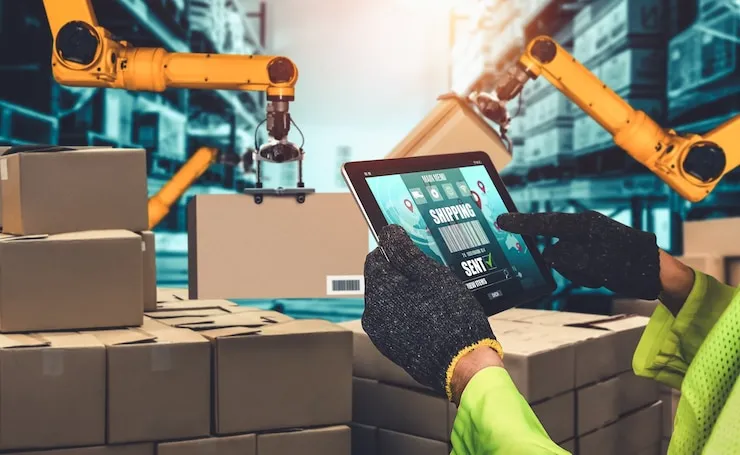

IoT inventory management uses connected devices, such as RFID tags, sensors and GPS trackers, to record stock and its condition without scanning. It pays where a missed reading costs more than the device: a medicine fridge, a fuel tank, a loaded truck. Most small shops get the visibility they need from barcodes and a POS.
This page compares the devices, works out when one pays for itself in Uganda shillings, and shows what a shop can do without sensors.
What Is IoT Inventory Management?
IoT, the Internet of Things, means devices that measure something and send the reading over a network by themselves. In inventory, they report what is where, how much is left, and whether it is still in good condition.
The difference from a barcode is the person. A barcode needs someone to scan it; an IoT device reports on its own, as often as it is set to. That is also its weakness: it needs power and a network at every reading.
Why IoT Inventory Management Matters Today
It matters where stock is valuable, perishable or far away, and nobody can check it often. A vaccine fridge at night, a diesel tank on a site, a container between Mombasa and Kampala: each can fail unseen.
It matters less inside a small shop, where the owner sees the shelves every day. There, the first fix is an accurate record and a reorder point per product (how to avoid stockouts).
Main IoT Technologies Used in Inventory Management
Five kinds of device do most of the work, carried by a network and a platform. They differ in what they read, and in what they need to keep reading.
| Device | What it reads | What it needs | Pays when |
|---|---|---|---|
| RFID tags and readers | Many tagged items at once, without line of sight | A tag on each item, and readers | Items are valuable and counted often |
| Temperature and humidity sensors | The air in a fridge, cold room or store | A battery or power, and a network | Spoiled stock costs more than the sensor |
| Level and weight sensors | How full a tank, silo or bin is | Power, a network, regular calibration | Bulk liquids or powders can't be counted by hand |
| GPS trackers | Where a vehicle or container is | A battery and mobile signal | Loads are valuable or routes are long |
| Smart shelves | The weight or the tags on each shelf | Power, a network, special shelving | A large store can't walk its aisles often |
RFID Tags and Readers
An RFID tag carries a code that a reader picks up by radio, so a reader counts a rack of tagged goods without unpacking it. GS1, the body behind barcodes, says passive UHF tags read "at distances well in excess of 10 metres, without line-of-sight contact".
The same page notes that "a barcode still needs to be on the label". RFID adds to barcodes rather than replacing them, as RFID vs barcodes explains.
IoT Sensors
Sensors measure temperature, humidity, weight or the level in a tank, and raise an alarm when a reading leaves its range. For stock that spoils, such as medicines, vaccines and dairy, the temperature alarm is the sensor most worth having.
GPS Trackers
A GPS tracker reports where a truck, motorbike or container is. It answers "where is my delivery?" and shows how long each route really takes, which feeds your lead times.
Smart Shelves
Smart shelves weigh or read the stock on them and warn when a shelf runs low. They suit large stores with long aisles; in a small shop, the stock figure after each sale tells you the same thing.
Wireless Networks
Devices send readings over Wi-Fi, mobile data, or a low-power wide area network (LPWAN). TechTarget describes LPWAN as linking "low-bandwidth, battery-powered devices", over 2 km to 1,000 km depending on the technology.
A device on the shop's Wi-Fi stops reporting when a power cut switches off the router. For anything that must warn you during a power cut, choose a device with its own battery and SIM card.
Cloud Platforms
The readings go to an online platform, usually the device maker's, which shows them and sends the alarms. Your stock records live in your POS, so expect two systems side by side unless they are built to connect.
For example: is a fridge temperature alarm worth it?
A device pays when the yearly cost of the problem it catches is bigger than its own yearly cost. The yearly cost of the problem is the chance it happens in a year, times what one incident costs.
Take a pharmacy and a mini-market in Kampala, each thinking about the same fridge alarm. The figures are examples, including the alarm's price: get quotes from local suppliers.
| Line | Pharmacy | Mini-market |
|---|---|---|
| What the fridge holds | Insulin and vaccines | Soft drinks |
| What one unnoticed failure costs | UGX 8,000,000 of stock spoiled | UGX 150,000 in warm drinks and lost sales |
| Chance of an unnoticed failure | Once in 4 years: 25% a year | Once in 4 years: 25% a year |
| Expected loss a year | 8,000,000 × 25% = UGX 2,000,000 | 150,000 × 25% = UGX 37,500 |
| Alarm with its own battery and SIM, a year | UGX 400,000 | UGX 400,000 |
| Verdict | Pays five times over | Covers less than a tenth of its cost |
The same device, at the same price, is a bargain in one business and a waste in the other. Run this sum before you buy any sensor, tag or tracker.
The alarm needs its own battery and SIM card. The usual cause of the problem, a power cut at night, also cuts the Wi-Fi.
When a small shop needs IoT, and when it doesn't
Most small shops need none of it yet: barcodes, a POS and a daily look at low stock cover what sensors would. The table gives the exceptions, and the cheaper step to take first.
| Device | Worth it for | Do this first |
|---|---|---|
| RFID | Clothing, phones and other valuable items counted often | Barcode every item and count with a scanner or a phone camera |
| Temperature alarm | Medicines, vaccines, dairy and frozen stock | Read the thermometer twice a day and write it down |
| Level sensor | Fuel, cooking oil or flour in bulk tanks | Record a dipstick reading every day |
| GPS tracker | Vans or motorbikes carrying valuable loads | Record each delivery's status as it changes |
| Smart shelves | Large stores that can't check every aisle often | Read the low-stock report every morning |
Key Use Cases by Industry
The device that pays depends on what goes wrong in each trade.
Retail
Clothing retailers tag items with RFID to count many at once and to set off the alarm at the door, the shop-floor uses GS1 describes. A grocer or butcher gains more from a scale that prints a barcode with the weight, which ArmPOS reads at the till.
Manufacturing
Factories put level sensors on silos and tanks of raw materials, such as flour, sugar or oil, that can't be counted by hand. The reading tells the buyer when to reorder, before production stops.
Warehousing and Distribution
Warehouses use RFID on pallets and cases, and temperature sensors in cold rooms. The reads replace a person walking the aisles with a scanner.
Logistics and Supply Chain
Transporters fit GPS trackers to trucks and containers on long routes, such as the roads inland from Mombasa or Dar es Salaam. Each trip's real duration becomes the lead time you plan with.
Step-by-Step Guide to Implementing IoT in Inventory
Run the break-even sum first, then roll out in this order. Each step is cheap to undo until the last.
1. Define Your Goals
Name the one loss you want to stop and what it costs a year: spoiled stock, a theft, a stockout on a key line. That number is your budget ceiling.
2. Choose the Right IoT Devices
Match the device to the loss and to the type of inventory. A temperature alarm suits perishables, level sensors suit bulk liquids, and RFID suits valuable items counted often. Ask for each device's battery life, and what it does when the network drops.
3. Set Up a Stable Network
Test the signal where each device will sit, at the back of the store room and inside the cold room. Where Wi-Fi or mobile signal is weak, a device on an LPWAN may reach further.
4. Integrate with Inventory Software
Decide where the readings go and who acts on them. A temperature alarm can live in its own app. Stock counts belong in your inventory management software, so you keep one version of the truth.
5. Start with a Small Pilot
Fit one fridge, one tank or one rack first, and run it for a month. Count how many alarms were real before you buy more.
6. Train Your Staff
Agree who receives each alarm, at what hours, and what they do first. An alarm nobody answers at night saves nothing.
7. Monitor and Scale
After the pilot, compare the losses before and after with the break-even sum. Extend only what paid, to the next fridge or the next branch.
Challenges to Watch
Six problems come up again and again. Plan for each one before you buy.
Data Overload
A sensor that reads every minute sends 1,440 readings a day, and nobody reads them. Set alarms for the readings that need action, and let the rest sit in the log. Turning readings into forecasts is a job for software, covered in AI in inventory management.
Device Compatibility
Devices from different makers often report to different apps. For RFID, tags that follow GS1's EPC standard work with readers built to it. For sensors, ask before you buy whether the readings can be exported.
Connectivity Issues
Devices go quiet when the signal or the power fails, often at the moment something goes wrong. Pick devices that store readings and send them when the connection returns.
Your till needs the same resilience. The ArmPOS POS keeps selling when the internet drops and sends the sales when it returns (The POS screen).
Security Risks
Every connected device is a door into your network. Change default passwords, keep the firmware updated, and put devices on a different Wi-Fi network from your till.
Battery and Maintenance Problems
Batteries run down and sensors drift, so a reading can be wrong without warning. Book a check for each device on a fixed date, and test each alarm by setting it off on purpose.
ArmPOS can hold those dates on plans that include Assets. It records a scale or a fridge with a Next Validation date, and reminds the right people when it is due (Company assets).
Industry-Specific Needs
A cold room needs alarms, a fuel depot needs level readings, and a clothing store needs counts. Copying another trade's setup buys the wrong device.
Tips to Make It Work Well
Eight habits keep a small IoT setup paying for itself.
Start with a Focused Use Case
One device on the costliest risk beats ten devices everywhere. Prove the saving on one before you spread.
Choose Scalable Technology
Pick devices that report to a platform you can add to, so a second fridge or branch joins the same screen. Avoid devices that only show readings on their own display.
Ensure Full Network Coverage
Walk the premises with a phone and check the signal where each device will sit. Cold rooms and metal shelving weaken radio signals.
Use a Central Dashboard
Put every alarm on one screen, or one phone, that someone checks. Alarms spread over five apps get missed.
Automate Where Possible
Automate the alarms, not the orders. A low-stock or high-temperature warning should reach a phone, and the decision to buy stays with a person (Get alerts on your phone).
Train Your Team
Everyone on shift should know what each alarm means and what to do first. Write it on a card next to the device.
Monitor System Performance
Check each month that every device reported every day. A silent sensor looks the same as a fridge with nothing wrong.
Review and Adjust
Every quarter, rerun the break-even sum with the losses you actually avoided. Move devices that never alarm to where the risk is.
What ArmPOS does without sensors
ArmPOS has no RFID or IoT sensors of its own. It gives a small shop the visibility most need from devices it already owns: a phone, a barcode scanner, a label printer and a scale.
- Scanning: a USB barcode scanner types into the POS search box, and Scan reads a barcode with the device's camera (The POS screen).
- Labels: Products › Print Labels prints barcode labels on A4 sheets or stickers, with the name, code and price (Print barcode labels).
- Weighing scales: the POS reads the barcodes that weighing scales print, with the weight inside them.
- Low stock: the bell warns the people at a warehouse when a product falls to its Stock Alert (Get alerts on your phone).
- Expiry: batch tracking keeps each batch's expiry date, and the Expiry Report shows what expires soon (Batches and expiry dates).
- No internet: the POS keeps selling offline and sends the sales when the connection returns.
With a barcode on every item, the till reads codes instead of someone typing them: see how barcodes and QR codes reduce human error. ArmPOS works the same in every country it serves, from Uganda to Ghana.
Frequently asked questions
Is RFID part of IoT?
RFID is one of the technologies IoT uses: a reader picks up tags by radio and sends the reads to a system. A passive tag has no battery or network of its own; the reader is the connected part.
What is an example of IoT in inventory management?
A temperature alarm in a pharmacy fridge that sends a text when the fridge warms is a simple one. A GPS tracker on a delivery truck is another.
Does IoT work without internet?
Most devices need a network to report, though some store readings and send them later. An alarm with its own SIM card still works when the shop's Wi-Fi is down.
Does a small shop need IoT for its stock?
Usually not yet. Barcodes, a POS and a reorder point per product cover most of what sensors would. Buy a device only where the break-even sum says it pays.
Start with the barcode you already have: label your stock and scan every sale. To keep those records in one place, online or off, create a free ArmPOS account.


